Hi,
Is it possible to apply a filter to a inline repeat using a String field so that only entries where the field is not empty are displayed?
something like kontext (rootgroup) { kontext (subgroup) [StringField] != “ “
Hi,
Is it possible to apply a filter to a inline repeat using a String field so that only entries where the field is not empty are displayed?
something like kontext (rootgroup) { kontext (subgroup) [StringField] != “ “
Yes, this should be possible. As you can see in How to filter rows of an inline repeats with attachment?, there are one or two issues relating to Filter Expressions.
If not, you might need to create a helper field as a direct descendant of the repeatable group.
You should also remember that when modeling a Filter Expression, the kontext starts at the repeatable group. There are some examples in the documentation that should help you.
Please feel free to include a minimal model if you want further support as your Document Model structure isn’t clear to me at the moment.
Hi, inequality comparisons (!=) in filter expressions were only introduced with 2025.06 (A12-17038). Before that, you need a computed boolean field which evaluates [StringField] != “ “ to True and use that in the filter expression.
I created a helper field to use equality comparison but it still produce parsing issue.
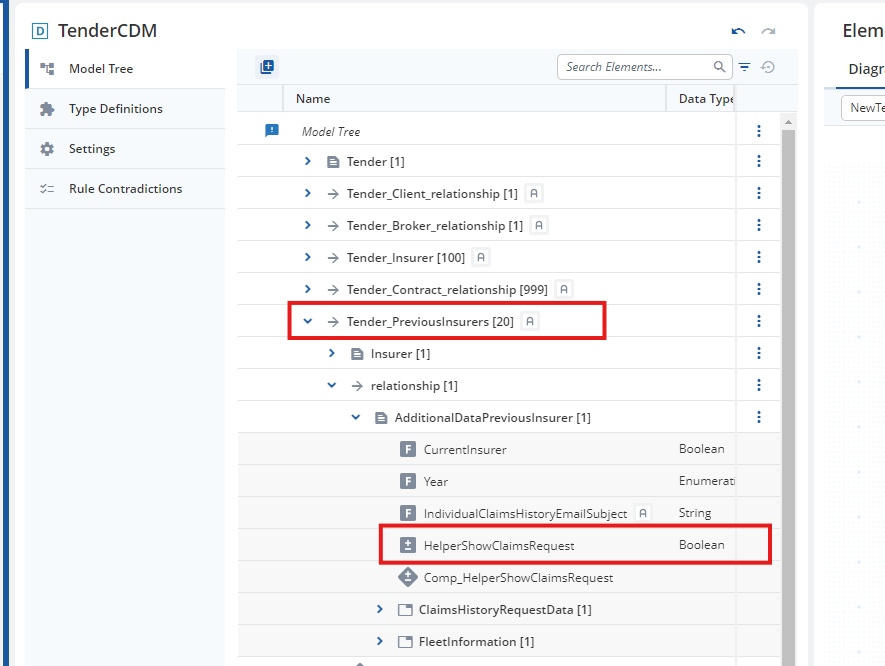
In my case, I wanna filter out the PreviousInsurer who has HelperShowClaimsRequest = True.
The PreviousInsurers is a repetable link to the Tender - root document, HelperShowClaimsRequest belong to the additional link data.
kontext(Tender_PreviousInsurers){kontext(relationship){kontext(AdditionalDataPreviousInsurer){[HelperShowClaimsRequest]}}} = “True”
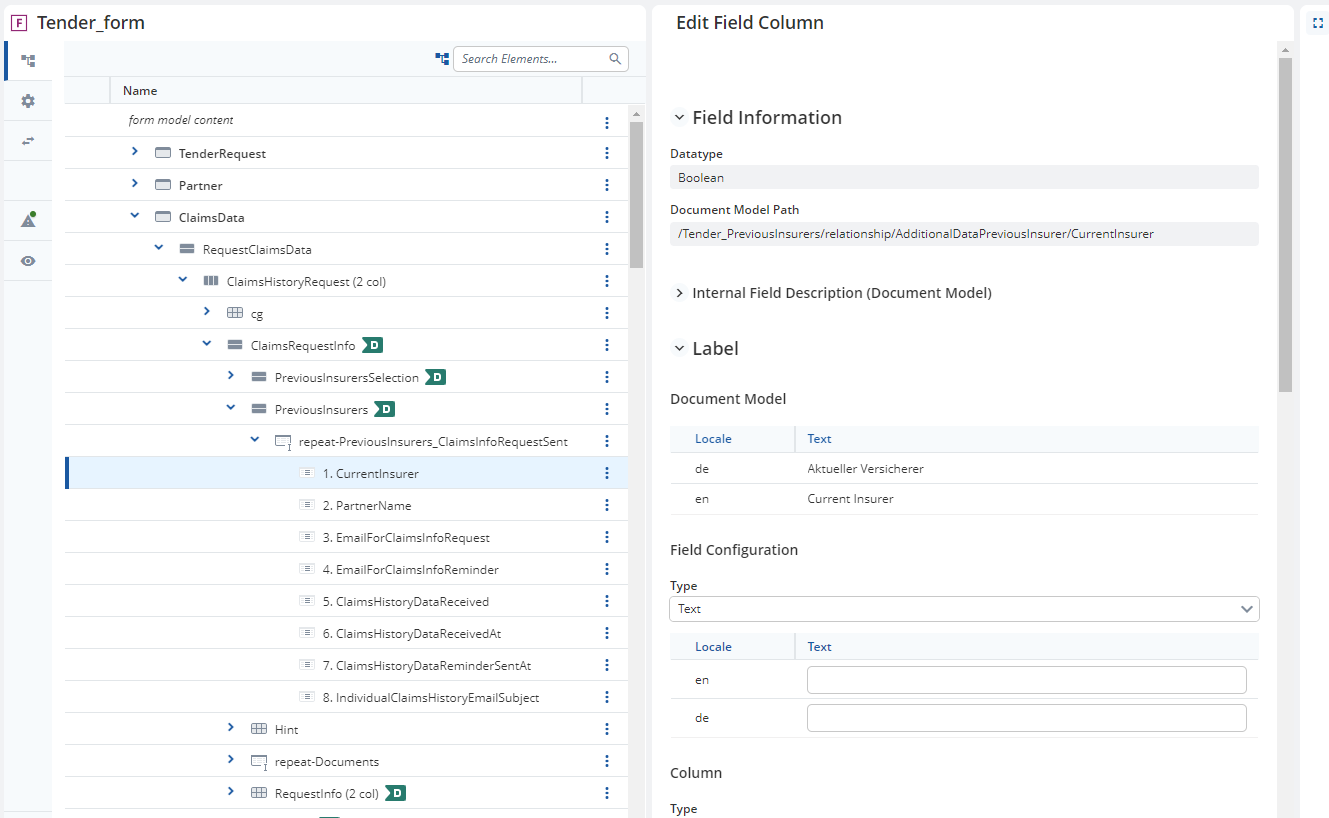
So I’m not exactly sure how you reached the state that you show in the screenshots.
If the Form Model that you show is based on the CDM that you show then you model a binding and not an inline repeat. Bindings do not have any Filter Expression settings.
That being said, I mentioned that “the kontext starts at the repeatable group”. That means that the theoretical Filter Expression would be:
kontext(relationship){
  kontext(AdditionalDataPreviousInsurer){
    [HelperShowClaimsRequest] = “true”
  }
}
Note that "true" is written in lower case, see the Expression Documentation.
thank you for reminding me that the apparent inline repeat was just a json trick in my project to keep the simple UI. Given that I’m using a binding, I now understand filtering expression isn’t possible in this setup.
I might need to ask developer to achieve my filtering.