Hi,
discourse topic User-role dependent welcome page/pop-up upon login lead to a follow-up question: Is it technically possible to model a screen (or pop-up) which is shown after login but before seeing the overview page of an A12 application?
In the best case, this screen/pop-up should only be shown for users with specific roles.
Yes, it is possible to show a pop-up as your initial content.
I don’t think it matches your requirement as I couldn’t model this feature so that it was only shown to certain roles. In addition, I always visualized a new, blank form…
That being said, I did this:
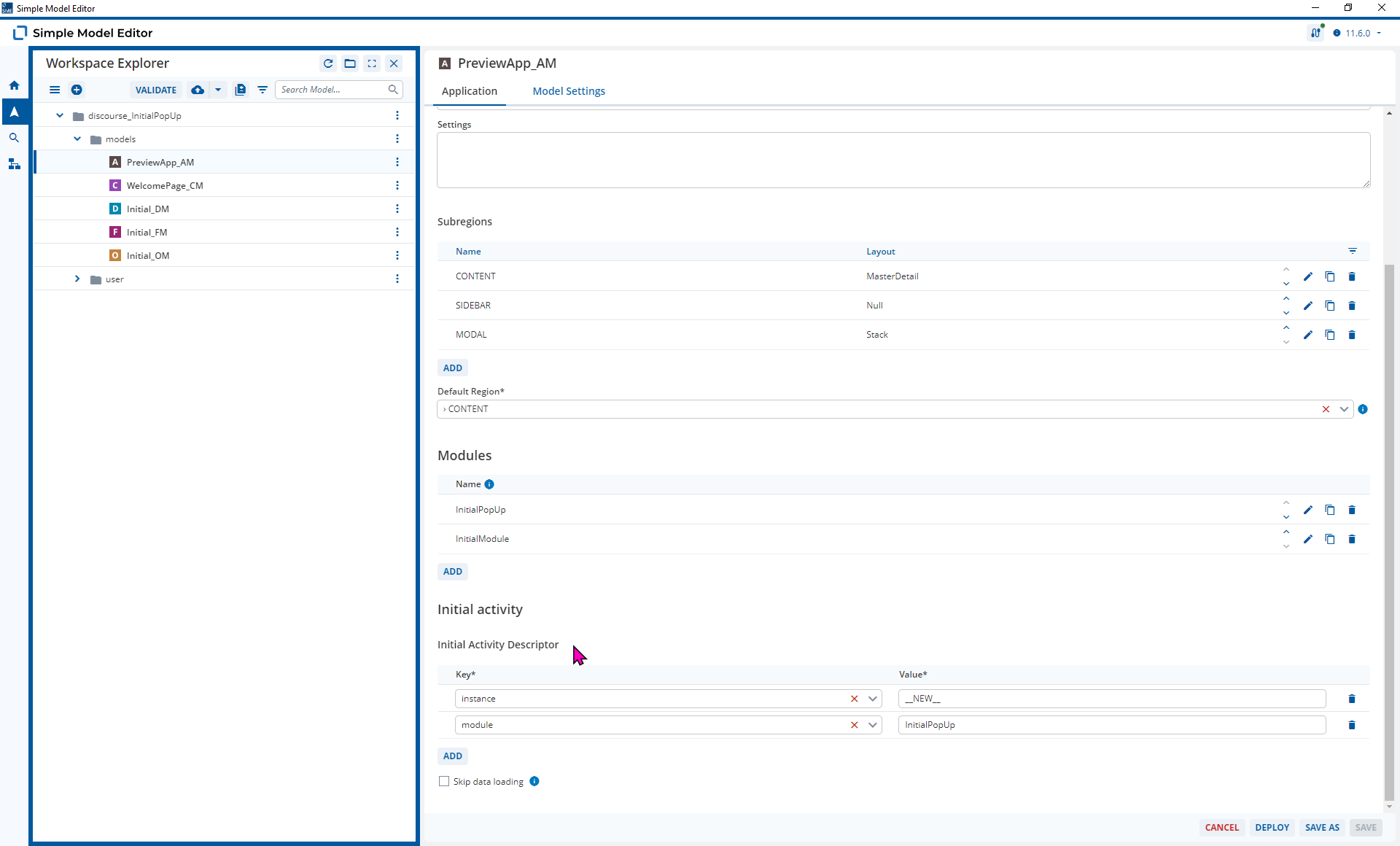
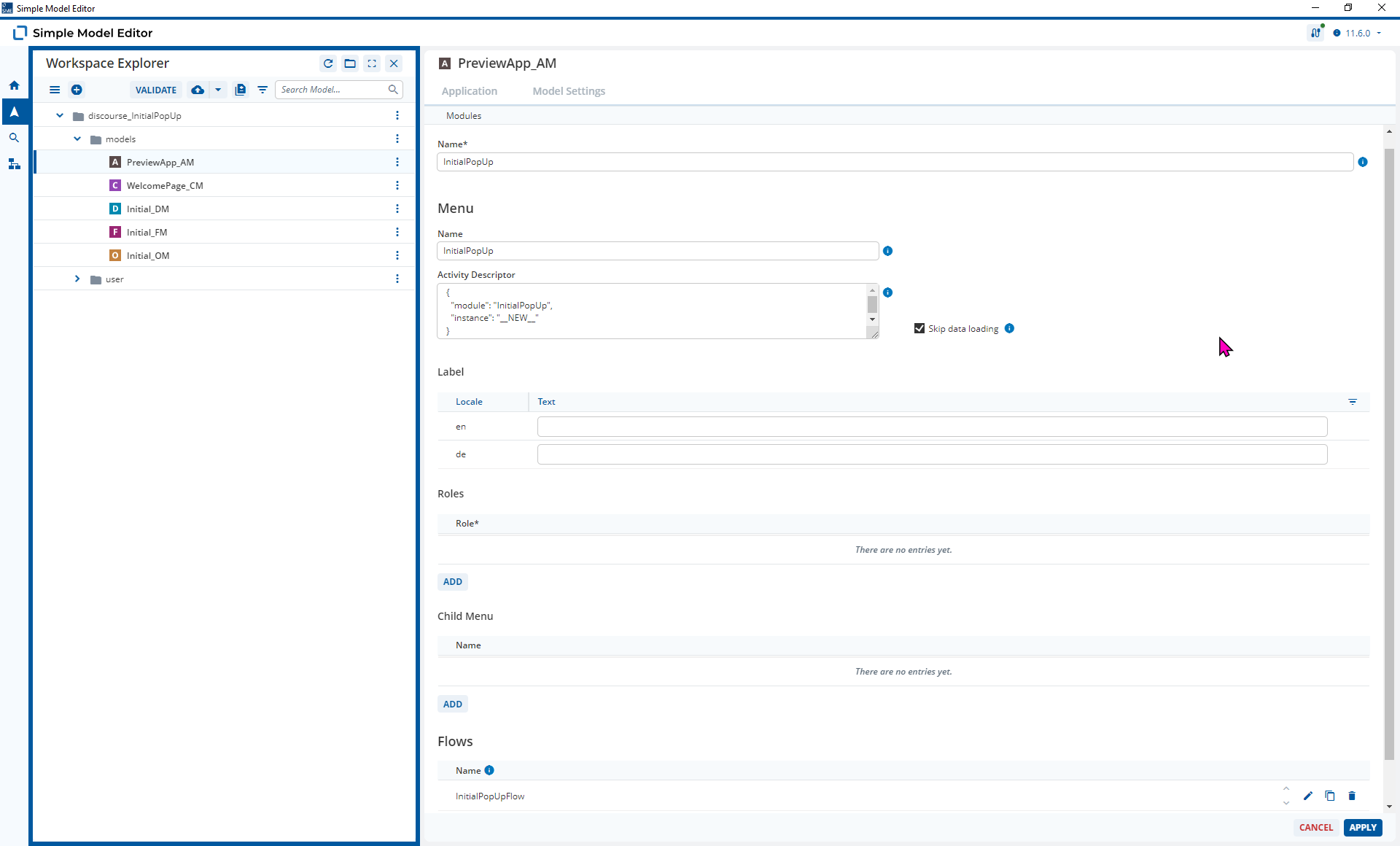
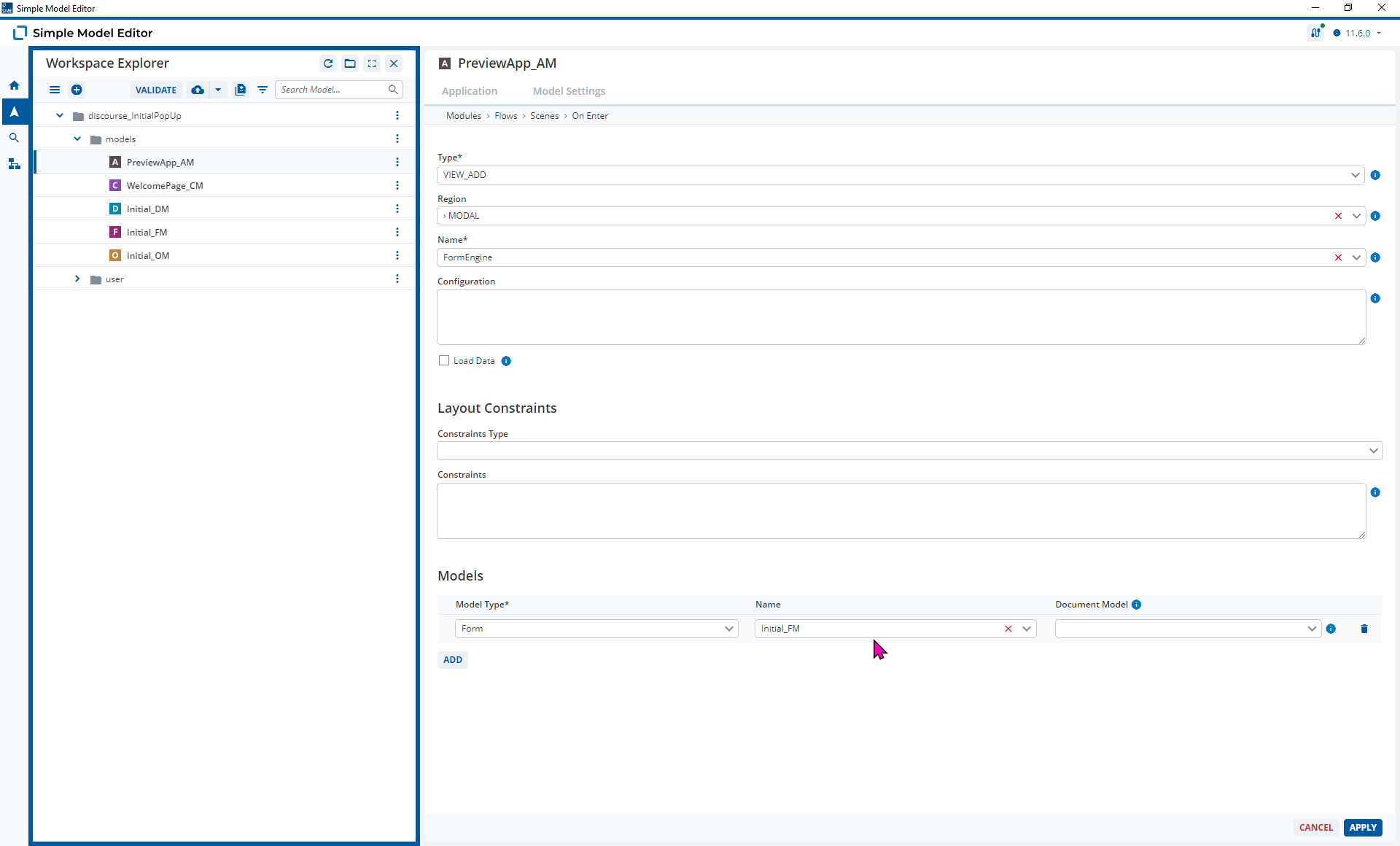
- Added a Module to the Preview App so that I could add a View with a Form Model that is show under specific match conditions
- Added the Form View to the MODAL subregion
- Added the match conditions for this module to my Initial Activity Descriptor
This means the Form is shown when you log-in
2024.06-ext4 models
Please note, you might need to refresh your browser after initially starting the Preview App
Initial_DM.json (1.2 KB)
Initial_FM.json (3.0 KB)
Initial_OM.json (1.6 KB)
PreviewApp_AM.json (5.4 KB)
Thanks a lot for this detailed answer!
A small follow-up question: When using a modal, the logout button (and functionality) won’t be available, will it? Meaning the only way to refuse is closing the browser window?
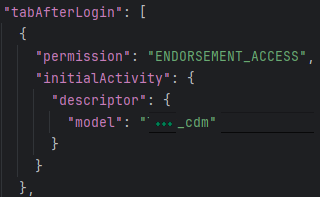
We actually use permissions (corresponding to access rights defined for specific user roles) to define which initial activity is shown in dependence of the role. Together with your example, this might indeed be the solution.
Hi @susanne-sleek-boulder
I displayed a Form Model in the modal. I can’t add the logout button to this directly in the model. You might be able to add this functionality with custom code though.
This is getting very technical covering the components a number of different components
- Form Model in the Form Engine
- Application Model in the Client
- UAA
You probably need to ask this question again in one of those categories.