Hi all,
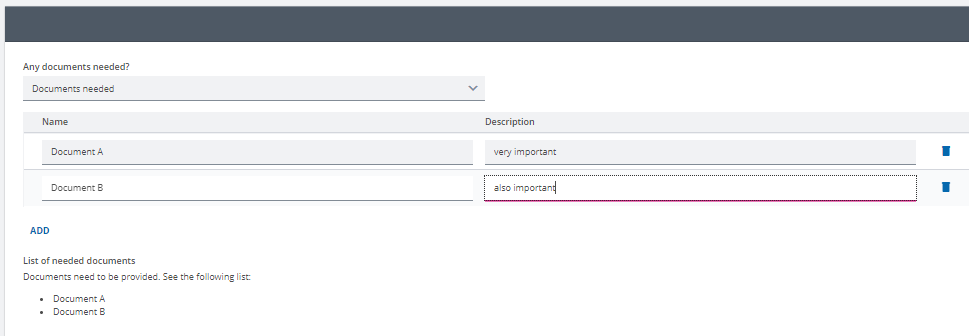
so I have a bit of an unusual use case. In my project I have a repeatable group where the user can add a list of documents. In a different place, I have an expression that prints a list of all the listed documents if there are any, otherwise it says something else.
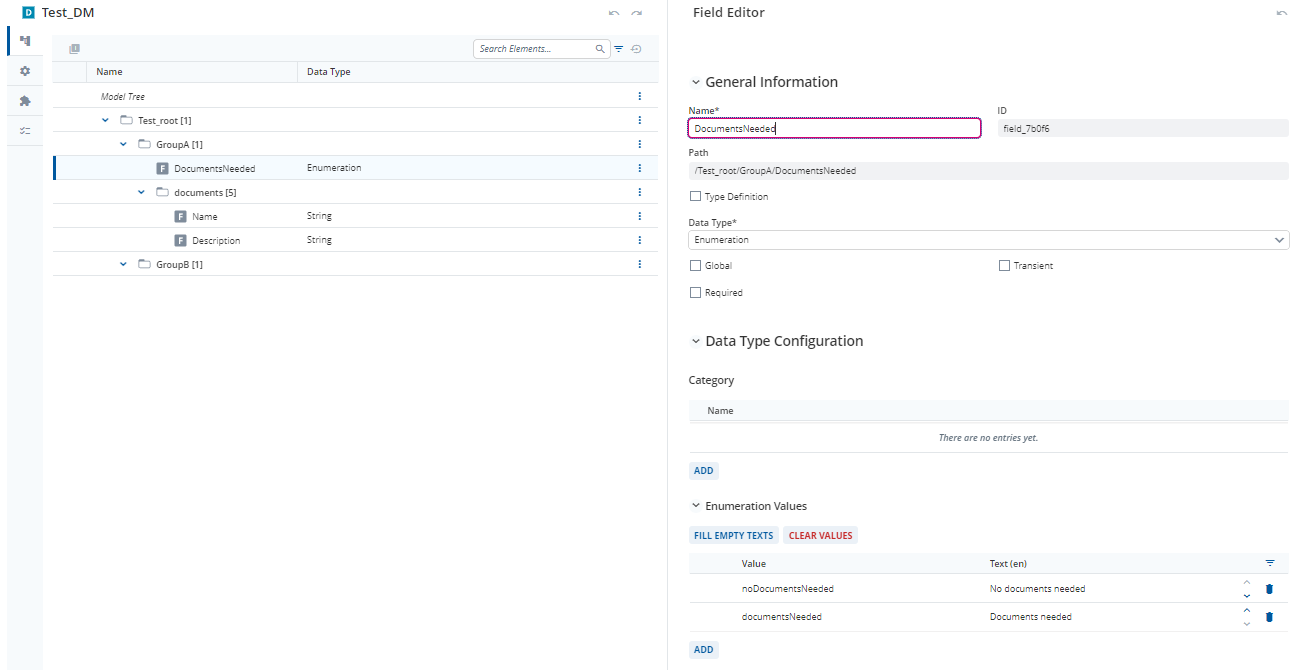
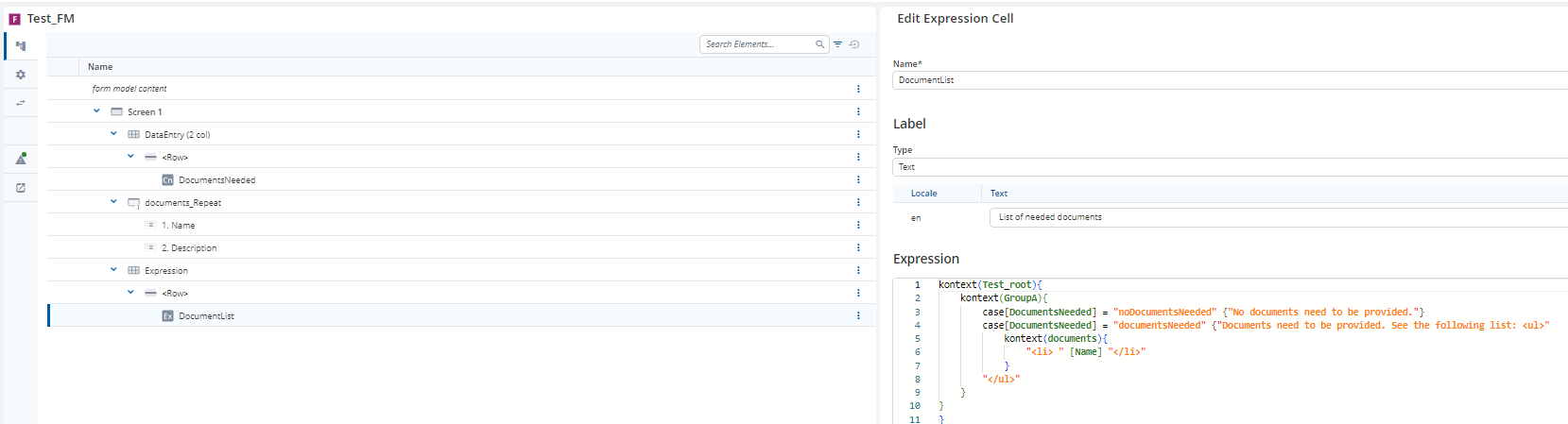
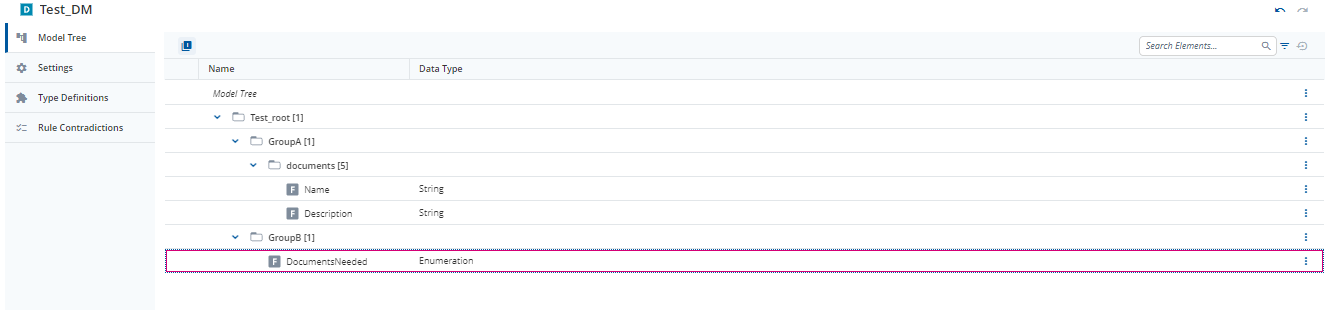
We solved this requirement previously by having an enumeration “DocumentsNeeded” where the user would select whether any document needed to be listed. This enumeration would control whether the repeat to list documents was shown in the form and would be also used in the expression. Like this:
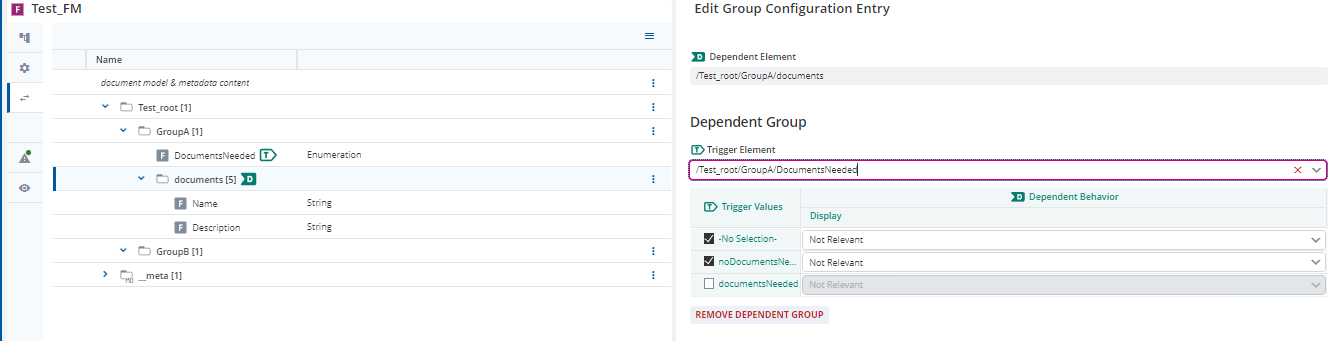
However, we needed to make some changes to the data model and now the “DocumentsNeeded”-enumeration can no longer be in the same group as the “documents”-repeatable group. Like this:
When it comes to the dependent group, that works fine. However, I cannot use the enumeration in my expression any more, as it’s not possible to reference upwards within cases. I would’ve liked to use something like “NoGroupFilled” and “AtLeastOneGroupFilled” but I can’t think of any way to construct the expression to reflect this without adding a helper field (which is not allowed, no fields may be added to GroupA in my example). My last resort would be to copy the “documents”-group to GroupB, and copy over the data using computations, which feels very bad, so I would like to avoid that.
Any ideas would be appreciated!
Best,
Lea
edited: I needed to fix my expression and adjusted the screenshots
These are my example models:
Test_DM.json (4.3 KB)
Test_FM.json (3.7 KB)
Hi @lea-clear-clover
Is the expression in your example correct?
kontext(Test_root){
    kontext(GroupA){
        case[DocumentsNeeded] = "noDocumentsNeeded" {"No documents need to provided."}
        case[DocumentsNeeded] = "DocumentsNeeded" {"Documents need to be provided. See the following list: <ul>"}
            kontext(documents){
                "<li> " [Name] "</li>"
            }
        "</ul>"
    }
}
If it is correct, then the kontext(documents){} statement is actually outside the case and can easily be adapted.
You can try this
kontext(Test_root){
    kontext(GroupB){
        case[DocumentsNeeded] = "noDocumentsNeeded" {"No documents need to provided."}
        case[DocumentsNeeded] = "DocumentsNeeded" {"Documents need to be provided. See the following list: <ul>"}
    }
    kontext(GroupA){
            kontext(documents){
                "<li> " [Name] "</li>"
            }
        "</ul>"
    }
}
Sorry, I had a mistake in my expression when I initially posted which I fixed, but I was too slow for you.
Your version of the expression unfortunately won’t print the first sentence ("“Documents need to be provided. See the following list:”)
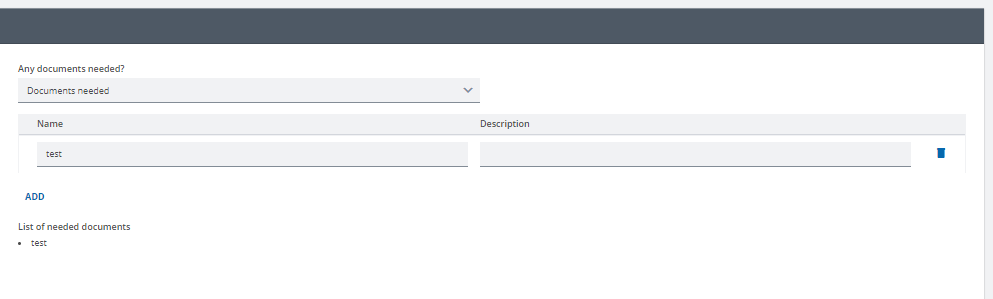
Ah this version works like I want it to:
kontext(Test_root){
    kontext(GroupB){
        case[DocumentsNeeded] = "noDocumentsNeeded" {"No documents need to provided."}
        case[DocumentsNeeded] = "documentsNeeded" {"Documents need to be provided. See the following list: <ul>"}
    }
    kontext(GroupA){
            kontext(documents){
                "<li> " [Name] "</li>"
            }
        "</ul>"
    }
}
I guess this was easier than I thought!
fyi this solution leads to a row of empty bullet points if the user switches between settings.
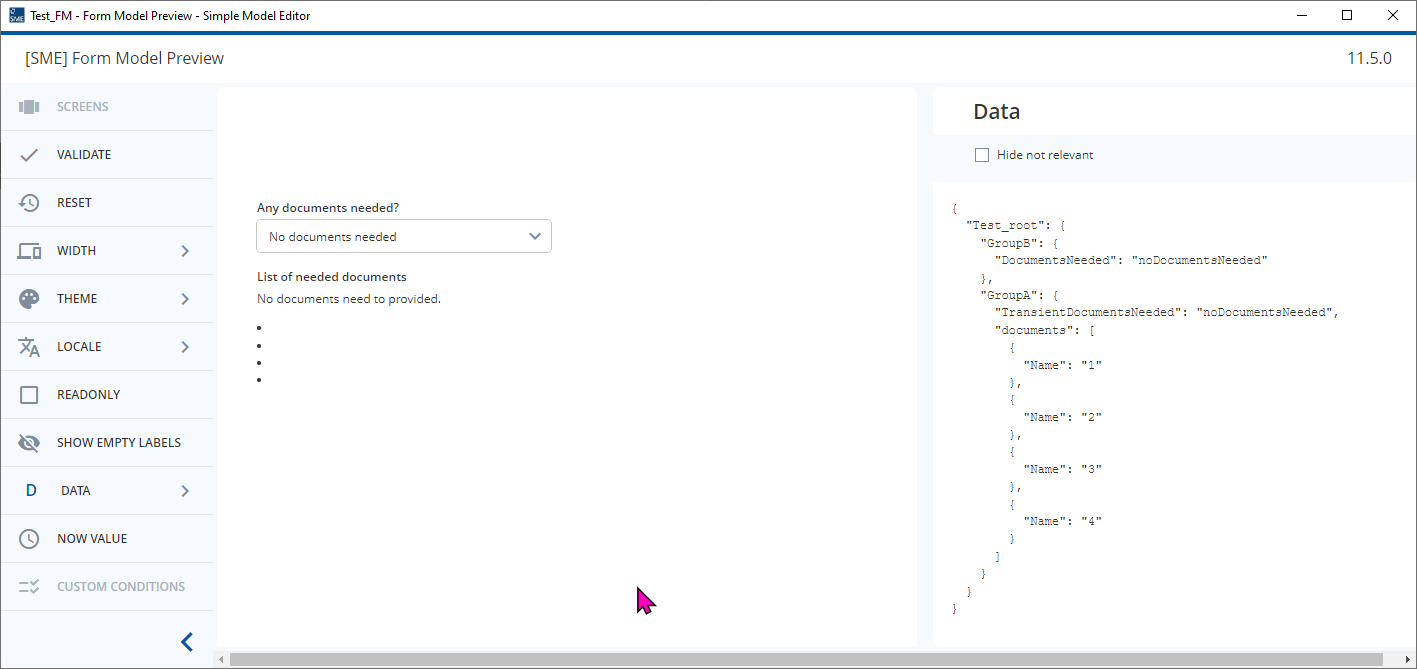
I couldn’t find a solution to this.
Hey @lea-clear-clover ,
could you add a helper Field in your repeatable group? This could be a confirm Field WriteDataInExpression = True if [../../GroupB/DocumentsNeeded] = “documentsNeeded”
→ Then you can use this in your expression:
kontext(Test_root){
    kontext(GroupB){
        case[DocumentsNeeded] = "noDocumentsNeeded" {"No documents need to provided."}
        case[DocumentsNeeded] = "documentsNeeded" {"Documents need to be provided. See the following list:"}
    }
    kontext(GroupA){
            kontext(documents){
                case[WriteDataInExpression] = "true" {"*  " [Name]       }
           }
    }
}
→ This way it only creates a list item, if the document should be printed.
→ The lists can also be automatically created by MarkUp in the Expression. If you do not have a project reason to explicitly add the ul-Tags, I would rely on the markup.
See here <INTERNAL_LINK>
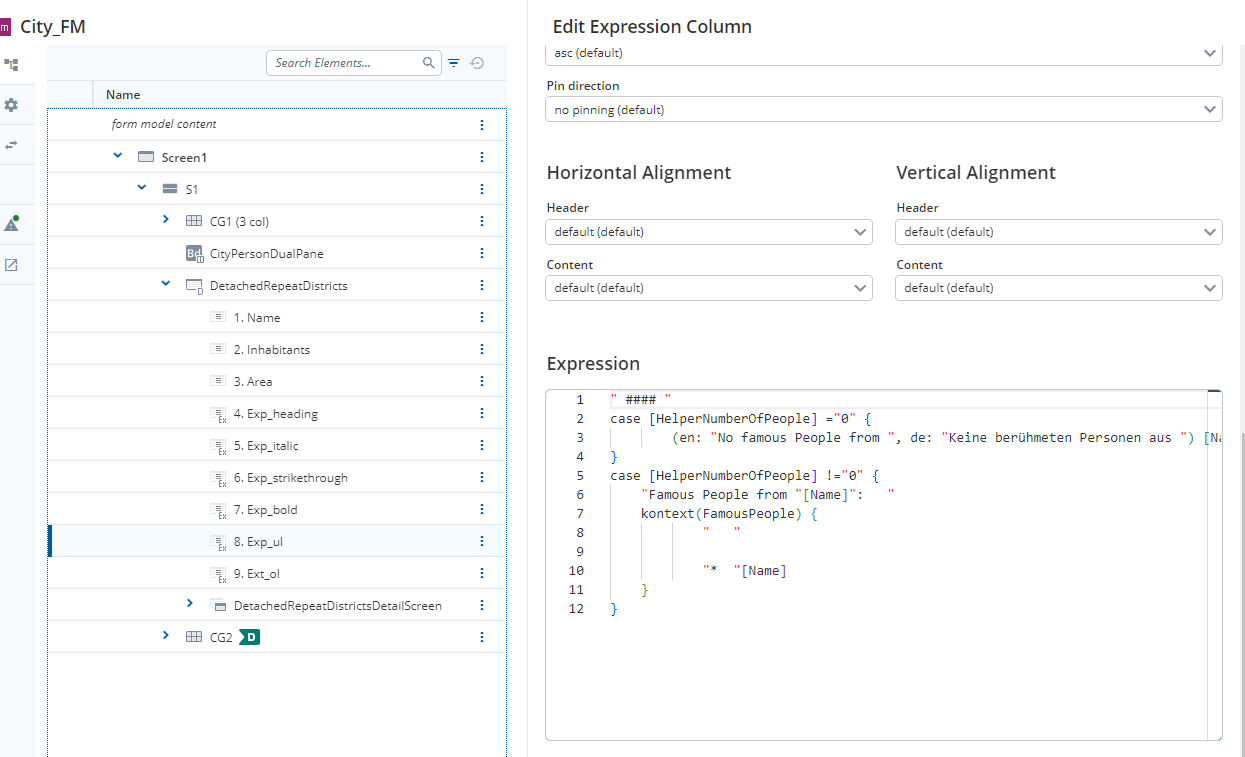
Or many examples in the City_FM in the advanced Installer workspace:
Hi @felix-blazing-river, due to some project-specific limitations to what I can do to the data models, I can’t add anything to the repeatable group, so I can’t use your solution.
I haven’t found a solution for @malcolm-silver-ice’ s scenario either (if you create at least one repeatable group but select “no documents needed” afterwards). However, this is not a valid combination in my use case, so the user either needs to select “documents needed” in this scenario or delete all the repeats. So in the situation where the document is valid, my expression will look correct as well, so in my specific use case, I’m happy with the solution that I posted.