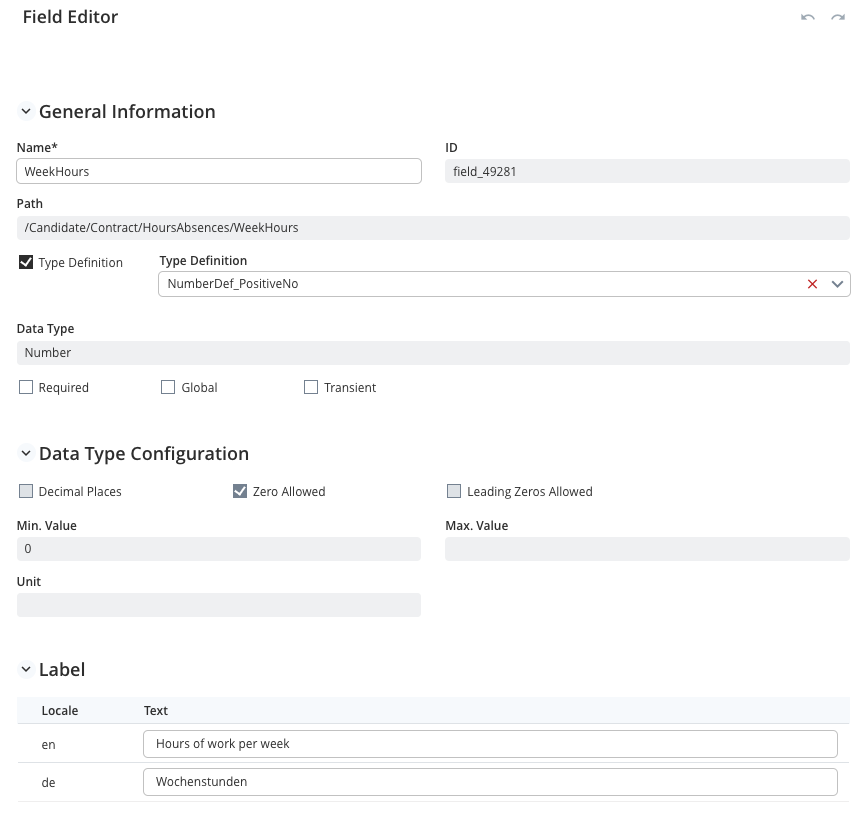
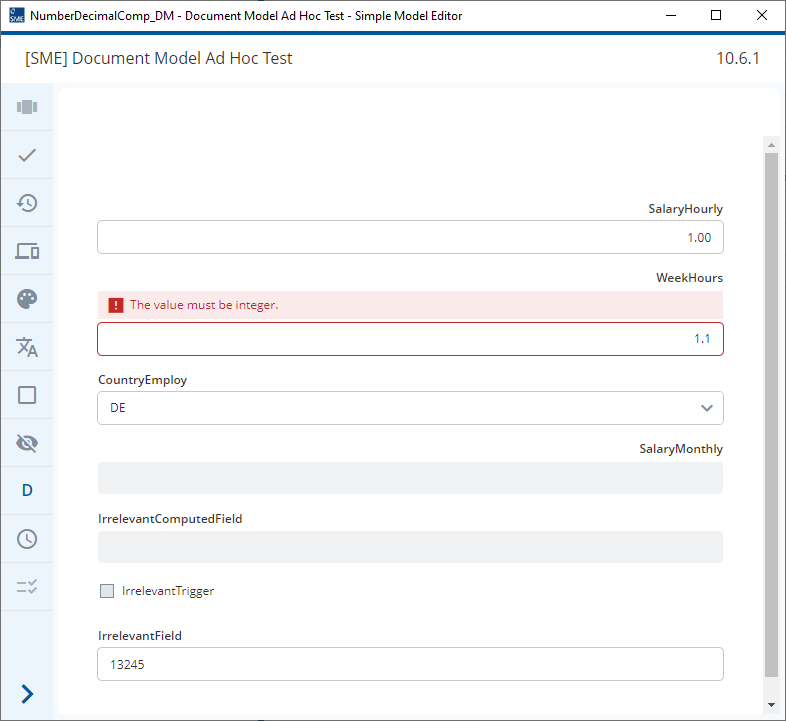
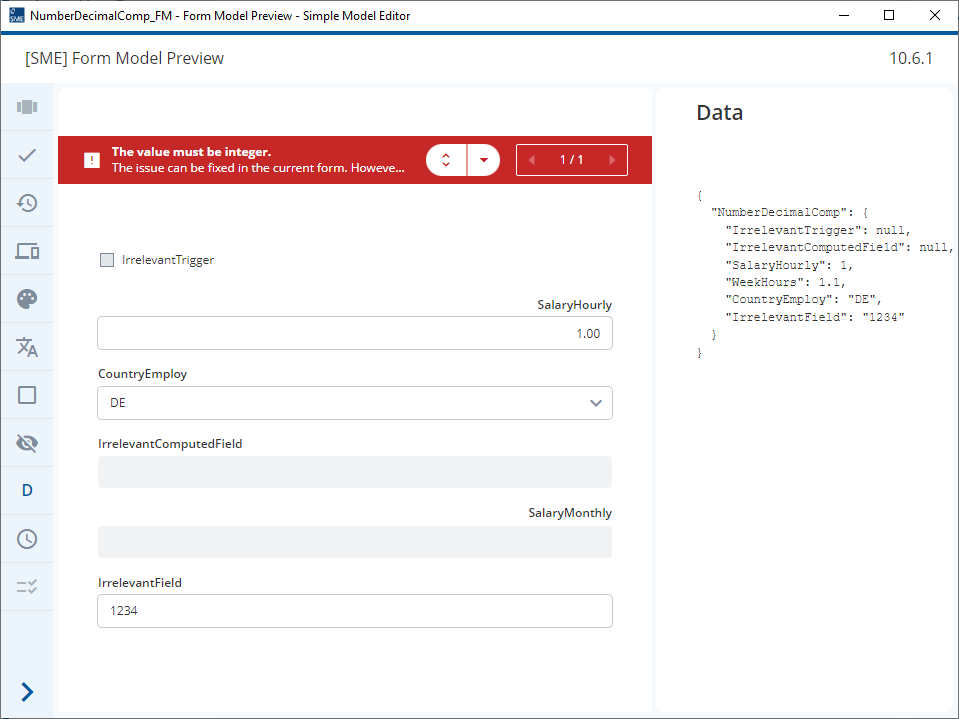
- We have a field called “WeekHours”, with the type is a type definition, a number without decimal.
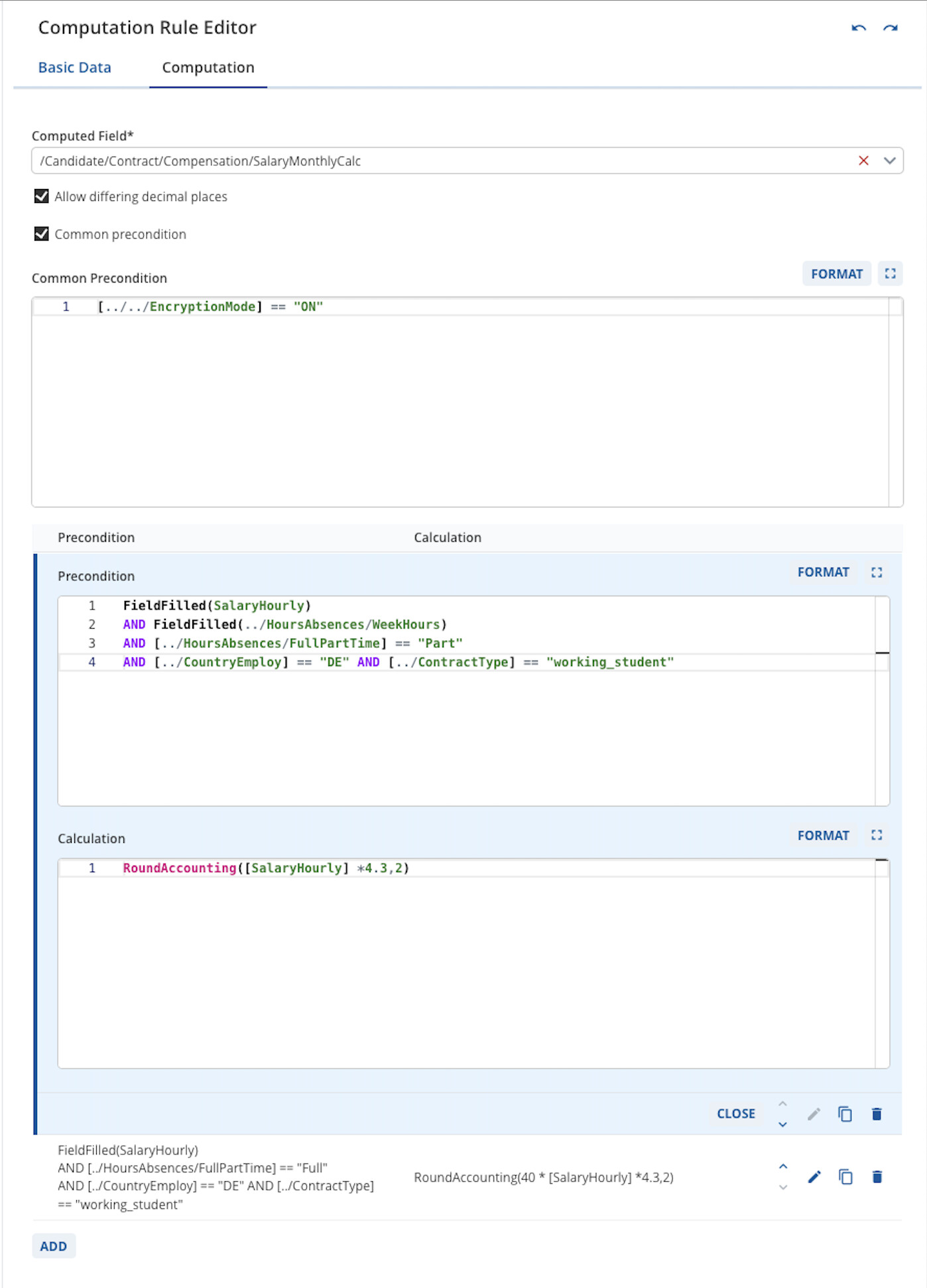
- We have a calculation(SalaryMonthlyCalcHelpCalc) that uses this field, and the pre-condition is FieldFilled(../HoursAbsences/WeekHours) AND [../CountryEmploy] == "DE"(see field).
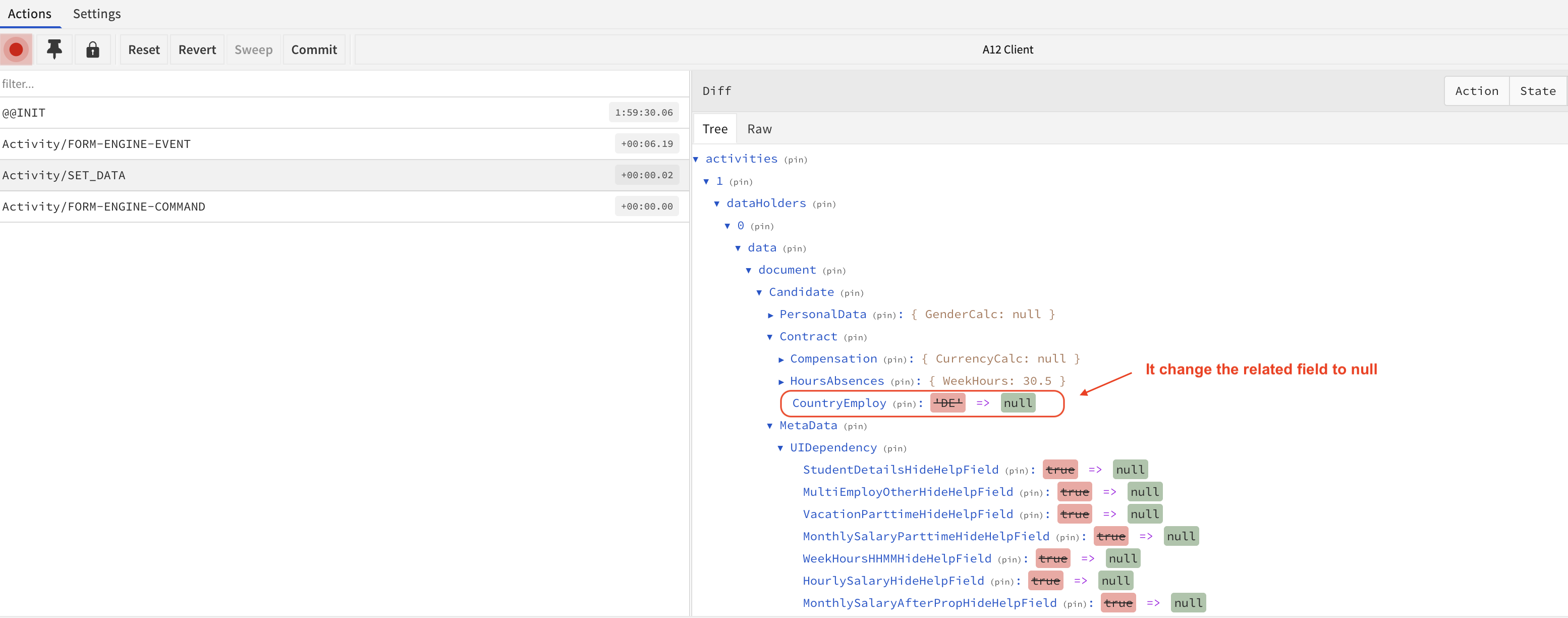
- The problem is when we input a decimal value to WeekHours, somehow it affects the CountryEmploy field and makes it null, then it affects the other fields because CountryEmploy is our main field(see behaviour). I tried deleting the calculation SalaryMonthlyCalcHelpCalc, and the bug is solved.
Do you have any suggestions about how to handle the calculation field or how to fix this problem?
Hi @vinh-neural-shore
It’s hard to see exactly what’s going on and to test this locally without a few more details.
- Which ext-version of 2023.06 are you using?
- Can you give more details of your model or upload a minimum model where this effect can be seen?
1.. Is CountryEmploy computed?
2.. Is there a Dependency which clears CountryEmploy under certain circumstances?
3.. What is modeled in SalaryMonthlyCalcHelpCalc (The picture is from SalaryMonthlyCalc)
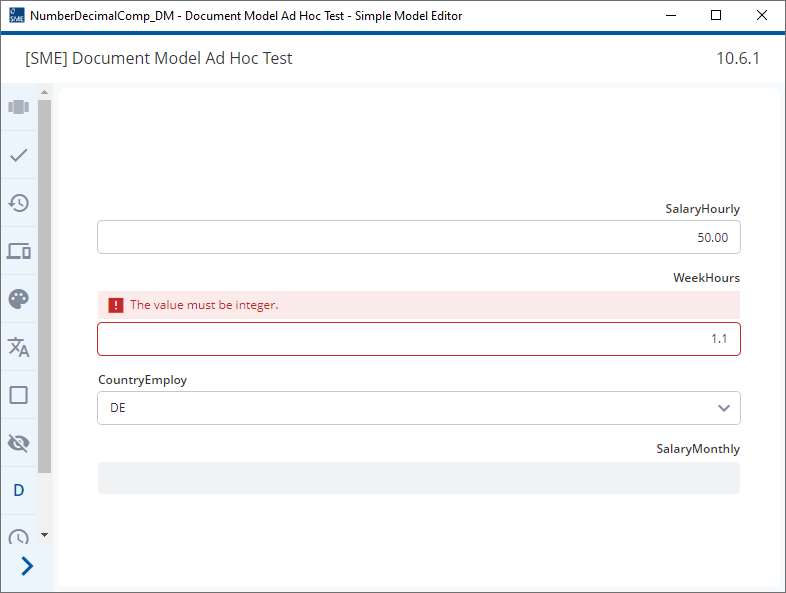
Beyond that, it should already be clear that when you enter a decimal into a field with no decimal places specifed an error is shown.
If the a field has formally invalid data in it (data which does not match the data type or data type configuration) then this field ends up being “unknown” to the Kernel until this formal error is corrected (see here).
The fact that this field value is unknown might be causing the knock on effects but, as I’ve already said, I can’t check this without more details.
Whenever you have a formally invalid operand value (WeekHours), the Kernel can no longer evaluate the computation.
As a result, the computed field will be cleared (SalaryMonthlyCalc) and all dependent fields (dependent due to form model dependencies or computations) are affected accordingly, i.e. as if the computation resulted in no value.
hi @erik-radiant-gorge, do you have any idea to solve this problem
One solution could be a custom converter that makes sure that you always have a valid number value without decimal places.
For instance, by applying an automatic rounding operation on the user input.
Of course, you can still have the case that the user inputs some arbitrary string that you cannot recover from.
Alternatively, you could try to come up with an input that only offers valid values. For example, an enumeration of all values between 1 and 40.
Hi @malcolm-silver-ice, the CountryEmploy is a computed field and that’s why it become null when user input wrong data
Thanks for your suggestion, I have just discussed with Malcolm and it’s a known bug, so I think we will wait for the fix of it.
As @vinh-neural-shore says, there is a change coming to Kernel so that invalid Field Values do not cause all computed Fields to be nulled (A12-16939). This requirement is planned for the 2025.06 release.
This is a particular problem when using computed Trigger Fields to hide Fields (2023.06) or mark them as not relevant (2024.06).
In the attached 2023.06 models, you can see how an invalid value causes all three computed fields to be nulled. Test uses the Ad-hoc test.
If the field “Irrelevant Trigger” is used to control a dependency where the WeekHours are hidden, you end up with the following situation:
- WeekHours is hidden with an invalid value
- The user cannot navigate to this field to correct the issue
NumberDecimalComp_DM.json (9.1 KB)
NumberDecimalComp_FM.json (3.7 KB)