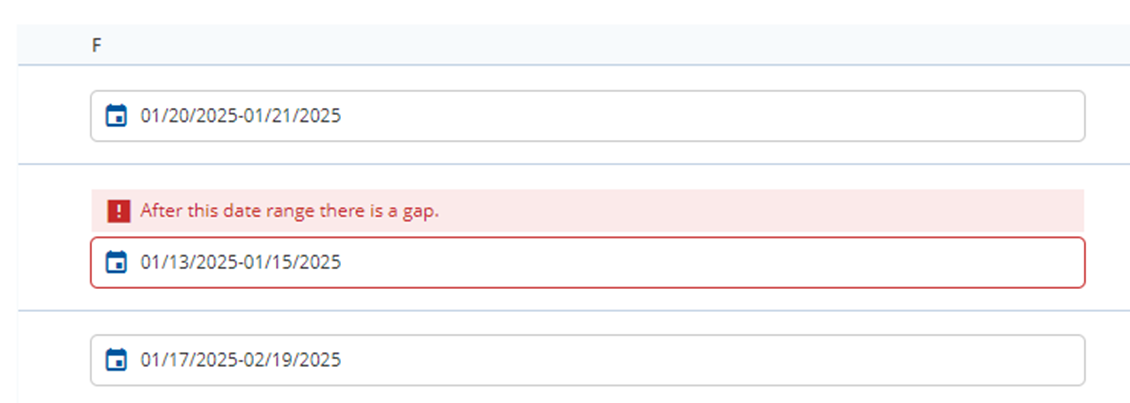
I have a repeatable list with some information which is valid for a certain period. This validity period is defined as a DateRange field in my model. I want to validate that validity periods are plausible - this should happen when the user is saving the form containing this repeatable group.
I am already validating that validity periods are not overlapping (using DateRangesOverlap).
But I also want to make sure that there are no gaps between these validity periods: i.e. if there is a data set for 01.01.2025-01.02.2025 and then the user adds a new one for 03.02.2025-01.03.2025 then the validation error should be triggered because you have no data defined for 02.02.2025. Is this somehow possible?
The first thing to mention is that this solution will only work with a Full Validation. This means you need to model a Full Validation on the Event button that is being clicked when the user saves the form.
This solution will not work with Partial Validation. This means that the user will never see a warning whilst interacting with the repeat.
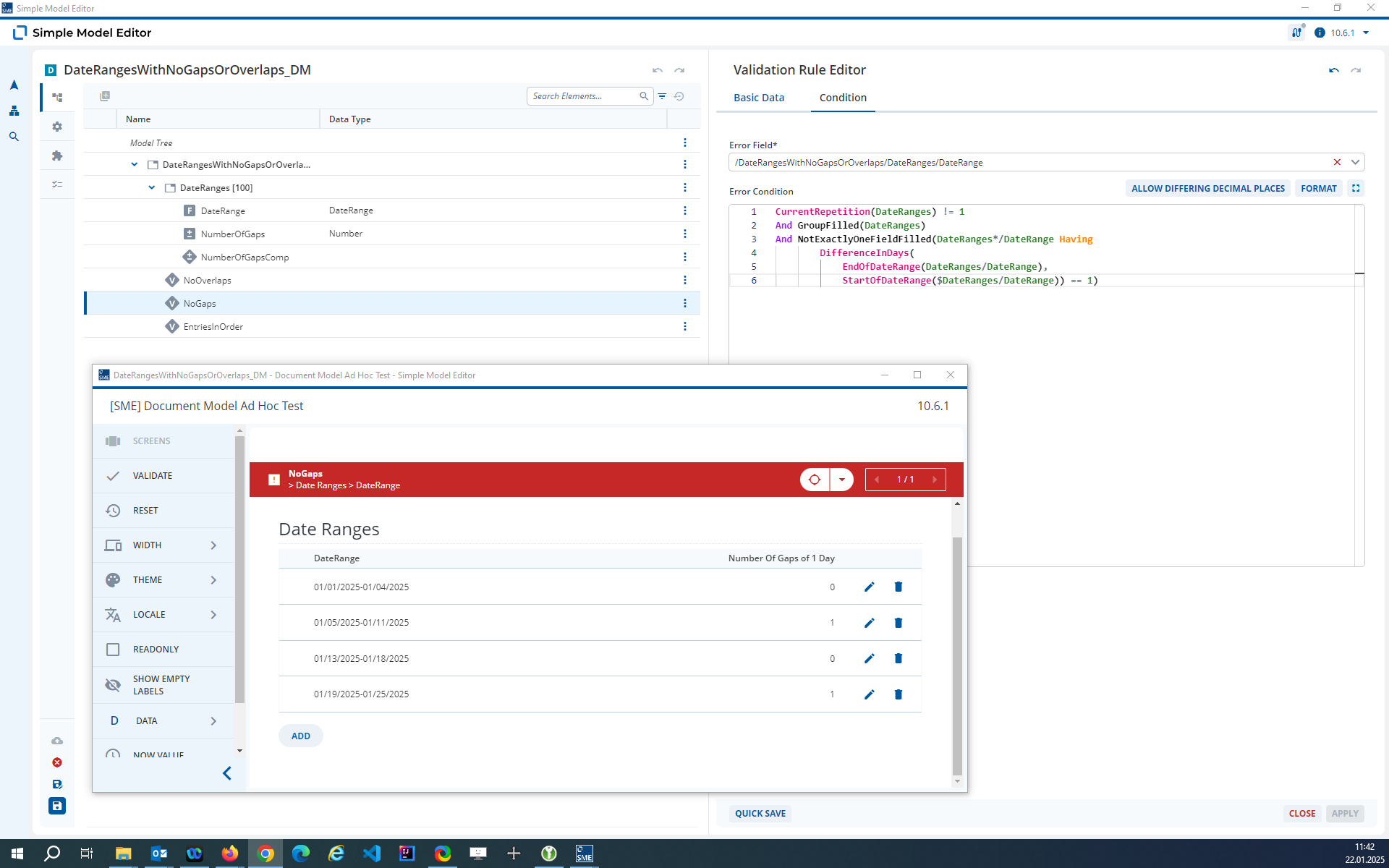
CurrentRepetition(DateRanges) != 1
And GroupFilled(DateRanges)
And NotExactlyOneFieldFilled(DateRanges*/DateRange Having
        DifferenceInDays(
            EndOfDateRange(DateRanges/DateRange),
            StartOfDateRange($DateRanges/DateRange)) == 1)
The computed Field “NumberOfGaps” is just there to aid understanding and is not required. This rule works without additional helper fields.
The “NoGaps” rule checks the following:
Is this row this first row of the repeat?
CurrentRepetition(DateRanges) != 1
This is important as the first row of the repeat will never match this condition.
Does this row exist?
GroupFilled(DateRanges)
The rule should only fire if the row in the repeat has been created
Is there exactly one Starting Date for any Date Range that comes one day after the End Date of this Date Range
NotExactlyOneFieldFilled(DateRanges*/DateRange Having
        DifferenceInDays(
            EndOfDateRange(DateRanges/DateRange),
            StartOfDateRange($DateRanges/DateRange)) == 1)
This part of the rule can be seen in the “NumberOfGaps” Field.
This rule assumes that the first Date Range is the earliest Date Range in the repeat. This is enforced in a further rule “EntriesInOrder”.
You could model this without having to have the date ranges in order of enforcing the first date in the repeat is the earliest date but this requires computed helper Fields to extract the start and end dates into extra Date Fields.
fyi There are also examples of Rules with Dates in the e-Commerce workspace that comeswith the installer from 2024.06 that you can take a look at for inspiration. See Product_Common_DM and the “Pricing” repeat.
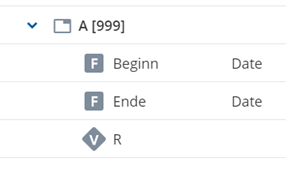
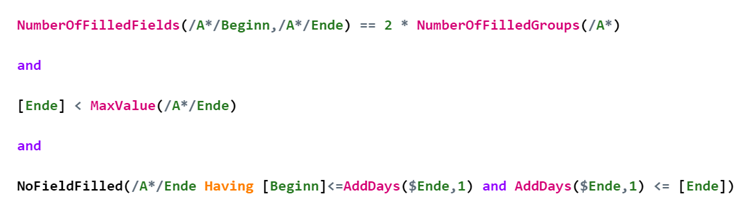
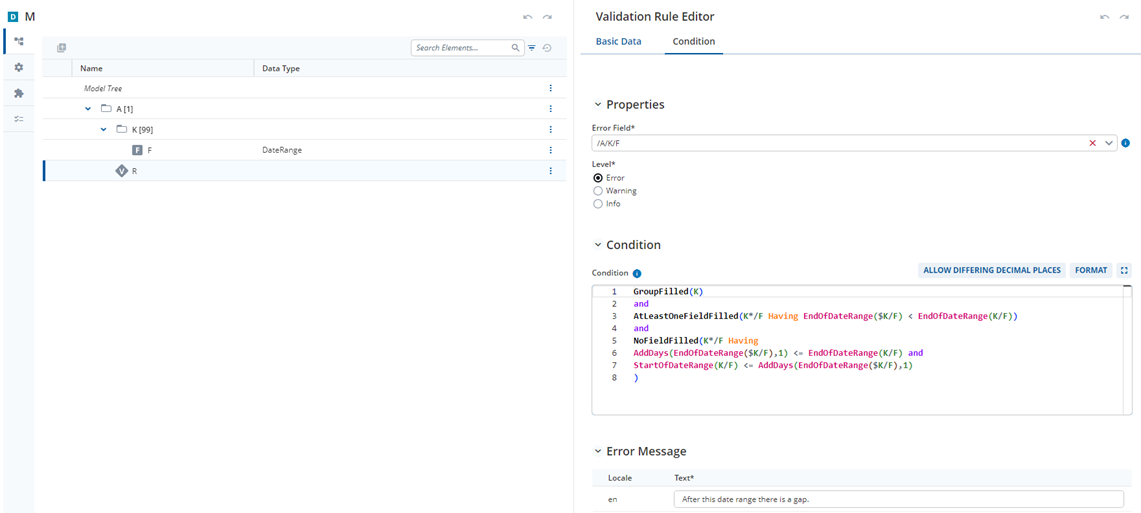
I just stumbled on another solution in my project’s documentation, working with dates “Start/End” rather than date ranges. But as it might help somebody: