Version: 2024.06.06
When I create a validation rule (warning) that checks for an enumeration value and for a boolean value it does not work.
When I only use either the enumeration or the boolean for the validation, it works without problems.
It’s not clear from your question where and how you are testing these Validation Rules.
I could not reproduce your issue when triggering a full validation (either in the Ad hoc test or in the Form Model Preview). However, you should be aware that a partial validation of read-only fields will not trigger your Validation Rule as the end-user cannot fix the error on that screen.
I’ve modeled this in the attached 2024.06 models
Warnings_DM.json (5.5 KB)
Warnings_FM.json (7.9 KB)
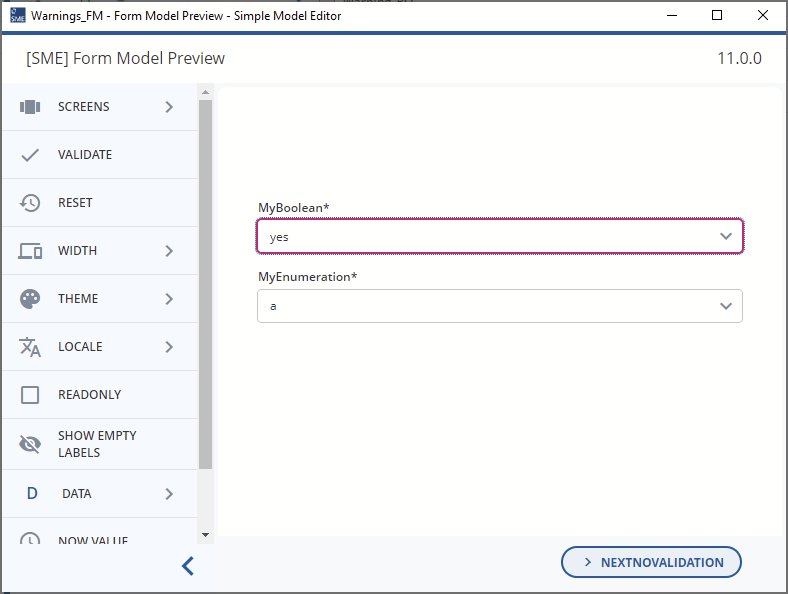
Validation Rules not triggered on data entry as they reference more than one Field (Validation scope is too small).
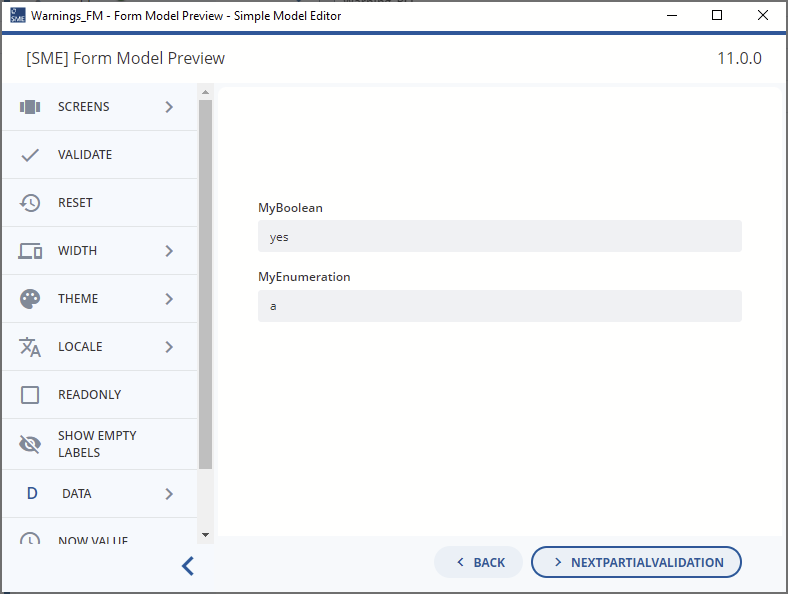
Validation Rules not triggered on partial validation as read only Fields excluded.
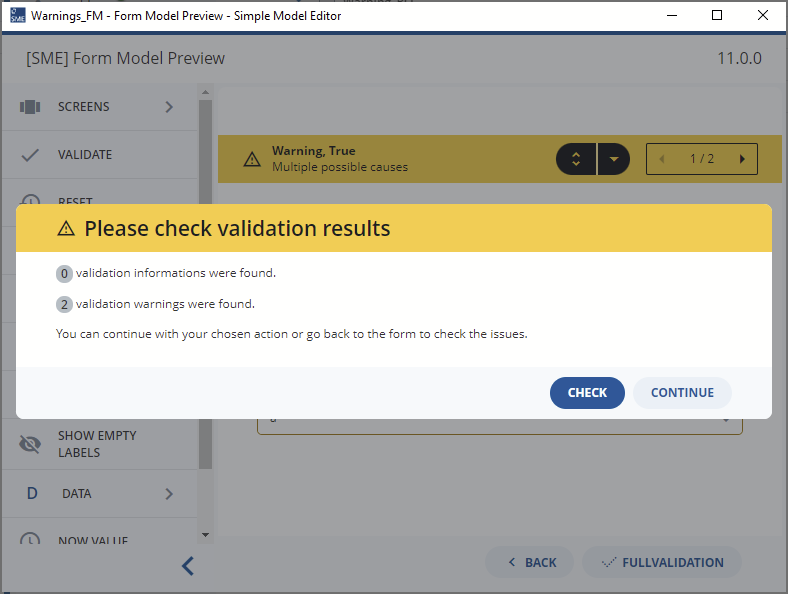
Validation Rules triggered on Full Validation
Hi Malcolm,
the fields are editable but in a repeatable group and are edited on the detached screen of that group. When just adding entries in the group, the validation is not triggered. But we realized, that when we try to send the document (full validation), then it shows the validation.
So it works, but still, the validation is not shown directly, when we enter the data.
Thanks for the extra information @clara-fleet-yew.
If the Validation Rule can be triggered by a full validation but is not triggered when entering the data on the Detached Repeat Screen then this means that the partial validation that is triggered when leaving the Detached Repeat Screen does not have all the relevant Fields in scope.
What I mean is, you are probably referencing Fields in the Validation Rule which are not displayed on the Detached Repeat Screen.
As you are only partially validating the document when leaving the Detached Repeat Screen, you only send the Fields and Field Values from that screen to be validated. This often means that Validation Rules do not fire.
We talked about this in a Monthly Modeling Highlight, Requiredness and you can see the solutions that you could use in that video or here, Requiredness Monthly Modeling Highlight follow-up.
Basically, you need to ensure that your Fields are in the scope of validation by either:
- Using the Global Flag
- Modeling a Computation Rule (Computation Rules are updated on every Field Value change)
Hi Malcolm,
both fields that are used for the validation are on the detached screen. I also tried to set them to Global, but still the validation only came when I closed the detached screen and tried to send the offer (full validation).
I think, a computation rule is no option here, because we don’t want to get an error but only a warning…
Without a clear example or requirement, it’s difficult to know if this is a bug or something that can be fixed by modeling different.
Please provide a (simple) model if you would like me to look into this further.
Hi @malcolm-silver-ice ,
I created a small model, where the problem is demonstrated.
When you add the combination “not ok” and “Yes” to the detached repeat, the warning is not shown when committing the detail form, but only when Submitting the main form or when entering the detail form again.
Main_OM.json (1.9 KB)
installer-appmodel.json (4.1 KB)
Main_DM.json (8.4 KB)
Main_FM.json (4.0 KB)
workspace.json (3 Bytes)
Hi @clara-fleet-yew,
Thanks for the 2024.06-ext3 models. This really helped with testing. Everything is working as expected… but maybe not quite how you want it at the moment. This is what I observed:
- Add a new row to the Repeat in Form Model Preview or in the Preview App
- Enter “enumeration” = “not ok”, “boolean” = “yes”
- Click “Commit” to leave the Detached Repeat Screen
- The commit event is not blocked as there are no errors
- Edit the row you just added
- The warning is displayed
Basically, the Form Engine is correctly partially validating your data. However, as there is no validation error present, you can leave the detached repeat screen.
I believe that you would like to prevent users from leaving the detached repeat screen when warnings or infos are shown. In this case, you need to adjust the code so that the “Commit”/“Apply” event is stopped if the partial validation returns warnings (or infos). There is no modeling setting which allows you to specify this at the moment.
Hi @malcolm-silver-ice,
thanks for your answer. Is the adjustment of the code something a BA could do (so just a small changing) or should I ask developers for that?
I would ask a developer to do it. Alternatively, you could create a requirement if you really need a modelable solution.