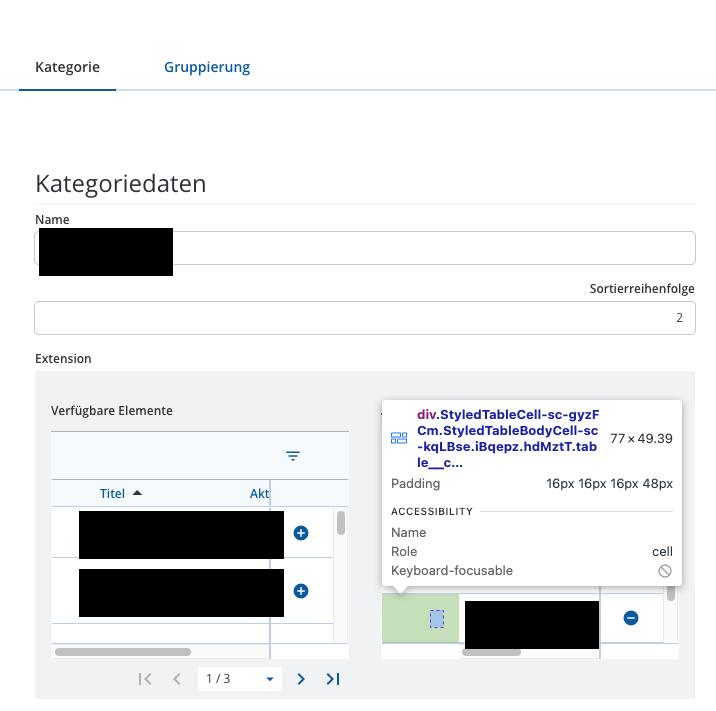
Where does this column come from and how do i get rid of it?
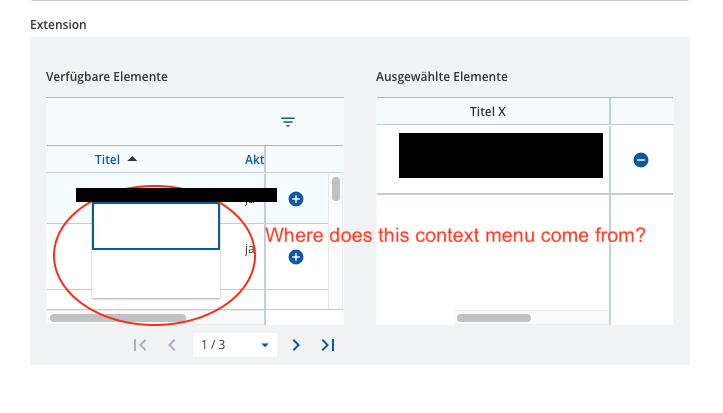
Furthermore in both tables (available items and selected items) a context menu with 2 empty entries is available although there are no custom actions defined:
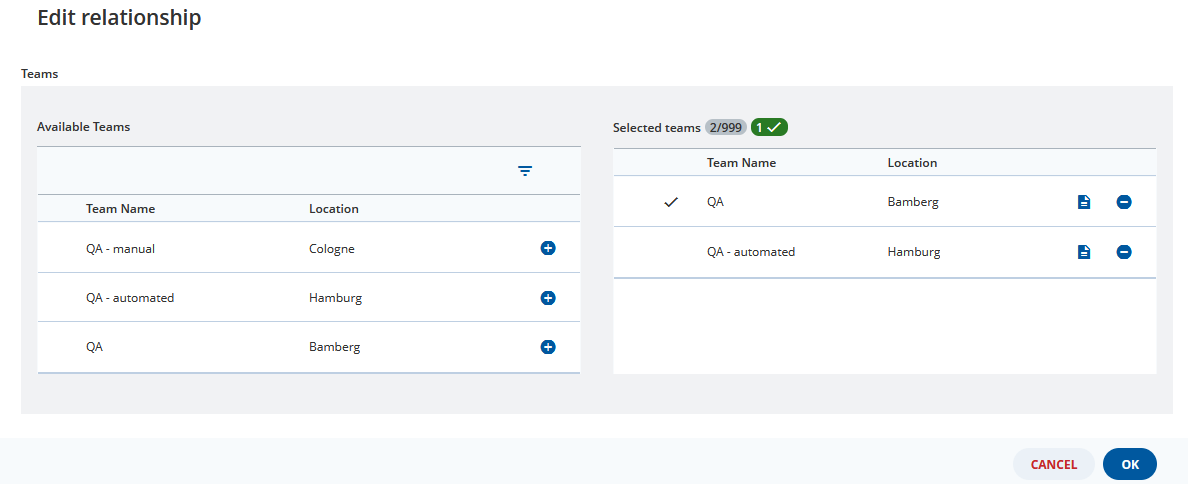
This columns is added automatically to show which links have been created in this session. This column is not unique to CFMs and appears in any Binding that uses the Dual Pane Component.
As you can see in the screenshot below (taken from the advanced installer workspace) the column shows a next to the Team Name “QA”. This is because I added this new link. In addition the header shows that I have two links in total and one added in this session.
 next to the Team Name “QA”. This is because I added this new link. In addition the header shows that I have two links in total and one added in this session.