Hi,
I would like to add a tooltip to a button in my formmodel, similar to the way a hint is displayed next to a field.
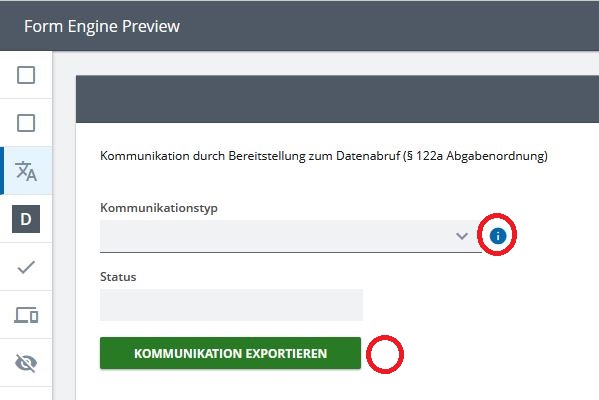
Is there any way to do this in the UI Designer?
Hello hello!
As far as I know there is no way to solve this in the UI designer directly.
I think there should however be the possibility to solve this in the code by using annotations for the button in the form model. Annotated buttons could then be replaced by custom buttons with a special tooltip behaviour in the FormEngine container you’re using to display this form.
This means you would have to define a custom FormModelMap that handles annotated buttons in a special way and can be passed to the FormEngine as prop:
// Form Container with custom buttons
export function CustomFormContainer(props: View): JSX.Element {
    return (
        <>
            <FormEngineViews.FormEngine
                {...props}
                formModelMap={{
                    ...DefaultFormModelMap,
                    EventButton: { component : CustomButton }
                }}
            />
        </>
    );
}

// Custom button will be rendered for annotated buttons
function CustomButton(props: FormModelMap.FormModelComponentProps<FormModel.EventButton>): JSX.Element {
    const buttonAnnotation = getAnnotation(props.modelElement);
    if (buttonAnnotation !== undefined) {
        return (
            <Button label={"test"} onMouseOver={ /* display tooltip when mouse over button */ }/>
        );
    } else {
        return <DefaultFormModelMap.EventButton.component {...props} />;
    }
}
 This is just an idea, I haven’t tested this code.