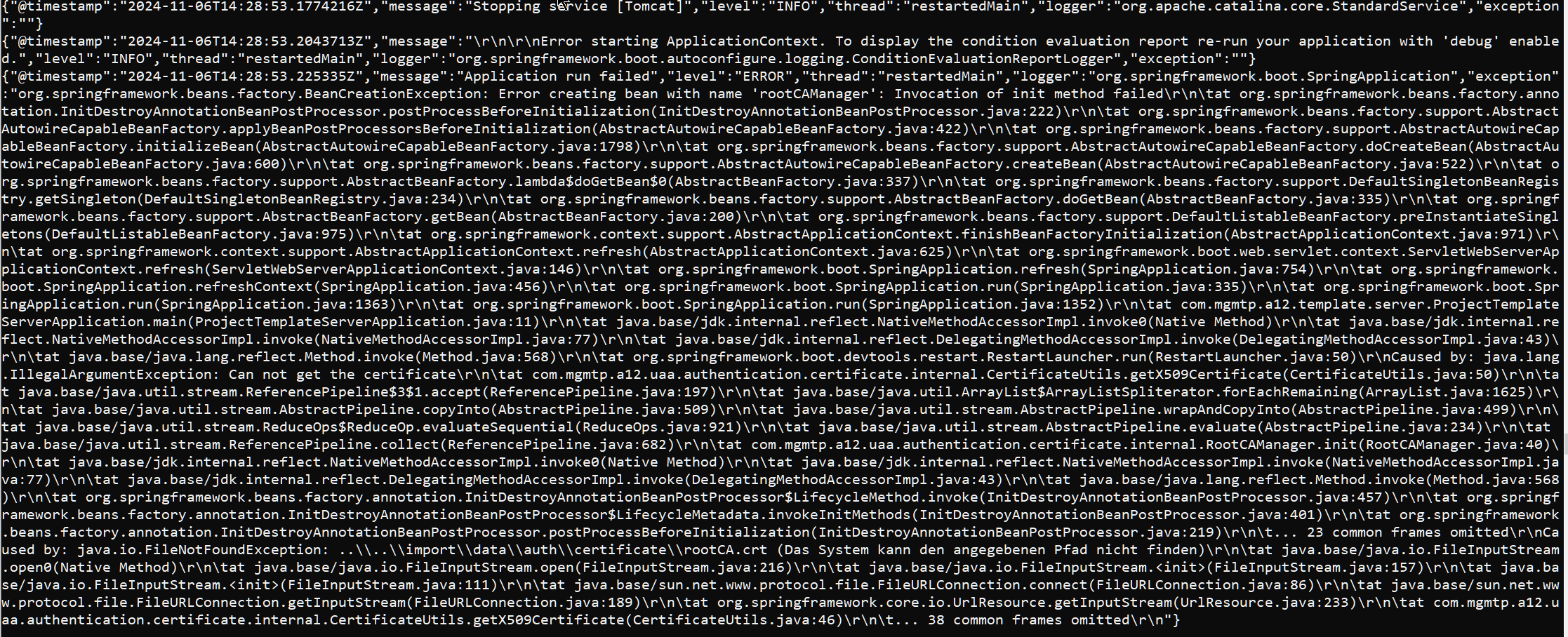
I am trying to get the the full-stack project template to run, but something is not right with my dataservices configuration.
However, it seems 2024.06 defaults to Spring Boot’s “structured logging” and prints everything as unreadable JSON strings to the console which is less than helpful.
How can I turn this off and get readable stacktraces and log messages?
Hi @thomas-soft-grove,
we introduced logback configuration to the Project Template recently and it comes with the JSON formatting for better log post-processing. Please see this section of the documentation for more details.
The easiest way to revert back is to delete the server/app/src/main/resources/logback.xml file and ideally (not necessarily in case you want to use it later) delete references for ‘logstash’ and ‘logback’ in settings.gradle and server/build.gradle files.
Thanks that worked.
I understand the “better log post-processing” when logging to a file. But I can’t see how “post processing” would work for messages logged to the console.
That is a good point, thank you for feedback. We are already working on improvements of logging configurability for next Project Template versions.
Moin @thomas-soft-grove,
with the next version of the Project Template we will introduce different logback configuration files for different environments. For development it will just be a console log and for production the logging will be in JSON format.
Kind regards,
Jan