Hello,
after Updating a workspace from 2021.06ext3 to 2023.06ext5 the styles saved in the forms are not displayed correctly anymore.
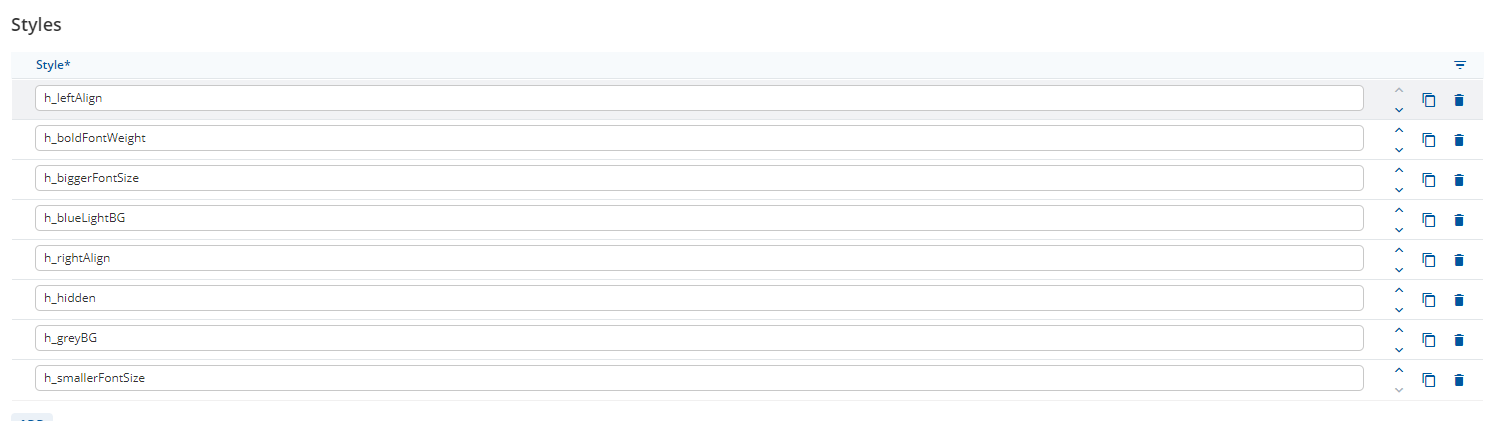
The styles are still existing in the form model in “settings”
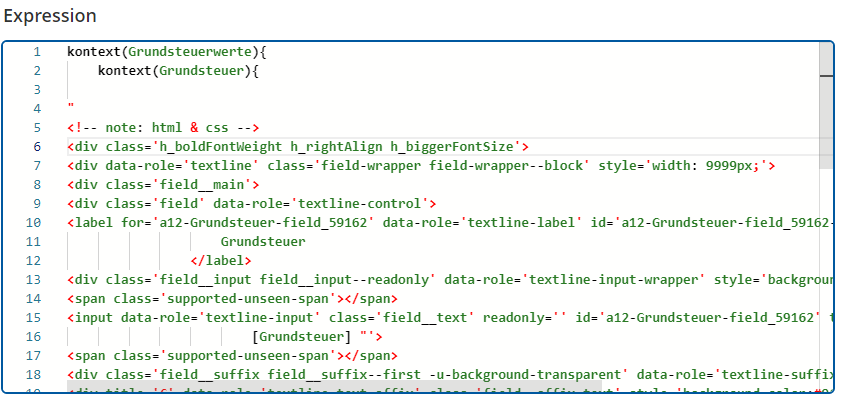
The styles are still written in the expression that should display the field accordingly to the chosen style
I tried seprating the styles in the expression with a “,” (with and without a space) after discussing this with @KonstantinEdelthalhammer. It didnt change anything.
I checked the docu (GetA12 Login), the styles appear to be written correctly.
Please see attached images:
currently the field is displayed like this:
the field is expected to be displayed like this:

Styles in settings:
Expression:
Thanks for the support and kind regards,
Kolja
Hi @kolja-flat-creek ,
The problem you had isn’t due to losing styled specified in the form model. The problem is that the HTML is using private CSS Class that no longer work, for example: field/field-wrapper/field-input…
Can you tell me the use case why you need to create those input using expression? Can it be done via another method that doesn’t involve manual HTML markup?
Thanks,
Binh.
Hi @binh-deep-cache,
thanks for your reply. The use case is the Grundsteuerrechner (<INTERNAL_LINK>), that needed an Update. As im not the one who build it (and the person who did no longer works at mgm), I cant tell you why it was implemented like that. All I know that its a quite large workspace and the modelling was extensive, so I hoped for a solution that doesnt involve much changing as im not familiar with the potential consequences/risks to the involved models
Hi @kolja-flat-creek,
As @binh-deep-cache, the helper classes that you have listed in the Form Model Settings under Styles are normally referenced by the Form Model Elements in a different way.
- Add the helper class to the list of styles on the Form Model Settings (already done)
- Click on an appropriate Form Model Element to open the editor (the list of appropriate Elements is shown in the Widget showcase for each helper class).
- Click on “Add” in the Styles section of the editor and select the desired helper class using the drop-down menu.
Reagrding the extensive use of HTML in an expression, please remember that HTML is not supported in Expressions (as stated in the documentation).
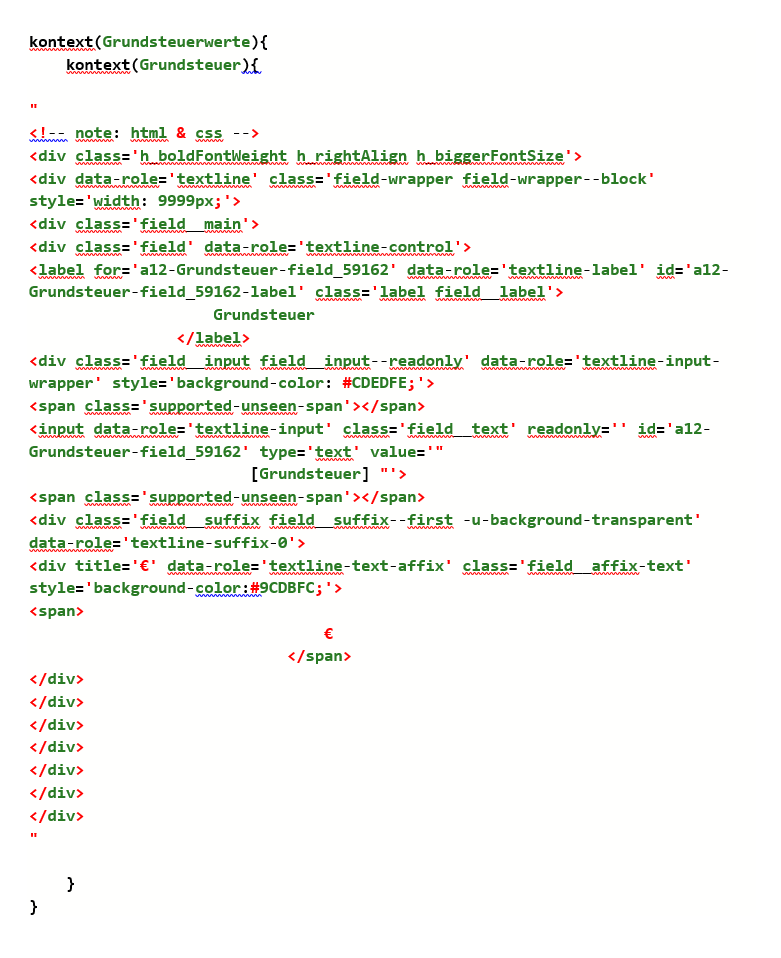
If you posted the complete expression (as preformatted text, </> button), I could ask one of my colleagues to check if you can simply change the Expression Cell to a normal Control.
Hi @malcolm-silver-ice,
thanks for the update. Please see attached expression:
Besides that, ill try styles as described in your 3 step instruction.
Thanks again
Hey @kolja-flat-creek,
it is currently not possible to customize the suffix output with Styles. From what I read this is the only thing the hinders you from using a regular control with suffix.
If all the field’s suffixes in the application are styled in the same way, you could adopt your application’s Theme and change colors.background.tertiaryBackground.
If only this single or a couple of controls with suffixes should be changed, I would ask you to speak to a developer. They can transform this expression into a correct custom component.
This would also lead to clear responsibilities, as I think this workaround is hard to manage for modelers and developers alike.
Hello @felix-blazing-river,
thank you for the input. Ill check this with said developer if necessary