We’re overwriting the WidgetMap in the FormEngine and want to set a complicated default value for a field (a FieldOverviewColumn, only if the field is empty). I see there’s a “value” prop here, and when I set it, the value also appears in the UI. However, when I save, nothing is saved. I have the impression that the field is only set in the UI state and not in any way in the document state.
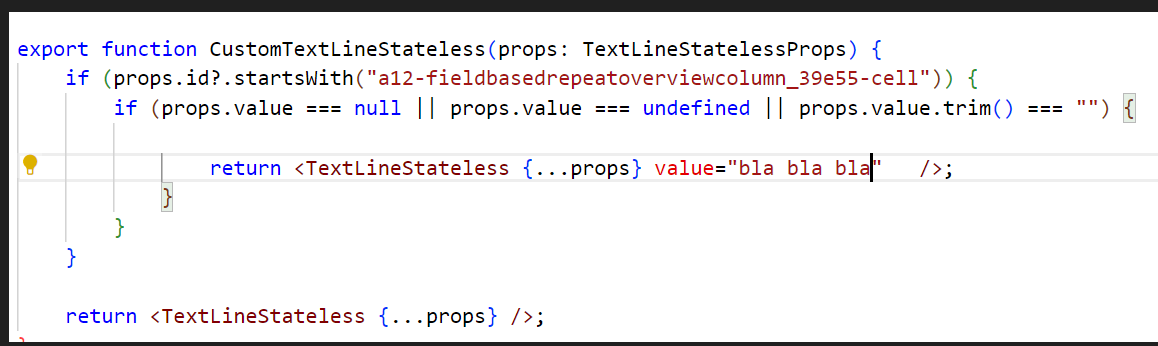
I was then able to set the value by using a different approach, which seems to me like a lot of effort for somehting small. See the current code below. Is there a way how I can set a value directly in the FormEngine (or when overwriting a component)? Thank you 
export function CustomTextLineStateless(props: TextLineStatelessProps) {
	if (props.id?.startsWith("a12-fieldbasedrepeatoverviewcolumn_39e55-cell")) {
		const activity = ActivitySelectors.latestActivity()(getState());
		const documentModel = getDocumentModel();
		if (activity && documentModel && props.value === null || props.value === undefined || props.value.trim() === "") {
			const activity = ActivitySelectors.latestActivity()(getState());
				const dispatch = useDispatch();
				const idx: string = props.id?.split("-").pop() ?? "0";
				if (!isNaN(+idx)) {
					const modelPathForTestcycle: any = ModelPath.fromString("/" + normalizeDataPath("Release/TpeDocumentation/Testcycle/Testcycle"));
					modelPathForTestcycle[2].index = +idx + 1;
					const documentPathForTestcycle = getDocumentPath(
						modelPathForTestcycle as ModelPath, documentModel!
					)!;
					let actionValueChange: any = FormEngineActions.event({
						activityId: activity!.id,
						engineEvent: Events.valueChange({
							path: documentPathForTestcycle,
							value: "complexvalue123"
						})
					});
					dispatch(
						actionValueChange
					);
				}

		}
	}

	return <TextLineStateless {...props} />;
}


export const CustomWidgetMap: WidgetMap = {
	...DefaultWidgetMap,
	Select: CustomSelect,
	TextLineStateless: CustomTextLineStateless,
};