Relationship model binding (dropdown) showing in PAC, but not in form of react project

Hi,

we are trying to create a simple relationship between two models Article and its corresponding ArticleGroup. So, the idea is an article can be assigned 1 (or more) article groups it belongs to.

An ArticleGroup has just a name:
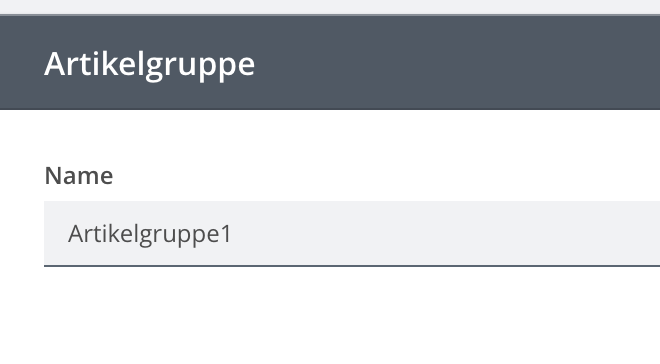
And an Article has 2 fields and a dropdown to assign it an ArticleGroup:
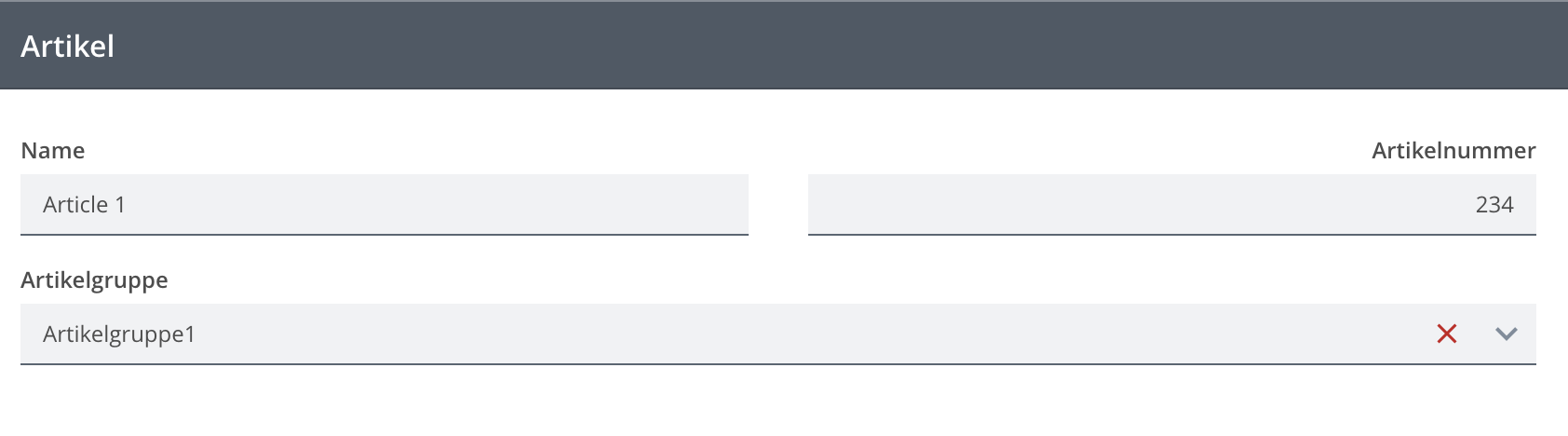
Now, when deploying these models locally on the PAC (Preview App Control), everything works fine.
But once moving them into our react project, the dropdown for choosing the article group is just not shown, although it is present in the form model:
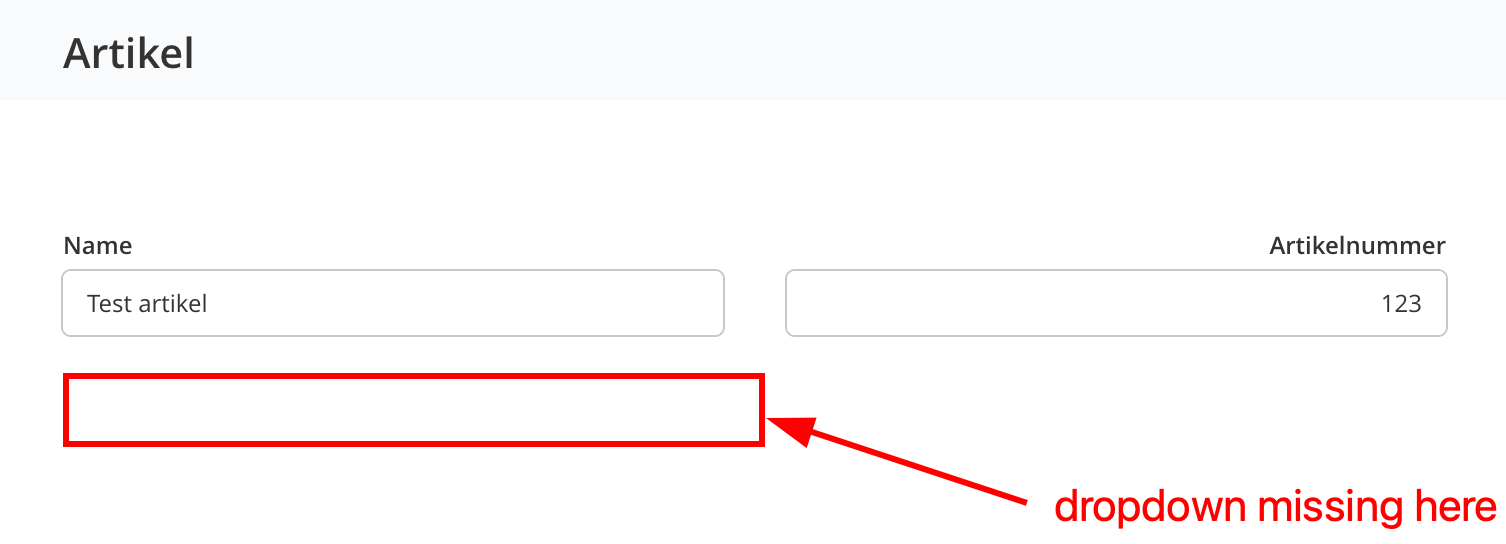
When looking on the network tab of the browser console, while trying to create a new document of Article, even the requests for retrieving the binding’s overview models and the binding target (ArticleGroup model) are made. It’s just that the dropdown is not shown.

What could be the issue here?
Hi @anon61393032, the only problem I can think of is that you are registering a FormEngine view that does not have Relationship Engine (binding) integration.

It should be the CRUDViews.FormEngineView from
import { CRUDViews } from "@com.mgmtp.a12.client/client-core/lib/extensions/crud";

For reference, you can have a look here for more details.

Beside looking at the network tab, you can also have a look at the activity’s data holders of the Form Engine instance, if there are more than 1 usual data holder (should be 3 in your case), then you already got the setup right but only missing the React view part.

Thank for the help @tri-sheer-boulder!

We are now already one step further:

For reference, you can have a look here for more details.

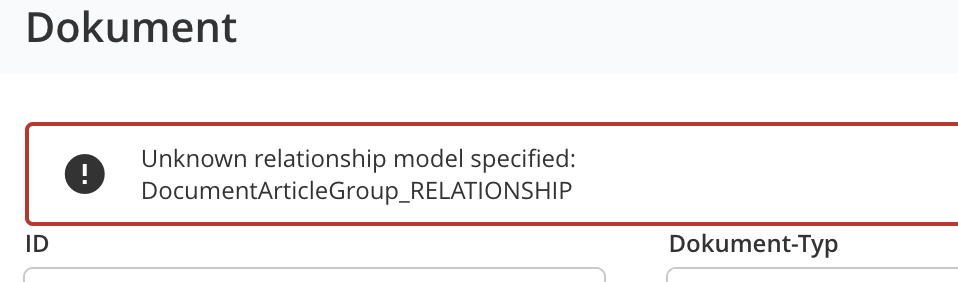
After looking here and adding the relationship setup to our appsetup.ts (relationship setup was missing in the default appsetup.ts from the full stack template), we now get the following error messages in our form models:

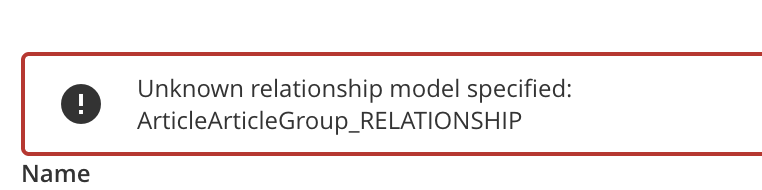
Error while loading activity (ID 14) Error: Unknown relationship model specified: ArticleArticleGroup_RELATIONSHIP

And the UI looks like this:


Both relationships exist and are working in the PAC, but not in the react app. Are we missing some additional setup on the backend, to make relationships work?

Moin @anon61393032,

it could be that you are missing some configurations for the server as well.
Please follow these instructions in order to register relationships in the fullstack project template.

If the above doesn’t work, are there besides the error messages that you are getting in the frontend, something logged in the server that might help digging down the issue?

Do you have your model graph loaded? From the error log, it seems that you didn’t have the relationship model available when the form is opening.

Thanks for the answer. I just tried to set the server settings (which were indeed missing), but it didn’t change the behaviour of our error.

On the server side I see the following logs, once I open the form on my Article (to create a NEW one):

2022/11/11 09:12:10 [212.225.178.182] GET "/a12/v2/models/Document_OVERVIEW" "Mozilla/5.0 (Macintosh; Intel Mac OS X 10.15; rv:106.0) Gecko/20100101 Firefox/106.0"
2022/11/11 09:12:10 [212.225.178.182] GET "/a12/v2/models/Document" "Mozilla/5.0 (Macintosh; Intel Mac OS X 10.15; rv:106.0) Gecko/20100101 Firefox/106.0"
2022/11/11 09:12:10 [212.225.178.182] GET "/a12/v2/models/Document/validationCode" "Mozilla/5.0 (Macintosh; Intel Mac OS X 10.15; rv:106.0) Gecko/20100101 Firefox/106.0"
2022/11/11 09:12:11 [212.225.178.182] POST "/a12/v2/rpc" "Mozilla/5.0 (Macintosh; Intel Mac OS X 10.15; rv:106.0) Gecko/20100101 Firefox/106.0"
2022/11/11 09:12:14 [212.225.178.182] GET "/a12/v2/models/Article_OVERVIEW" "Mozilla/5.0 (Macintosh; Intel Mac OS X 10.15; rv:106.0) Gecko/20100101 Firefox/106.0"
2022/11/11 09:12:14 [212.225.178.182] GET "/a12/v2/models/Article" "Mozilla/5.0 (Macintosh; Intel Mac OS X 10.15; rv:106.0) Gecko/20100101 Firefox/106.0"
2022/11/11 09:12:14 [212.225.178.182] GET "/a12/v2/models/Article/validationCode" "Mozilla/5.0 (Macintosh; Intel Mac OS X 10.15; rv:106.0) Gecko/20100101 Firefox/106.0"
2022/11/11 09:12:14 [212.225.178.182] POST "/a12/v2/rpc" "Mozilla/5.0 (Macintosh; Intel Mac OS X 10.15; rv:106.0) Gecko/20100101 Firefox/106.0"
2022/11/11 09:12:16 [212.225.178.182] GET "/a12/v2/models/Article_UI" "Mozilla/5.0 (Macintosh; Intel Mac OS X 10.15; rv:106.0) Gecko/20100101 Firefox/106.0"
2022/11/11 09:12:16 [212.225.178.182] GET "/a12/v2/models/ArticleArticleGroup_RELATIONSHIP_ArticleGroup_AvailableItemsOverview" "Mozilla/5.0 (Macintosh; Intel Mac OS X 10.15; rv:106.0) Gecko/20100101 Firefox/106.0"
2022/11/11 09:12:16 [212.225.178.182] GET "/a12/v2/models/ArticleArticleGroup_RELATIONSHIP_ArticleGroup_SelectedItemsOverview" "Mozilla/5.0 (Macintosh; Intel Mac OS X 10.15; rv:106.0) Gecko/20100101 Firefox/106.0"
2022/11/11 09:12:17 [212.225.178.182] GET "/a12/v2/models/ArticleArticleGroup_RELATIONSHIP_ArticleGroup____generated" "Mozilla/5.0 (Macintosh; Intel Mac OS X 10.15; rv:106.0) Gecko/20100101 Firefox/106.0"
2022/11/11 09:12:17 [212.225.178.182] GET "/a12/v2/models/ArticleGroup" "Mozilla/5.0 (Macintosh; Intel Mac OS X 10.15; rv:106.0) Gecko/20100101 Firefox/106.0"
2022/11/11 09:12:17 [212.225.178.182] GET "/a12/v2/models/ArticleArticleGroup_RELATIONSHIP_ArticleGroup____generated/validationCode" "Mozilla/5.0 (Macintosh; Intel Mac OS X 10.15; rv:106.0) Gecko/20100101 Firefox/106.0"
2022/11/11 09:12:17 [212.225.178.182] GET "/a12/v2/models/ArticleGroup/validationCode" "Mozilla/5.0 (Macintosh; Intel Mac OS X 10.15; rv:106.0) Gecko/20100101 Firefox/106.0"

Which don’t seem to contain any errors. The only thing that can be noticed is that all relationship-related models/overview are loaded, but the relationship itself ArticleArticleGroup_RELATIONSHIP isn’t explicitly loaded. I am not sure if that would have to be the case!?

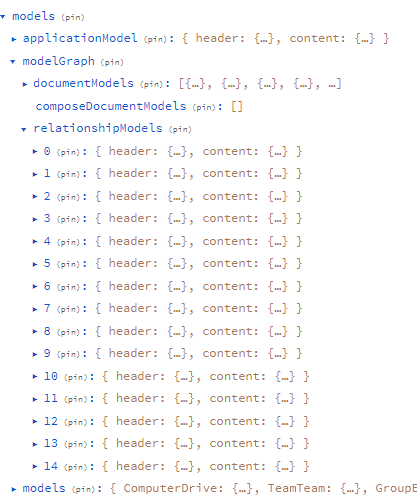
Where can I check if my model graph is loaded? At least I didn’t load it consciously anywhere…

It should be available in the “models” slice of your Redux store
Screenshot 2022-11-11 163808

The how-to-setup guide should be covered in the link I sent you firstly, which you can have a look again here.

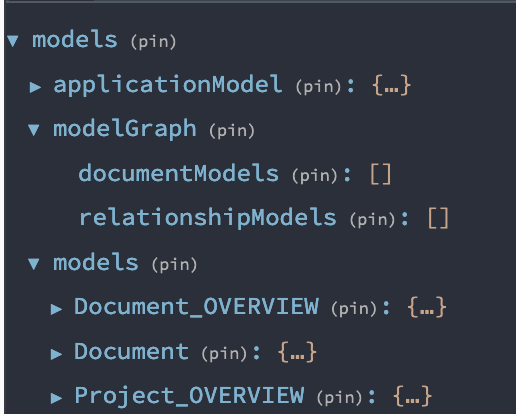
My documentModels and relationshipModels in the store are indeed empty:
image

I followed the steps of your link, but was not sure where to add the setup of src/main/platform_server.appsetup.ts, as we don’t have a file on that path in our client. Do I need to create it?
I tried to add the relationship configuration to our default src/appsetup.ts, as I said before, but it didn’t change anything about the error.

Hi @anon61393032,

That should be your usual appsetup.ts, it is worded a bit differently from client documentation. In general, you define “when” to load your model graph, which is usually after the user logged in. For example, this is from the official documentation:

import { SagaIterator } from "redux-saga";
import { call, put, takeLatest } from "typed-redux-saga";
import actionCreatorFactory from "typescript-fsa";
	
import { ModelActions } from "@com.mgmtp.a12.client/client-core/lib/core/model";
import { build as buildModelGraph } from "@com.mgmtp.a12.dataservices/dataservices-access/lib";
import {
	ConnectorLocator,
	RestServerConnector
} from "@com.mgmtp.a12.utils/utils-connector/lib/main";


// custom saga for loading the model graph
export function* LoadModelGraphSaga(): SagaIterator<void> {
	yield* takeLatest(USER_LOGGED_IN_ACTION, LoadModelGraphWorker);
}
	
// the worker of above saga
function* LoadModelGraphWorker(): SagaIterator<void> {
	const serverConnecter =
	ConnectorLocator.getInstance().getServerConnector() as RestServerConnector;
	const modelGraph = yield* call(() =>
	serverConnecter.fetchData(buildModelGraph()).then(r => r.json())
	);
	yield* put(ModelActions.setModelGraph(modelGraph));
}

After defining the saga, you register it under your customSagas list of your appsetup.ts file. Then your model graph should be automatically loaded after the user open the page.

Thank you, with this we got one step further!
Now we see the dropdown field with an infinite loading spinner and the following error response from the json rpc request:

[
  {
    "jsonrpc":"2.0","id":"list-links-1","error":{"code":-32601,"message":"method not found"}
  },
  {
    "jsonrpc":"2.0","id":"list-candidates-2","error":{"code":-32601,"message":"method not found"}
  }
]

The error message id’s are incremented in every request: list-links-3, list-candidates-4, list-links-5, list-candidates-6, …

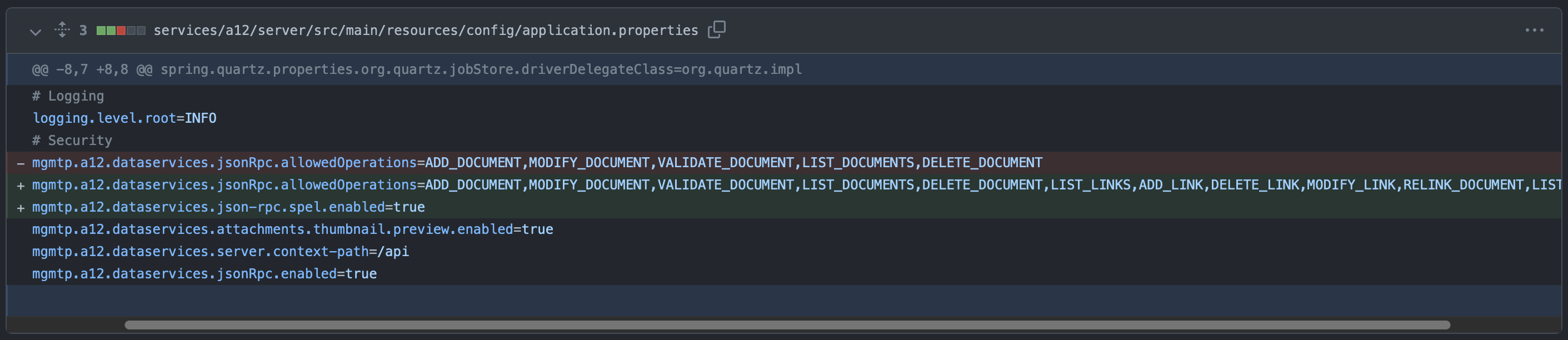
On the server side, we already did the configuration steps mentioned in your earlier link:
image

We don’t know what could be the issue now

Hi @anon61393032 ,
can you tell me which version of DataServices you are using?

Hi @hans-async-bay,
we are using version a12DataServicesVersion=34.2.0

Hi @anon61393032 ,
as far as I can see the only cases when this “-32601, method not found” error is returned are that

  • either the method name is not included in the list of allowedOperations (which in your case cannot be the case as you adjusted application.properties)
  • or the request does not specify the operation method name correctly

Could you send me the JSON RPC request that causes this error?

Of course.
The JSON RPC request body looks like this:

[
   {
      "jsonrpc":"2.0",
      "method":"LIST_LINKS",
      "id":"list-links-5",
      "params":{
         "page":{
            "offset":0,
            "limit":10
         },
         "source":{
            "docRef":null,
            "role":"Document",
            "relationshipModel":"DocumentArticleGroup_RELATIONSHIP"
         },
         "filter":{
            "filters":[
               
            ],
            "fulltext":"",
            "lang":""
         },
         "sort":{
            
         },
         "resultDocumentModel":"DocumentArticleGroup_RELATIONSHIP_ArticleGroup____generated"
      }
   },
   {
      "jsonrpc":"2.0",
      "method":"LIST_CANDIDATES",
      "id":"list-candidates-6",
      "params":{
         "page":{
            "offset":0,
            "limit":10
         },
         "source":{
            "docRef":null,
            "role":"Document",
            "relationshipModel":"DocumentArticleGroup_RELATIONSHIP"
         },
         "filter":{
            "filters":[
               
            ],
            "fulltext":"",
            "lang":""
         },
         "sort":{
            
         },
         "resultDocumentModel":"ArticleGroup"
      }
   }
]

The corresponding response is:

[
   {
      "jsonrpc":"2.0",
      "id":"list-links-5",
      "error":{
         "code":-32601,
         "message":"method not found"
      }
   },
   {
      "jsonrpc":"2.0",
      "id":"list-candidates-6",
      "error":{
         "code":-32601,
         "message":"method not found"
      }
   }
]

As I said, when running it locally on the PAC, everything works. Only within our react application we encounter the problem.

Hi @anon61393032 ,
The requests look fine. So, there is no reason from DataServices side that the request should return with “message not found”.

The only thing that you could check is that your application.properties are not overwritten by other properties or settings.

Thanks for the help.

In the end, what we were missing was to correctly re-build a12.
After doing that, the allowed operations were applied correctly. Sorry for the inconvenience.

So as a resumee what we needed to do to make it work:

  1. Re-build a12.