2025.06-ext2
Context
I’ve got an overview that has three columns. This overview refers to a query model (not document model). The query model includes a whole lot of fields in the result set.
Issue
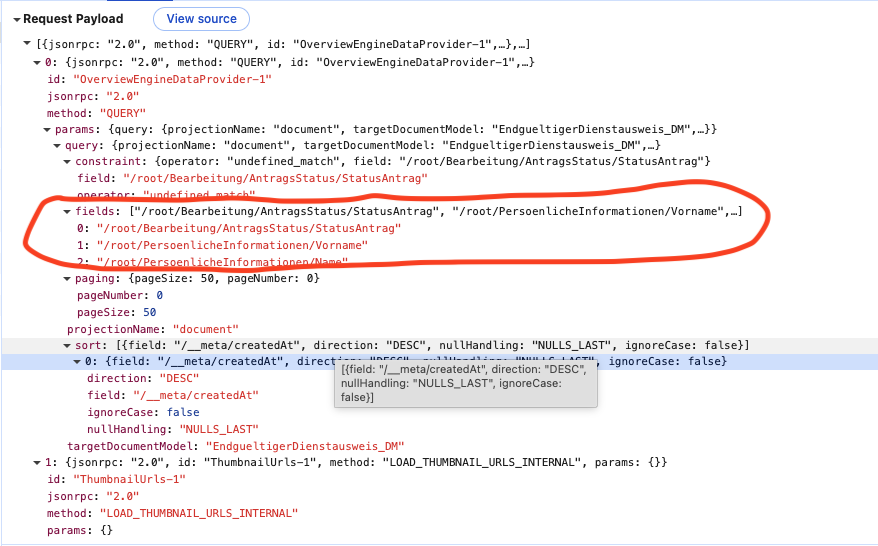
However, the query sent to the data services contains only the fields the are contained in the overview models, as columns. So far, I haven’t been able to override this behaviour by means of the overview/query model.
Question
How do I change the result set of an overview/query through modelling?
Update
I totally forgot to mention that the problem is that the workflow information is missing from the returned document so that the overview does not know which form to use for editing the entry…
Hi @juergen-smooth-ice
The relevant section of the documentation can be found here. Specifically, the orange caution:
The Fields in Result Set of the Query Model will be overwritten by the Overview Engine at runtime according to the Fields used in the Overview Model and those specified by the developer.
You cannot change this behavior through modeling.
I believe that you would have to customize the data loader to change this behavior. There’s a specific section on modifying the Fields Projection in the developer documentation.
That being said, the Query Model is a new model that was released with the 2025.06-ext2 version of A12.
Please feel free to get in touch with the use-cases that you have for this model so that we can consider them when we’re planning the next steps of development. We’re working on features like this in A12-18235.
Update 2
When I add the field /root/A12WF/TaskDefinition/FormKey to my overview, it magically works. Though the sight of it is  …
…
Hi @juergen-smooth-ice,
Thanks for the updates and the extra information. I’ve done some investigation in the Preview App based on this [2025.06-ext2 workspace]<INTERNAL_LINK>.
I extended the “with-workflows” workspace to use a Query Model for the Application Overview. I could both reproduce your issue and fix it  .
.
I think the issue relates to the Application Model. The Workflows documentation describes how the activity descriptor should be modeled.
You must add "view": "TaskList" (as before) to the activity descriptor in the SME.
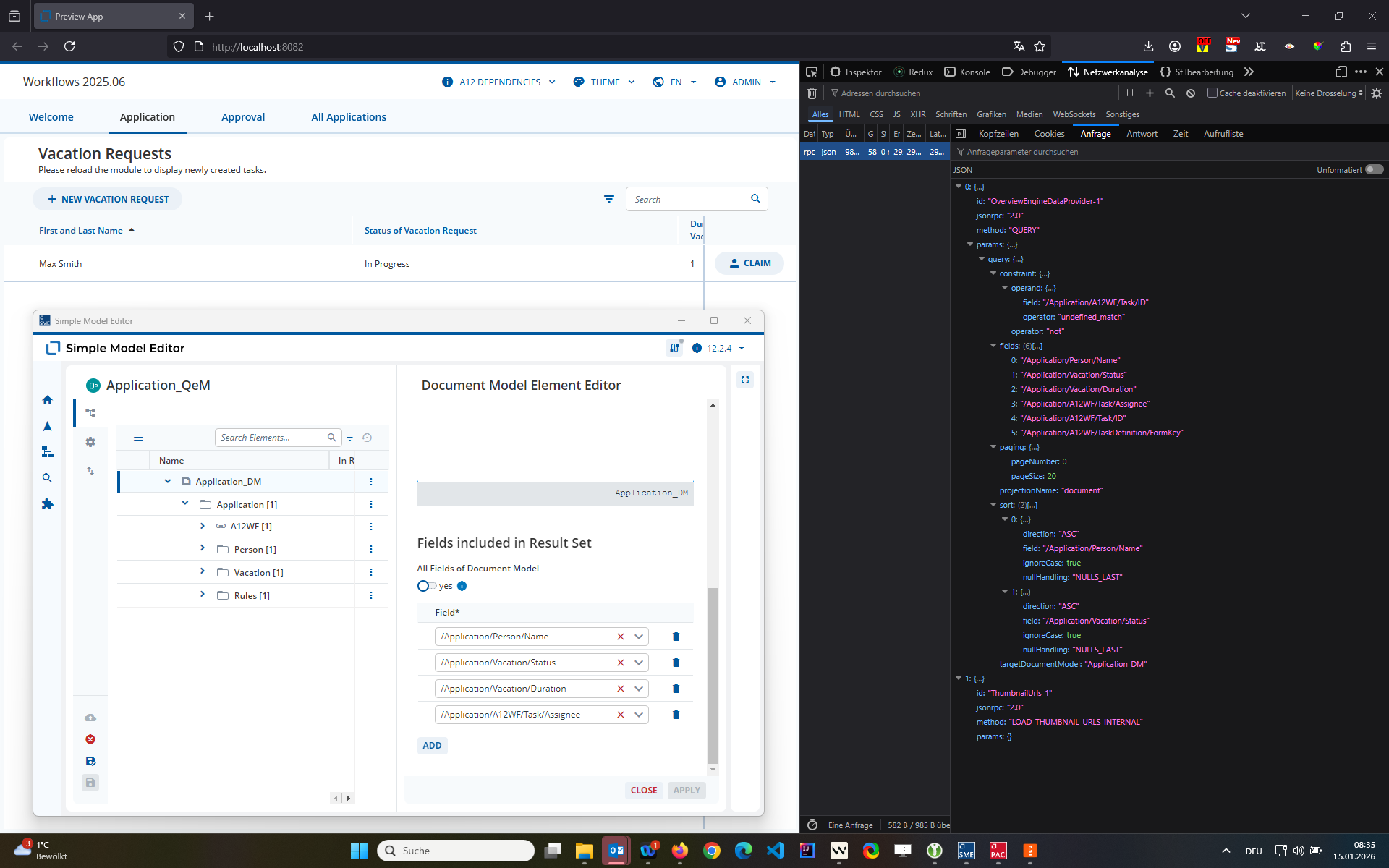
When this is modeled, the Workflows Engine adds the Form Key to the Query automatically. The following screenshot shows that the Query model includes only 4 Fields in the result set while the Query sent to Data Services contains 6 Fields.
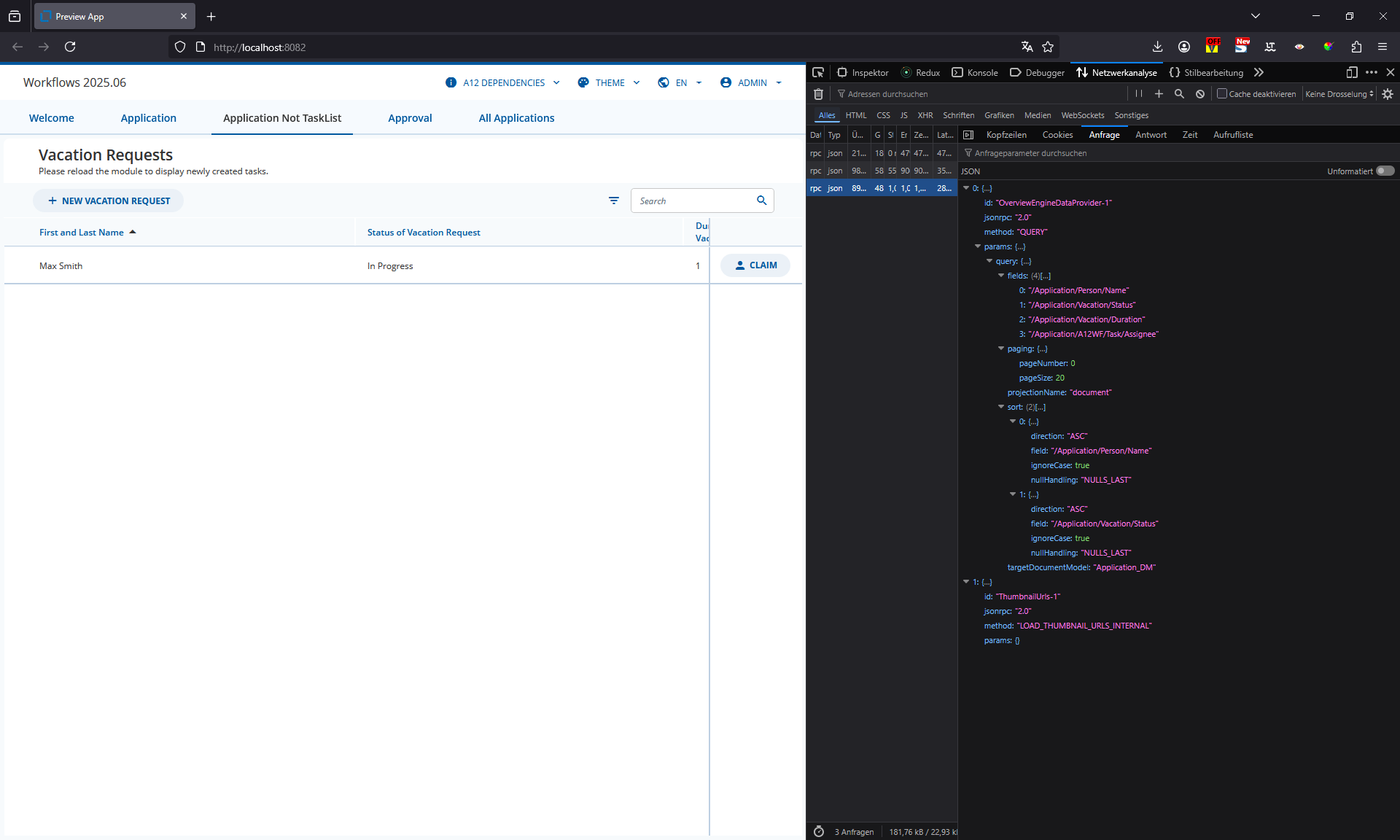
Without this information in the Activity Descriptor, the Query is unmodified and I could reproduce your issue.
Can you confirm how the Application Model was modeled?
Update 3 / Partial user error
Turns out that we had a “normal” OverviewEngine data loader and a workflow specific data loader registered in our application setup.
With only
...OverviewEngineFactories.createDataProviders(WorkflowsFactories.createDataLoader())
the workflow specific data is returned as well. Then the form can be found and our new entry can be edited. Thanks to Stefan W for pointing this out.