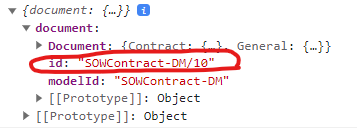
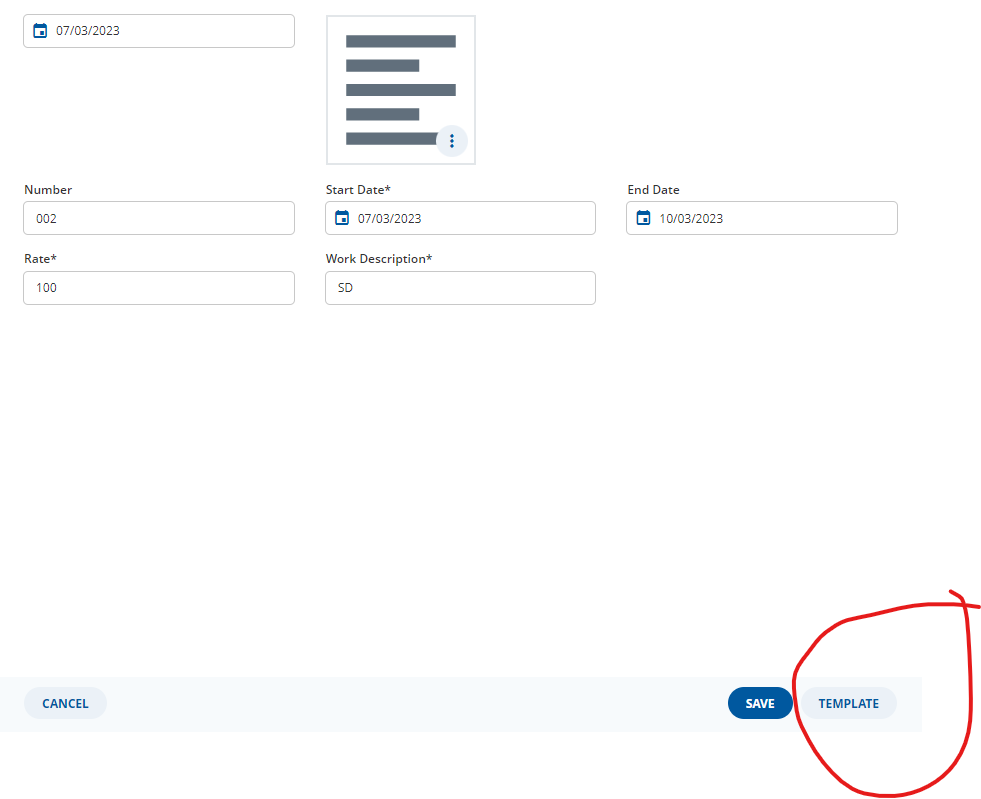
I have added a custom button and can capture the custom event using Middleware when the button is pressed. However, I am currently facing an issue retrieving the form values within my custom Middleware. Could you please advise me on how to obtain the form values in my custom Middleware?
export const customMiddleware: Middleware<unknown, EngineState> = api => next => action => {
if (action.type.match(“Activity/FORM-ENGINE-EVENT”)) {
if (
action.payload.engineEvent.payload.name != undefined &&
action.payload.engineEvent.payload.name.match(“event_template_word”) &&
action.payload.engineEvent.type != undefined &&
action.payload.engineEvent.type.match(“form-engine/event/EVENT_BUTTON_TRIGGERED”)
) {
. . . . . . .
}
}
return next(action);
};
Please add some more information to your question. Most importantly, what do you want to achieve with this event button?
In some cases, a middleware is not the best solution but it depends on the use case.
In general, in a middleware you can get access to the redux state (in this case the EngineState) by calling api.getState().
You could then use some of the FormEngine selectors on this state object to get access to the document which holds the form data.
Those selectors are documented here: GetA12 Login
Hi @n.garryyev,
this section of the getA12 Documentation will show you in general how to get and use the current redux state inside your middleware: getA12/docs - Form Engine: Customized Event Handling
You can see there that they make use of api.getState() to receive the current state of the redux store.
The state and the current action you listen on in your middleware will give you the prerequisites that you need for using the different state Selectors A12 offers you.
To get the current data of your form you need to use these Selectors:
export const customMiddleware: Middleware<unknown, EngineState> = api => next => action => {
if (
        FormEngineActions.event.match(action) &&
        Events.eventButtonTriggered.match(action.payload.engineEvent) &&
        action.payload.engineEvent.payload.name.match("event_template_word")
    ) {
        const activityId = action.payload.activityId;

        const defaultData = ActivitySelectors.data(activityId)(api.getState()); // here the form data is stored
        // check if data is kind of single document data
        if (Activity.Data.SingleDocumentData.isInstance(defaultData)) {
            // now defaultData is correctly typed as SingleDocumentData
        }

        // Another approach: get the whole activity
        const activity = ActivitySelectors.activityById(activityId)(api.getState());
        // and then find its default dataHolder by helper function (for convenience activity can be undefined for the helper)
        const defaultDataHolder = Activity.findDefaultDataHolder(activity);
        // or by descriptor selector (default dataHolder has same descriptor like activity) (here you have to check first if activity is defined)
        if (activity) {
            const searchedDefaultDataHolder = ActivitySelectors.dataHolderByDescriptor(activityId, activity.descriptor)(api.getState());
        }
        // defaultDataHolder and searchedDefaultDataHolder are the same!
        // defaultData and defaultDataHolder are NOT the same!

    }
    return next(action);
}
When the “Template” button is pressed, I want to make a REST call to the backend with the document reference. Therefore, when capturing the custom event, I require a document reference. I attempted to retrieve the data using api.getState() and DataSelectors, but it appears that the form data is not included.
doing this in a default redux middleware is not the best solution for the a12 stack. since a12 implements redux sagas try handle async request as a saga.
see docs:
getA12.com/docs - Client: Asynchronous flows with Redux Saga
regarding DataSelectors
this Selector is form engine specific so you need the form engine state to use them. in the middleware approach these Selectors will not fit, please use the mentioned ones from above.
Thank you very much! The code you shared worked perfectly, allowing me to retrieve the required information successfully.