Hi,
I’m in the process of upgrading a12 to version 2023.06-ext5. After adapting the newModelLoader, I’ve noticed that neither the Client nor the Server displays any error logs when encountering an authorization exception.
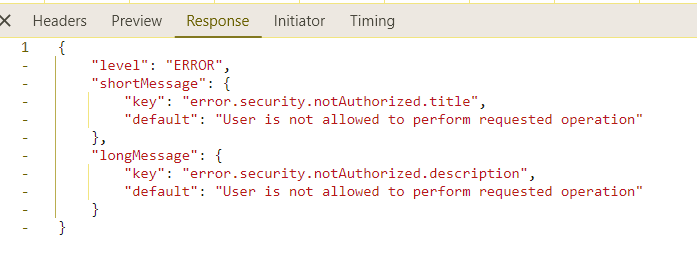
Old modelLoaders (have error):
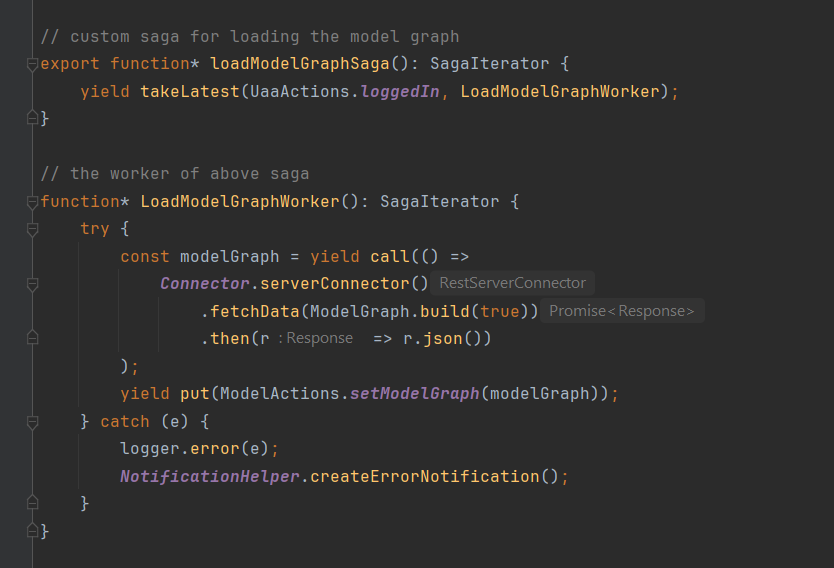
New newModelLoader:

This situation makes debugging very challenging for developers.
May I ask this is normal behaviour or missing of a12, or I missing some configuration to make it work?
Hi, the new model loading API uses a new RPC operation from services (LIST_MODELS) to load all needed models in parallel.
To be able to do this, Client will query the model graph beforehand to find all of the dependent models (e.g. when starting from a UI model such as a form, find the referenced document model).
As far as I understand, the model graph is already checked by services (meaning if a user loaded a model graph, all models in it will be loadable for that user). Therefore, an error such as yours should not happen.
Can you verify whether your model graph only contains models that are “allowed” for the current user?
The root cause is from ourselves as we did not define the correct role for the Model (we are missing candidate role). So, with both the old modelLoaders and newModelLoader, they cannot fetch the model (which is correct).
However, the problem is that the newModelLoader does not show an error log to developers, making it difficult to debug what happened.
Of course that we already configurated ModelGraph by adding a saga into appsetup
As the new model loader API in Client just makes a single request now, the consequence of that is that we can only create errors if that request actually fails 
If the request is successful (like you showed in your screenshot), Client has no information about any failures (because the server did not report any).
I understand that this makes for a challenging debugging experience.
Please contact A12 Services team about this.
May somebody of Dataservice team can answer in this topic 
Hi @anh-round-summit,
Permissions for models are checked for both modelgraph and for LIST_MODELS_INTERNAL operation. But as @chris-long-packet already mentioned, LIST_MODELS_INTERNAL operation should only be used after the modelgraph is called to make sure that all models are loadable. LIST_MODELS_INTERNAL operation does not provide complex error handling because of this.
If your workflow prevents you from calling modelgraph please load your models one by one using GET /v2/models endpoint. But I believe this is not the proper solution because modelGraph should be used always
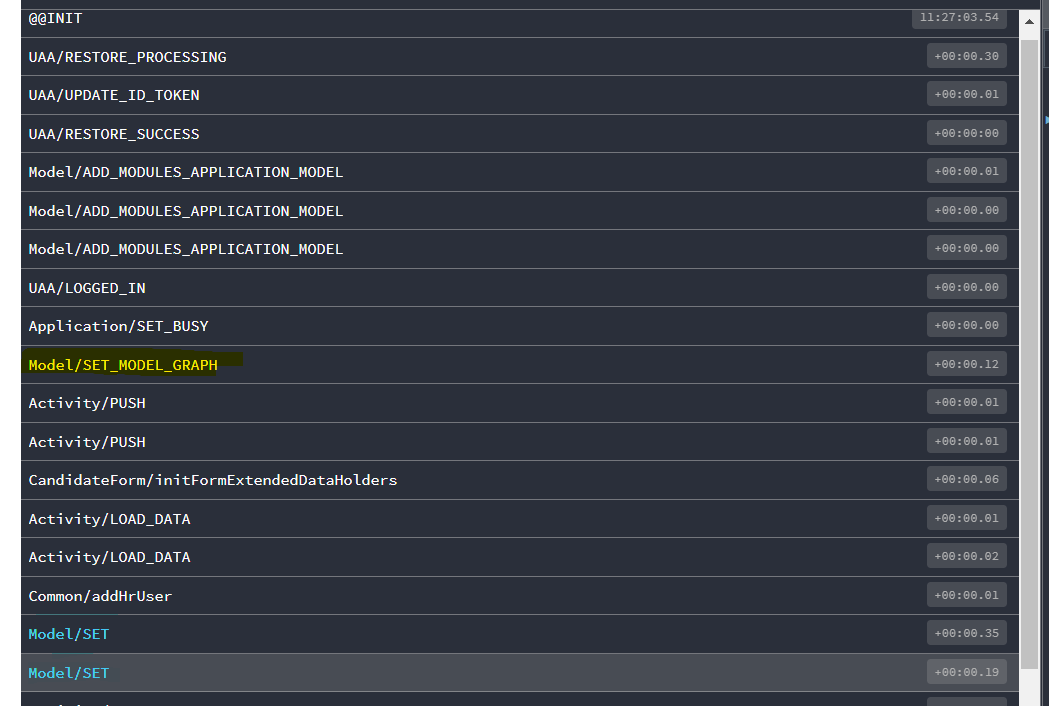
Yes, of course, the Modelgraph action is run before LIST_MODELS_INTERNAL , as you can see in the Redux action list:
With your answer, I can understand it like this:
- First,
loadModelGraph is run and returns all related models, ignoring any models that do not match the role.
- Then,
LIST_MODELS_INTERNAL will take those results (from step 1) to query the needed models.
So, because in the first step, the models that do not match the role are already excluded, that’s why LIST_MODELS_INTERNAL does not return those models.
Correct me if I’m wrong. And if I am correct, can DS show a log (normal log) that explains in detail which models cannot be loaded (due to authentication problems, etc.)?
Hi @anh-round-summit,
There are 2 modes in which DS handles loading of models.
- Discovery mode. There is no need for client input (modelgraph has very few parameters) but DS will look in the database and provide models that are available. There might be a lot of models that user cannot see and this is ok. It is authorization that prevents models from being loaded. We cannot log every failure to load the model in this case because this is not an error that user caused. It is security configuration of the system.
1.1 Our new operation LIST_MODELS_INTERNAL was created for the client to load models that are subset of models from modelgraph (because client might have already cached some models). This is the only use-case for which this internal operation is for. If you want to use it for something else please create a ticket, and we can discuss it. For checking what is loadable, please use modelGraph instead.
- Load Model by ID mode (
GET /v2/models). If the user is trying to load a model that he is aware of because of the model graph, there should be no errors. If the user tries to load a model that he should not know (its existence was never made known to the user by modelgraph) the log message will be present and the proper HTTP code will be returned to the client
Thank you for your answer, I understand now.