Make relationship between models mandatory

Hi guys,

I am using A12 in the 2023.06-ext1 version.

I have two documents Item and Manufacturer, they are related to each other by a Relationship model.

The Item form has a binding with a DropDownSelection component, which contains all Manufacturers and the Manufacturer can be assigned to an Item during its creation, but the selection is optional. I want it to not be optional, but required that a Manufacturer is selected.

I found in the documentation GetA12 Login, at the Validation & Computation part, that they are not supported by Relationship models.

Just to make sure I’m not missing anything, is there a build-in way to define a relationship as mandatory? And if that is not the case, what would be the approach to this problem?

I first thought about an event listener, but haven’t found one which would be suited. The DocumentBefore… events are all just get the document, which does not contain any information about relationships and for relationships there are only …afterCreate/Update/Delete events.

The only other possible solution I can think of would be to listen for DocumentAfterCreate events, then querying the DB for relationship links, then checking if there are new links created for the desired documents and if that is not the case, deleting the document again.

Maybe someone already stumbled upon this kind of problem, as I think it’s a common problem case?
I think you could achieve this if you use a modeling approach with CDMs (please check the documentation for those).

With CDMs you can specify a use case-specific composition of document models for e.g. your item form use case. Here you could create a document model that uses both the item and manufacturer document model and later on define the form model based on this composite.

In the CDM (which is also a document model, however with additional semantics) you could add a validation rule that enforces a manufacturer to be selected.

Another option could be a customized save operation (on client or server side) that rejects item documents without link to a manufacturer.

Hi, thanks for your response!

The CDM part sounds promising, I will look into that.

But how exactly do you think would the customized save operation on the server side look like? Because the documents themselves do not contain any information about their relationships afaik.

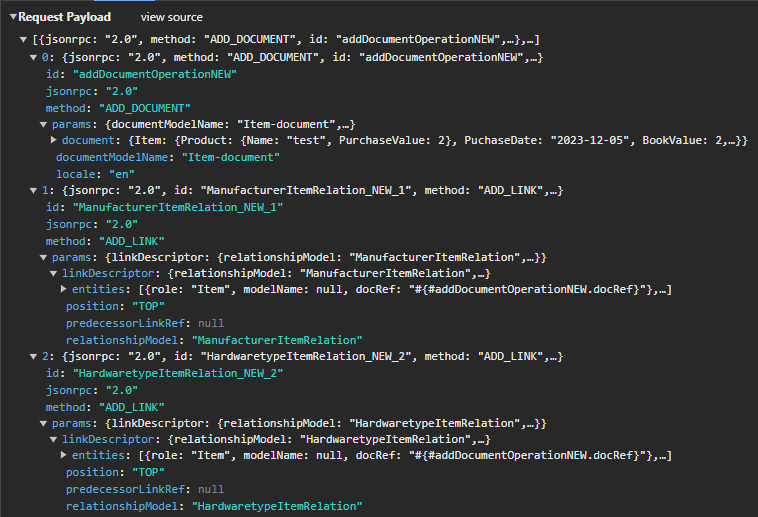
Since you currently use the relationship engine (I assume), your save operation should already contain an AddDocument operation and an AddLink operation.
The AddDocument tells the server to add the new item document.
The AddLink says that the new item document should be linked to a specific manufacturer.

If there is no AddLink operation in that save request, then no manufacturer was selected.

I have looked a little bit into the CDMs and I think this should be enough for my case, so I hope there is no need for a custom operation.

But I am experiencing an issue with my Form model, which is base in my CDM. The problem is that the Relationship Binding UI-Components don’t show up.

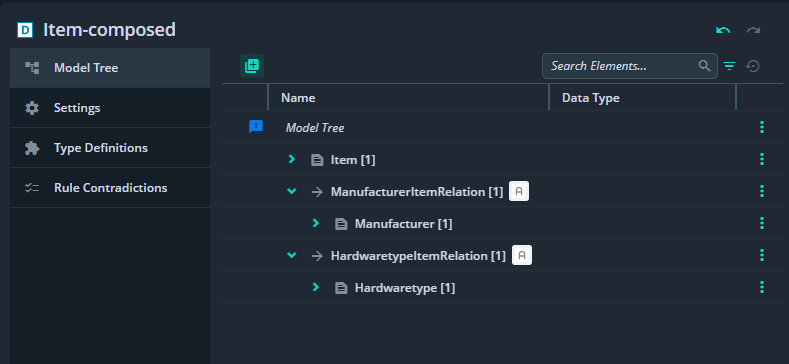
This is how my CDM looks like:


It has the Item as root document and two relationship links to manufacturer and hardwaretype.

image
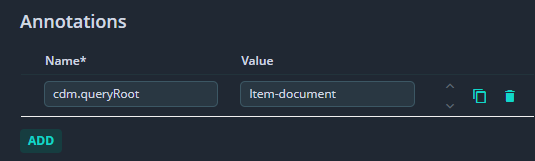
I also made sure the annotation on the CDM is present.
image
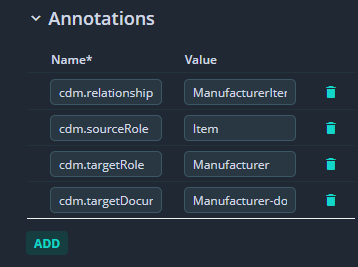
As well as on the relationship elements.

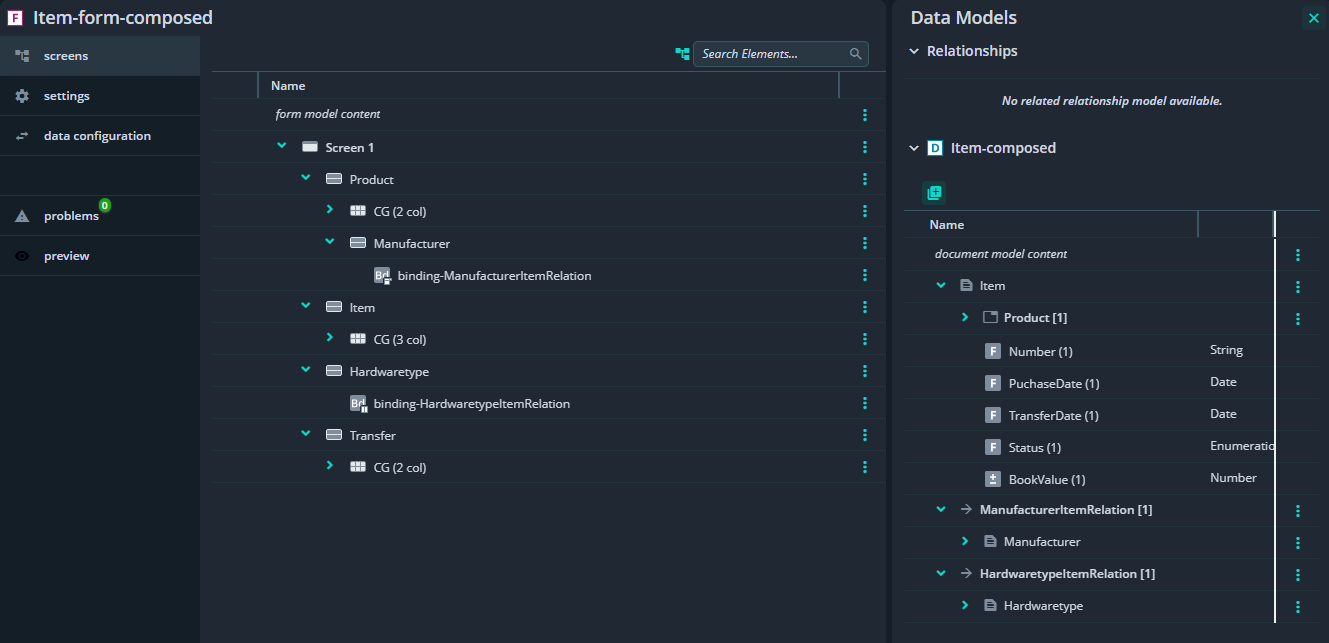
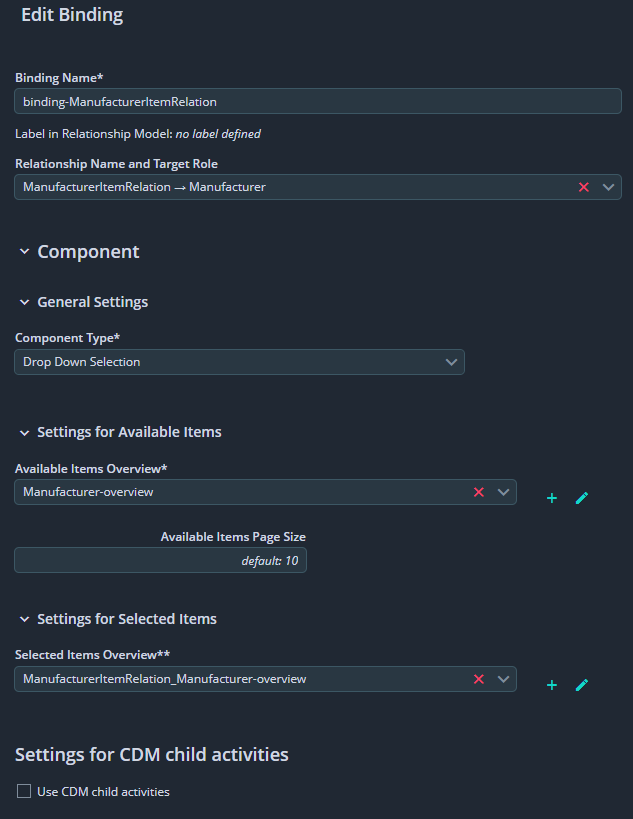
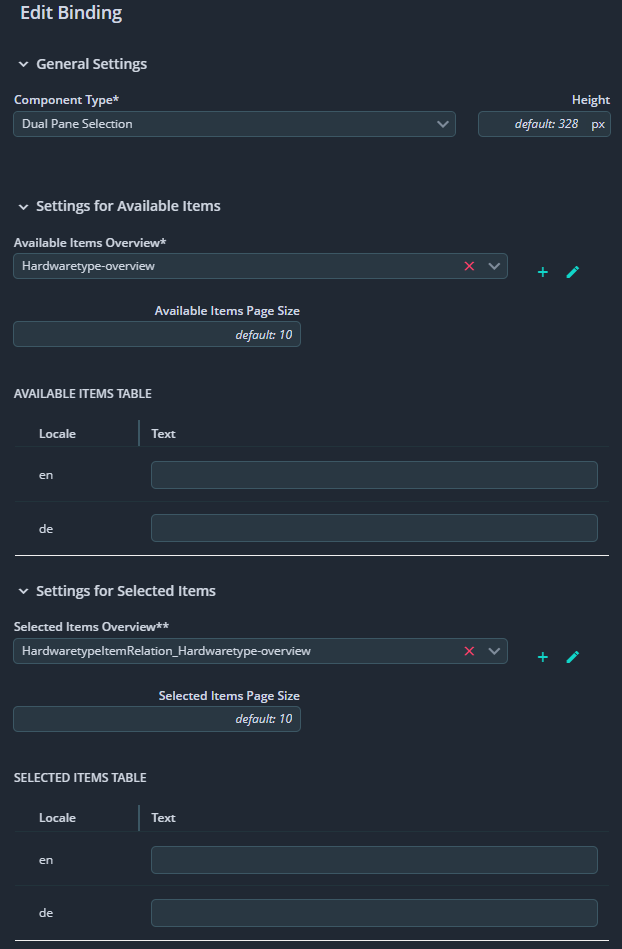
The Form model with the bindings from CDM looks like this:


With the manufacturer binding using the drop-down component.


And the hardwaretype binding using the dual-pane-selection, just to test things (it should also be a drop-down)

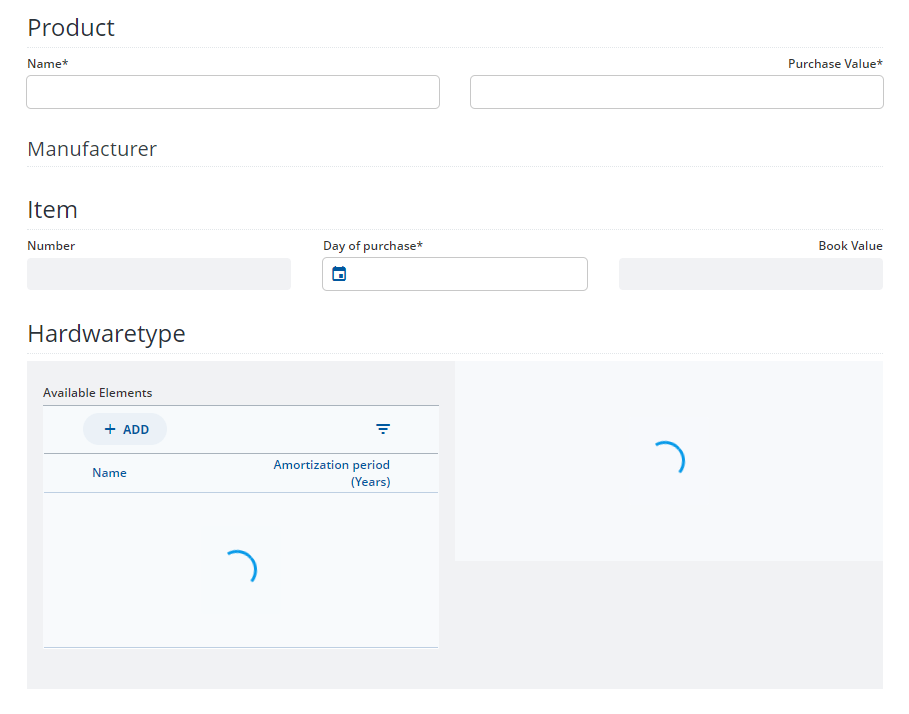
This is what the opened form looks like:


The drop-down which should be shown for manufacturers is just not displayed and the dual-pane-selection on hardwaretypes has these infinite loading spinners.

Am I missing anything or doing something wrong in the modelling? Maybe someone has any clues?

Hey @raffael-broad-linden,
can you please check your workspace.json that it ends with:
"
“workspaceVersion” : “202306.2.0”,
“environmentVariables” : {
“preview-app-client” : {
“PREVIEW_APP_CLIENT_ENABLE_SCDM” : “true”
}
}
}
"
Please Close and Reopen the PAC. If the workspace is not listed/you can not add it to the dropdown, please check the brackets in the workspace.json

Cheers
Felix

Hi @felix-blazing-river and thanks for the reply.

I don’t have a workspace.json and also not really using PAC.

I am using a standalone server + client.

Hey @raffael-broad-linden, then you have to make sure that the corresponding Environment Variable is set in your config. (And GetA12 Client Docu lists somethings more. This might be helpful as well: Technical Steps to add in client code

Extend the following in the appsetup.ts:

  • Add …createCdmMiddlewares() to the additionalMiddlewares
  • Add …dgReducers and …cddReducers to the dataReducers
  • Add …cdmSagas to the customSagas
  • Add cddDataProvider (:warning: this has to be the first in the list) and relationshipDataProvider to the dataProviders
If CRUDViews.OverviewEngineView aswell as CRUDViews.FormEngineView are used as containers in the projects there are no changes necessary for these.)

Dear @raffael-broad-linden,
was the response helpful and is the issue now solved or are there some additional questions? If it is solved, please, use the checkbox to mark the solution to your problem so that other users also know what helped to your case.
Katerina from the Discourse team

Hi @felix-blazing-river the steps in the appsetup.ts were really helpful, I haven’t had the FE initialized properly, thank you! But I dont know which environment variable and which config you mean? The UI Components are showing anyway.

There are a couple more issues I have:

  1. After restarting the server, no entries are shown in the CDM based overview. Only after creating a new entry, the others already present are loaded as well. Maybe this is due to some issue with indexing on server start?
    The only things I configured on the server for CDMs are the allowed json-rpc methods (LIST_CDDS & LOAD_DOCUMENT_GRAPH) and I added following properties from the Data Services Documentation Setup server for CDD

    spring.artemis.mode=embedded
    spring.artemis.embedded.enabled=true
    mgmtp.a12.dataservices.cdd.dirtyDocuments.async.producer.enabled=true
    mgmtp.a12.dataservices.cdd.dirtyDocuments.async.consumer.enabled=true
    

    Maybe I am missing something here?

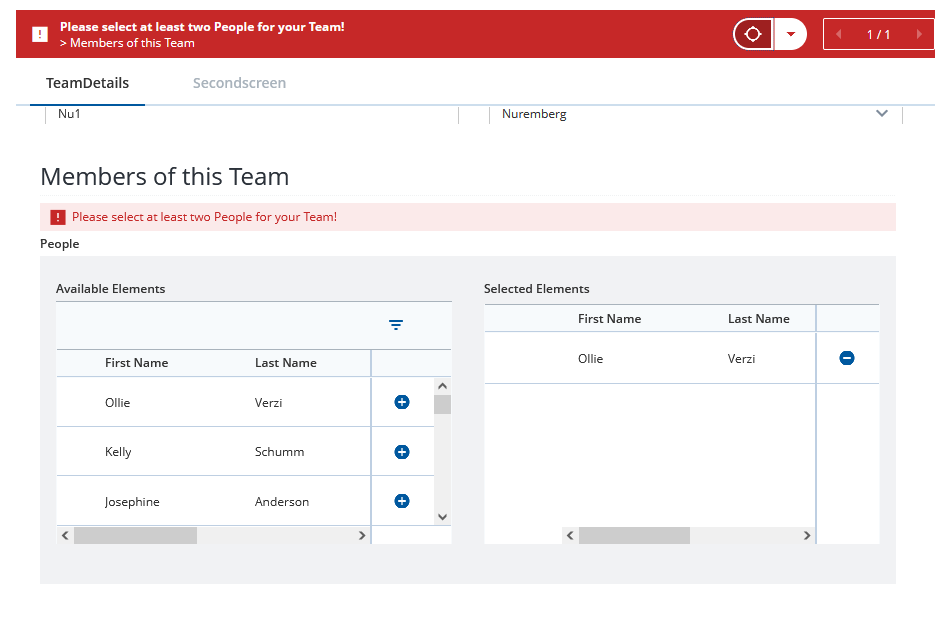
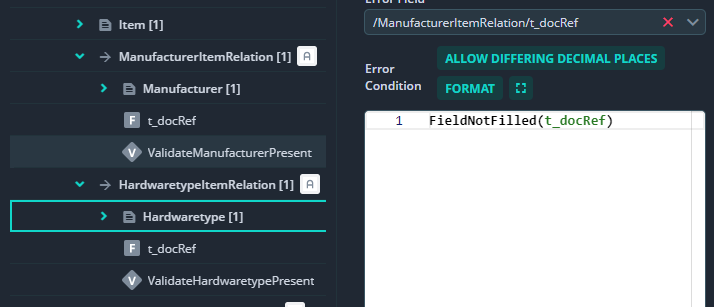
  2. Following the Documentation on How to Determine, Whether a Link Is Established I have a validation rule in the CDM to make sure the relation is established, but how can I put the error message on the UI Component (Dropdown)?


    The CDM with a validation rule to check that t_docRef for manufacturer is filled, I can only select document field as error field, but I need the UI Component of the relation (Dropdown). I tried to copy the ID from the Dropdown into here, but this way the server doesn’t start. How can I archive this?
    image
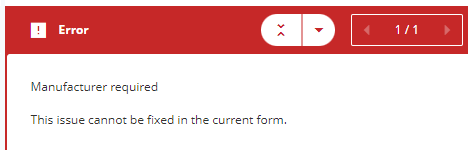
    This is the error message, shown only above the form.

  3. If I am not misunderstanding, there is no validation of the related documents in the backend to make sure when I create an Item that it has particular relations set?
    This is the request send to the server when creating a new item, it has a couple json-rpc methods to add the base document and some links to it. But afaik nothing is holding me back to copy it and just take the ADD_DOCUMENT method without the others and create an item without links which are normally required. So I would end up with invalid data.


    Maybe there is something I am not aware of which needs to be enabled on the server somehow or something? Otherwise, it feels like my initial use case to make a relatinoship between models mandatory is not really supported?

Hi,
For 1, could you please check with these?

For 2, there is a ticket (A12-13297) ready for planning, which would solve this. But currently this is only modelable with a workaround, which I could show you. The result would look like this:

For 3, yes. I created a ticket (A12-15411) to solve this issue on server-side. Currently this is not possible without custom code.