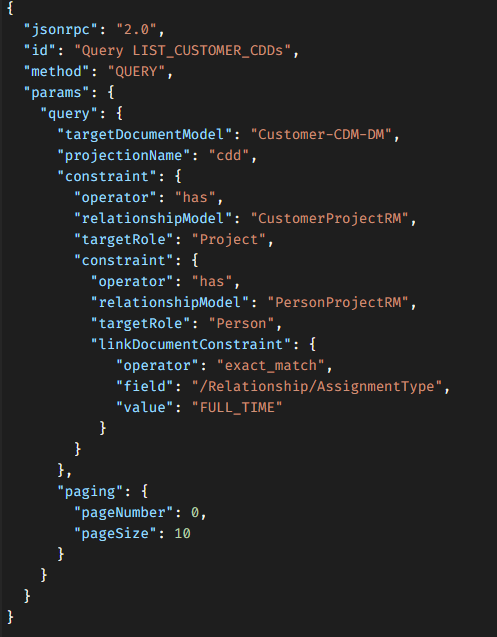
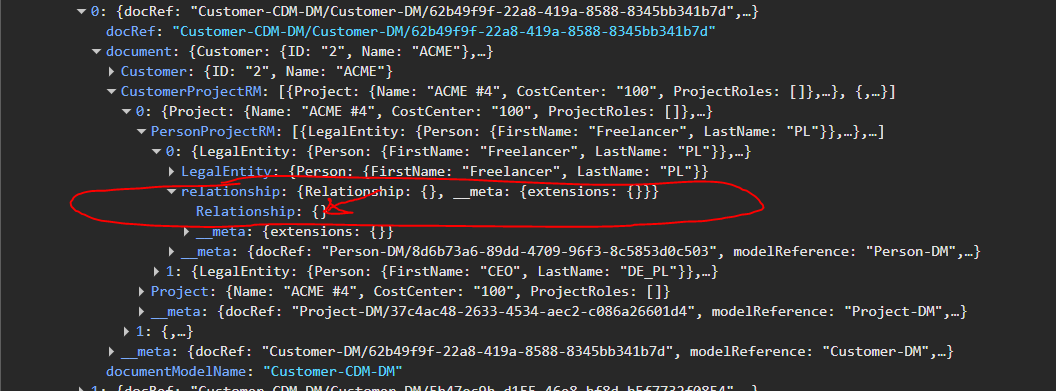
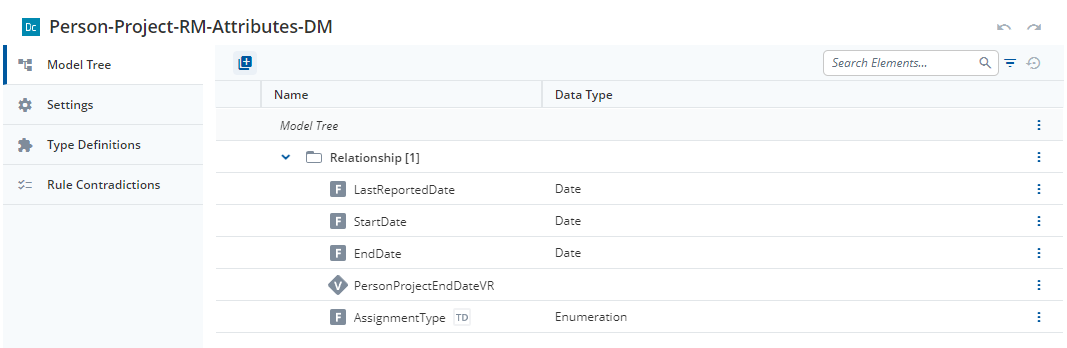
Using Query API and cdd projection, when quering a CDM structured (ROOT) > RM > RM (with LINK_DOC), I’m not getting back properties of the LINK_DOC.
Is there any way I can get these link documents?
Side note: It seems I can put constraints on these fields, just not get them back.
The cdd projection consists of the following steps:
Preprocess – The query constraint is applied to load the root documents for which the CDDs will be created.
→ In your case, the constraint creates CDDs only for customers who have a project that includes a person with assignment_type = 'FULL_TIME'.
Roots loading – The root documents are loaded.
Postprocess (links loading) – The links are loaded according to the CDM.
→ Starting from version 38.1.0, it is also possible to define custom links for both the cdd and document-graph projections.
Postprocess (CDD creation) – The final CDDs are created based on the data that has been loaded.
Could you please provide the Customer-CDM-DM model here?
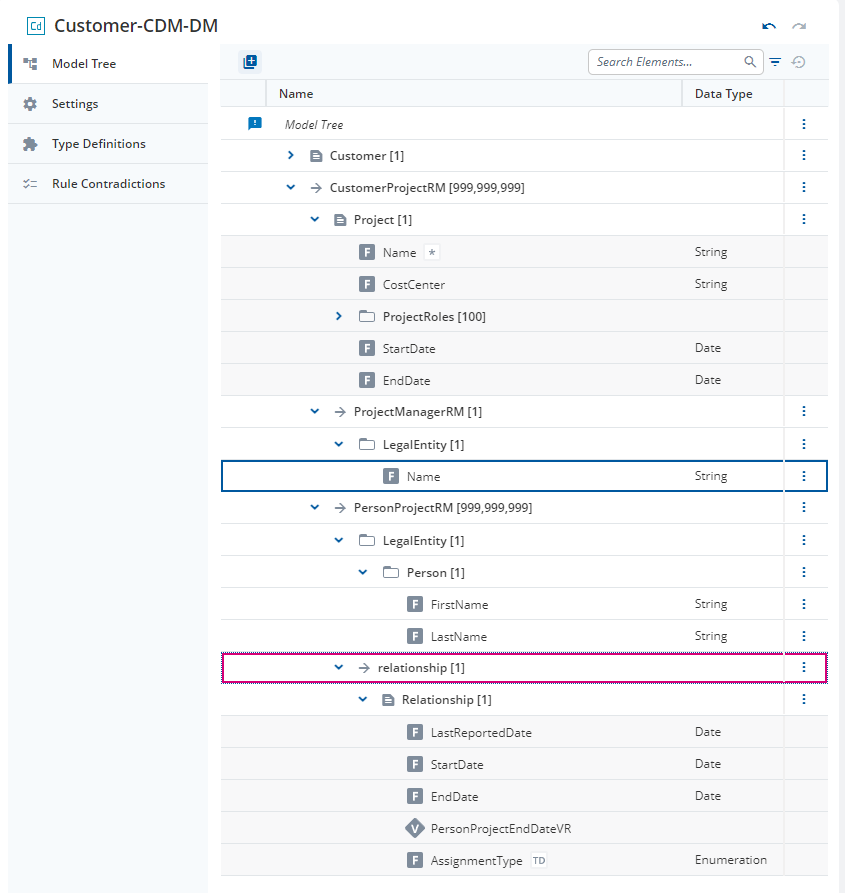
I’d like to verify the mapping of the relationship property in the PersonProjectRM group. It appears that the people with FirstName equal to Freelancer and CEO were loaded, but there seems to be an additional relationship definition that is empty. I’d like to understand what should be mapped there.
My suspicion is that the above-mentioned group is somehow corrupted or modelled wrongly
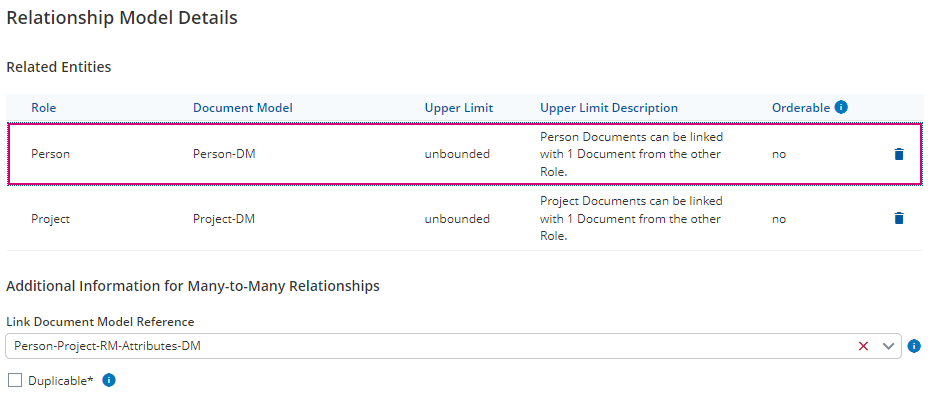
Here’s the model. There’s a link document under “relationship” property. I can use exact_match on “/Relationship/AssignmentType” field, so I thought the model is fine.
This should work, and it works in our tests. I would like to take a closer look at the data that you have. Please create A12 bug ticket, add data services as a component and provide all your models and documents and links there so we can reproduce it locally. Maybe there is some corner -case for which we do not have a test.
I replicated the relationship structure in the tutorial application from A12 documentation, and it seems it is indeed a bug in the platform.
To reproduce the bug, perform the following steps:
Create a simple document with a Name string field called Customer_DM;
Create a simple document with a Name string field called Project_DM;
Create a simple document with a Name string field called Person_DM;
Create a simple document with a Role string field called PersonProject_RM_LinkDoc_DM;
Create a 1 to many relationship between Customer_DM and Project_DM called CustomerProject_RM;
Create a many to many relationship between Project_DM and Person_DM called PersonProject_RM, using PersonProject_RM_LinkDoc_DM as the link document;
Create a composed document model Customer_CDM_DM based on Customer_DM that includes CustomerProject_RM and PersonProject_RM.
Populate the database with some data, then query for Customer_CDM_DM (cdd projection). The link document won’t show up.
Even stranger, if you create a composed document model Project_CDM_DM based on Project_DM that includes PersonProject_RM and query for Project_CDM_DM, the link document will show up.