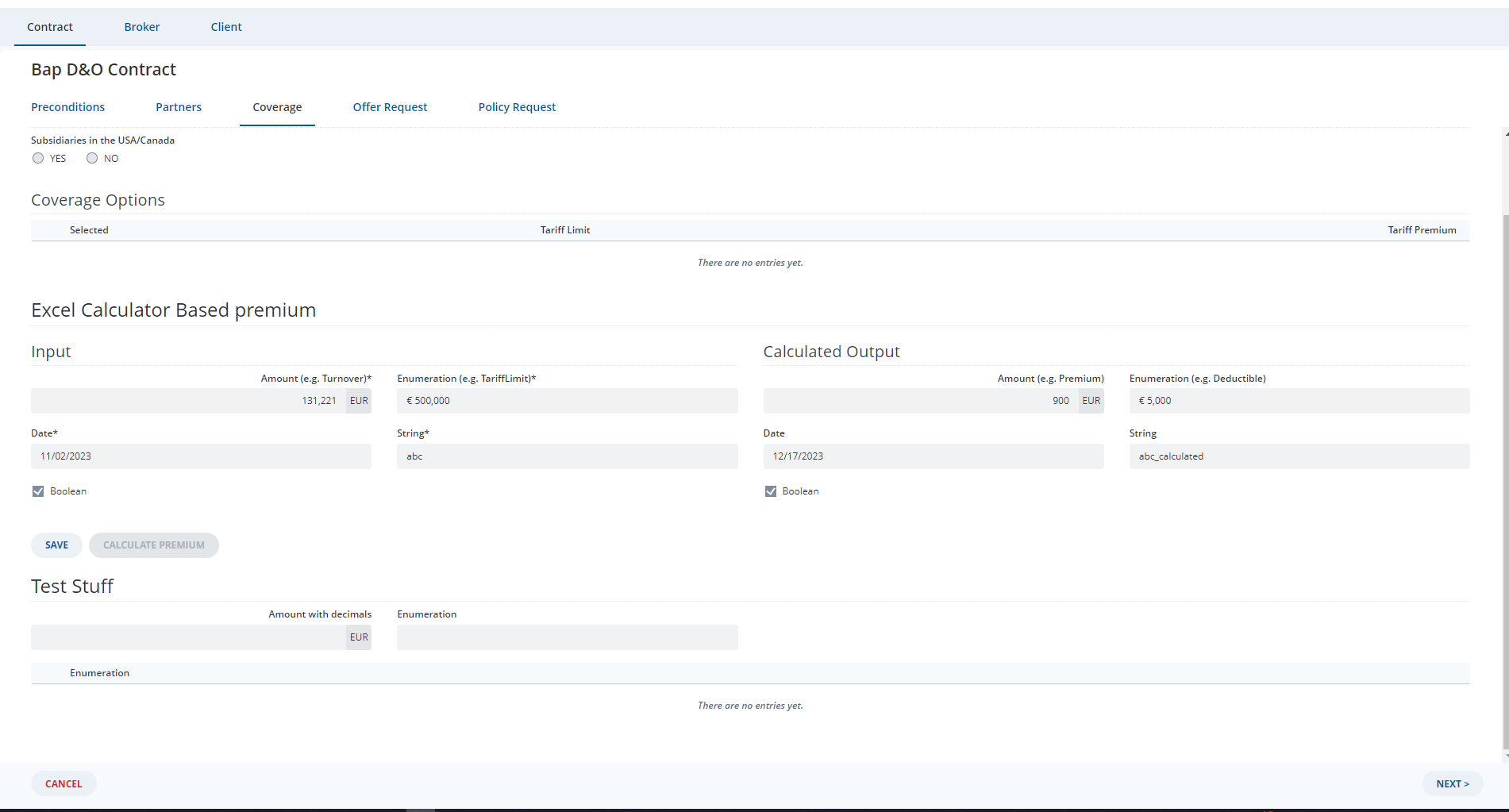
Hi there,
I would like to write a custom saga (if it doesn’t exist yet) to display a spinner loading/disabling a screen when a process is running.
Currently, I’m using:
yield put(FormEngineActions.command({
		                                    activityId: activity.id,
		                                    engineEvent: Commands.setReadonly(true)
	                                    }));
However, with the current implementation, the entire form will be disabled. I would like to disable/display a spinner loading on only a specific screen.
Example: My expectation is to disable the Coverage screen.
A12 version: 2023.02
- widgets-core: “35.0.0”
- overviewengine-core: “35.0.0”
- formengine-core: “35.0.0”
- client-core: “13.1.1”
Thanks & best regards!
Hi @nhat-round-cloud ,
I’m not sure if I get it well, but as you mentioned using Commands.setReadonly(true) will disable the whole form.
Now to disable a specific screen I think it has something to do with the UI State/Enablement State within the Engine State.
That’s by customizing the Screen within the Form Model Map and returning a disabled screen based on your process.
const customFormModelMap = React.useMemo(
		() => ({
			...DefaultFormModelMap,
			Screen: {
				...DefaultFormModelMap.Screen,
				component(props: FormModelMap.FormModelComponentProps<FormModel.Screen>) {
					const newProps = {
						...props,
						config: {
							...props.config,
							renderOptions: {
								...props.config.renderOptions,
								state: {
									...props.config.renderOptions.state,
									ui: {
										...props.config.renderOptions.state.ui,
										readonly: true
									}
								}
							}
						}
					};
                    //You can get the screen name from your form
					if (process && props.modelElement.name === ScreenName) {
						return <DefaultFormModelMap.Screen.component {...newProps} />;
					}
					return <DefaultFormModelMap.Screen.component {...props} />;
				}
			}
		}),
		[process]
	);
Hi @nhat-round-cloud,
Another simpler solution, IMO, is to take advantage of the “loadingState”, “savingState” or “busy” state of your form engine activity. Once your processing is started, you can have an action/reducer logic to set these state to “loading”, “saving”… so that Client will automatically render a progress indicator for you. This step will not require you to tinker around the view components like screens, which result in less custom code to be done. The only downside of this is, the client’s progress indicator cover the whole activity, not a specific screen. Therefore, it is up to you to decide which is the best fit.
Great recommendation!
I would go with your less custom code solution.
Thanks!