Hi!
We have a use case where we want to make information sheets (similar to terms and conditions) available to the user within our A12 application.
For example, we may add a single document in the overview, see Show Document without overview
This document would then contain a text hint and download functionality to attachments (namely the German and English information sheets). We could also think of just adding these attachments as the list in the related overview model.
Either way, these exact files should already be available when the user logs in. So, we would need something like the download functionality of attachments without using the upload fucntionality in each user session. Instead, the files need to be uploaded once for all upcoming user sessions (or made available from a specific directory etc.).
Hi @susanne-sleek-boulder
This sounds more link a Content Management requirement than Document Modeling.
For example, if you go to geta12.com and navigate to Support and scroll to the bottom of the page you will see “Userful Resources”:
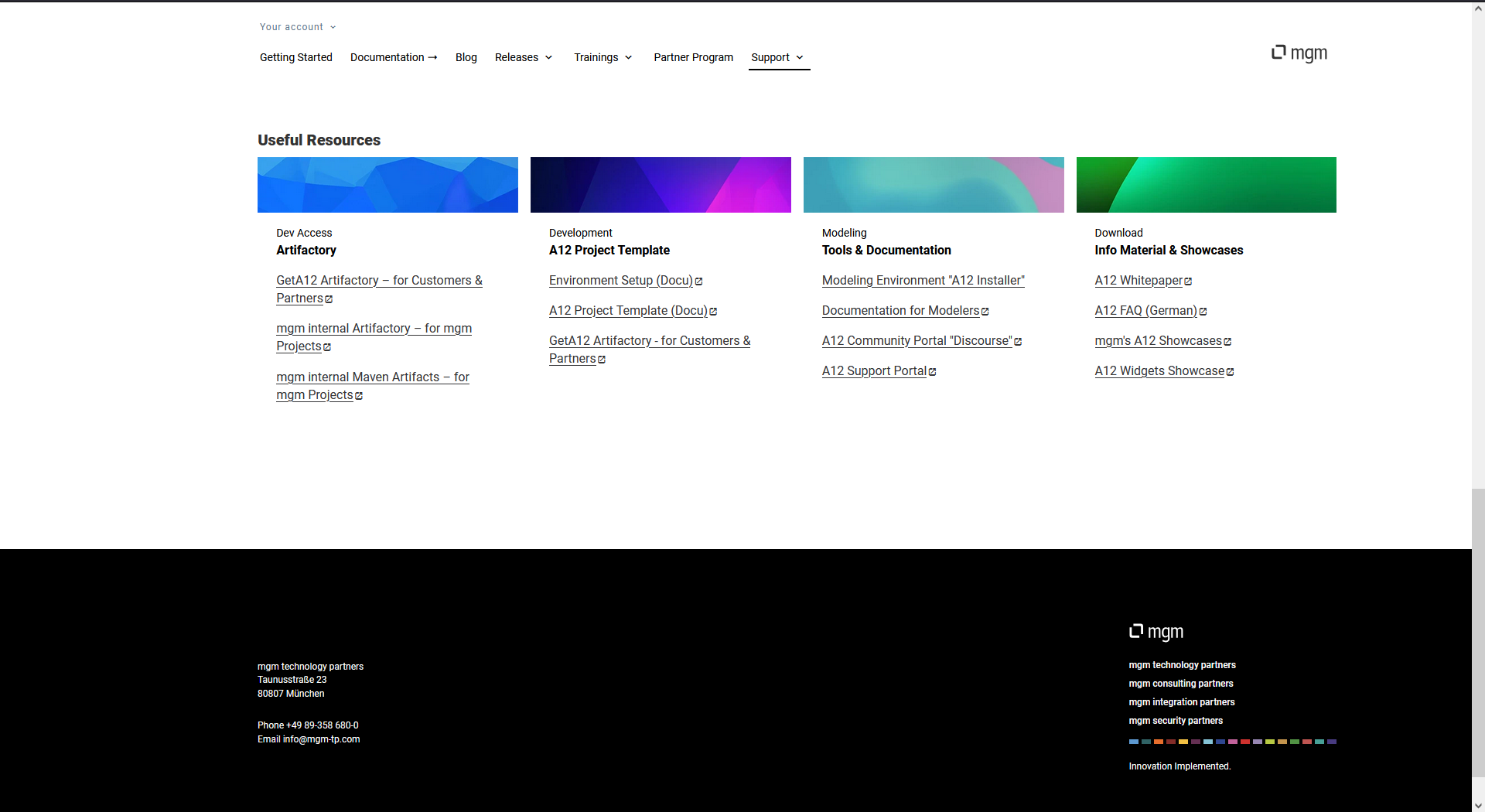
As you can see, you have all sorts of downloads and links available. This is all based on Content Models.
Content Models are experimental in 2024.06 and 2025.06. That being said, there is a full documentation in 2025.06 on how to use them. The Link Element is what was used on geta12.com to add the downloads.
This screenshot shows:
- A very simple content model
- The Link Element with url that I copied from geta12
- The pdf that was accessed in the Content Model Preview by clicking on the Link
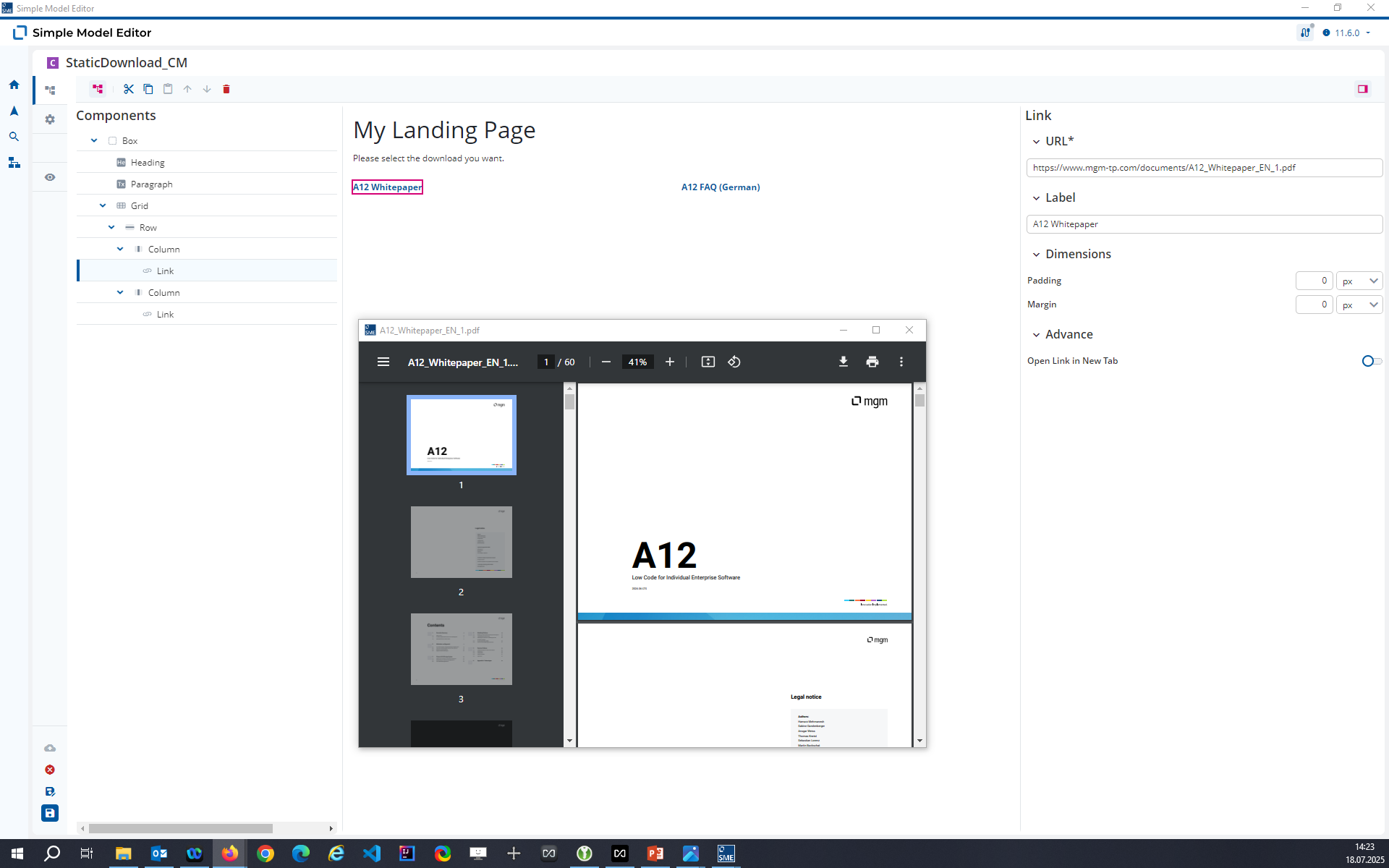
You just need to model the Content Model, provide the link url and you are ready to go.
Hi Malcolm,
this looks pretty elegant. The concept of content models is completely new to me. How do I configure/establish the interaction with the already existing overview and form models of our A12 application?
I’m glad you like it 
The Content Engine interprets Content Models in the same way that the Form and Overview Engines interpret their respective models.
The orchestration of which model is opened when is done in the Application Model where add scenes to a flow that describe things like:
- Use the Overview Engine to open Person_OM in the “Content” Region with the “MasterDetail” Layout.
You can do exactly the same thing with the Content Engine and the Content Model you create. For example, the landing pages in the applications we deliver with the installer are content models. In 2025.06 you can see the Content Models in the Application Model:
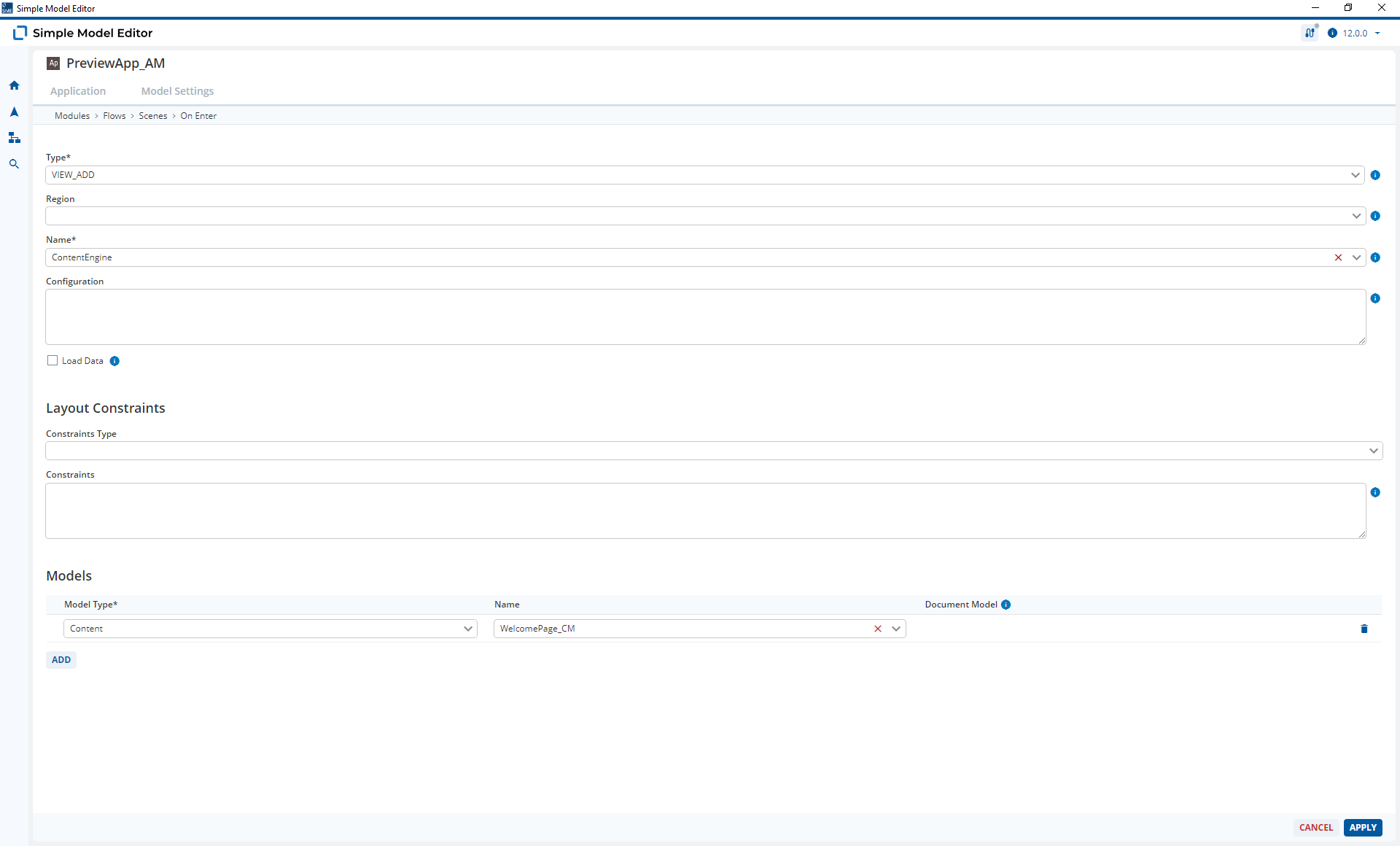
So it’s just a case of modeling when and where the Content Models should be shown.
You should however note that Content Models only support static content at the moment. This seems to match your use-case that you described at the top.
Dynamic content (based on data loaded from a Document) is on the horizon but we’re not there yet.
Dear @susanne-sleek-boulder,
was the response helpful and is the issue now solved or are there some additional questions? If it is solved, please, use the checkbox to mark the solution to your problem so that other users also know what helped to your case.