Hi all,
I am using the Platform Server Connectors extension for uploading attachments.
As I check the code of the AttachmentHandler from the extension, it always handles errors with the error code RESOURCE_KEYS[“attachment-handler”].error.unknown.
But I would like to show my own warning/error message when uploading failed instead.
Does anyone know how can I do that? Do I have to custom the AttachmentHandler?
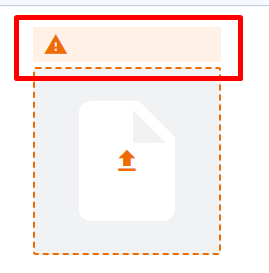
Hi @quynh-still-birch,
as I understood you need to customize the default error message with your own message when uploading failed.
to do that you need to customize the ```
DefaultFileUpload inside the widget map and assign your Customized File Upload component to the DefaultFileUpload in the widget map
const createWidgetMap = (): WidgetMap => {
	return {
		...DefaultWidgetMap,
		   DefaultFileUpload: (fileProps:DefaultFileUploadProps )=>(

               <CustomizedFileUpload
                    {...fileProps}
					id="file-upload-error"
					uploadAreaSize={size}
					errorMessage="your own error message"
				/>
         )

	};
};
Hi,
please note that the behavior of the attachment handler regarding the error keys will be changed for the next major release (2023.06).
You can track the progress in this ticket: A12-14319
Hi @ahmad-warm-vale, Thanks for your reply.
But I do not mean the default error message. I would like to show the error message based on the error key that the rest endpoint “api/attachment/upload” responses instead of the default one.
As Chris told me, this is the current limitation of the uploaded file component. So I am going to “customize the attachment handler setContent method in such a way that the onError callback is called with different keys”. If the A12-14319 meets our needs we would remove/adapt the customization.
Thank you, everyone.