Hi all,
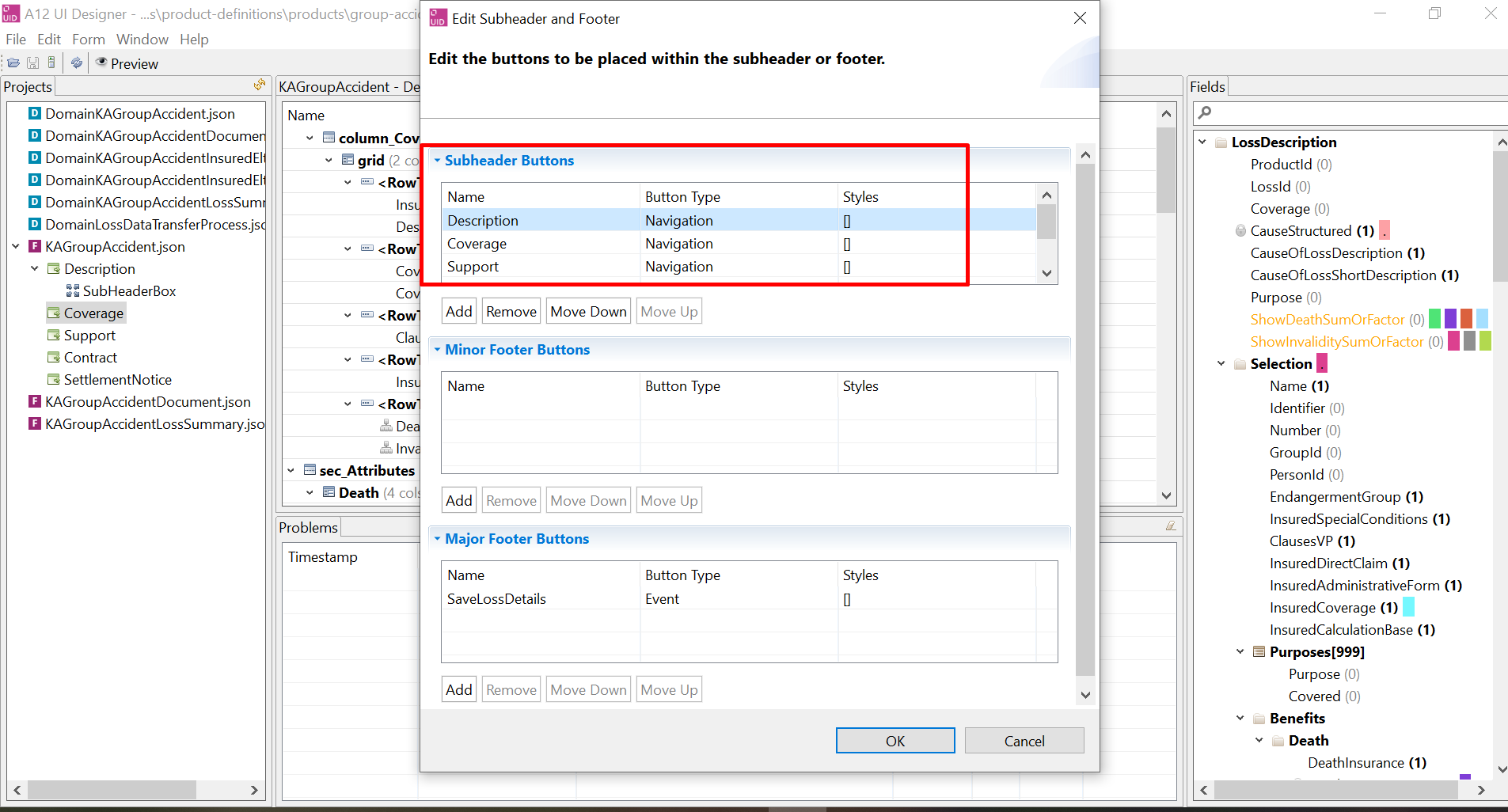
I have some navigation buttons on the subheader that need to be disabled depending on a field value.
I am going to customize the NavigationButton component. But the document says that the navigation button can not be customized. :((
Does anyone know any ways to achieve the requirement? Thanks in advance
Hi,
you can use the enablements feature of the form engine to achieve your requirement. Please take a look at its documentation here: GetA12 Login
The form engine devapp also provides an example for this, where your specific use case is implemented (enabling a nav button only when a checkbox is clicked). You can find it under customization → custom-button-enablements.
It works. Thank you very much!
Could you please provide the example from the form engine devapp? As mgm-external users we do not have access to the devapp. Thank you.
Here you go:
export function CustomFormEngine(props: CustomEngineProps) {
	const document = useSelector(DataSelectors.document()) as GroupInstance;

	// get value of the field you're interested in
	const clicked = new DocumentServiceFactory()
		.getDocumentService()
		.getAssignedObject(document, DocumentPath.fromString("path[1]/to[1]/checkbox[1]"));

	// and evaluate it per button name
	const byButtonNameMap: EnablementByButtonName = {
		btnThatIsHiddenWhenCheckBoxIsClicked: {
			hidden: clicked as boolean
		},
		btnThatIsDisabledWhenCheckBoxIsClicked: {
			disabled: clicked as boolean
		}
	};

	const newConfig: Partial<Config> = {
		...props.config,
		enablements: {
			byButtonName: byButtonNameMap
		}
	};

    // FormEngineRenderer with state access
	return <EngineConnected config={newConfig} />;
}
Here I’m changing the status of two different buttons (specified by their name) depending on what the value of that hardcoded field is.
As per the documentation, you can also influence row action buttons by using the byRow property (in that case you specify them via repeat name and event name, but the idea is the same  )
)