Hello,
I’m working on an Application Model where I need to configure different forms for creating new vs viewing existing DomainSnippet instances when accessed from a table binding in the parent form Category
Current Setup:
- Module: CategoryModule
- Model: DomainSnippet (Text Building Blocks)
- Use Case 1: User clicks “Add New Text Building Block” button in a relationship/binding overview widget → Should open
Snippet_modal_form (editable)
- Use Case 2: User clicks on an existing snippet row in the relationship field → Should open
SnippetView_form (read-only)
Problem: I cannot find the correct match conditions to differentiate between these two scenarios for loading different forms..
Could you please help to instruct me how to achieve this?
{ "name": "Category_Snippet_child_scene", "matchConditions": [ { "key": "instance", "isSet": true }, { "key": "model", "mustEqual": "DomainSnippet" }, { "key": "module", "mustEqual": "CategoryModule" }, { "key": "engine", "mustEqual": "overview" } ] }
I cannot find a way to upload the sample model here…
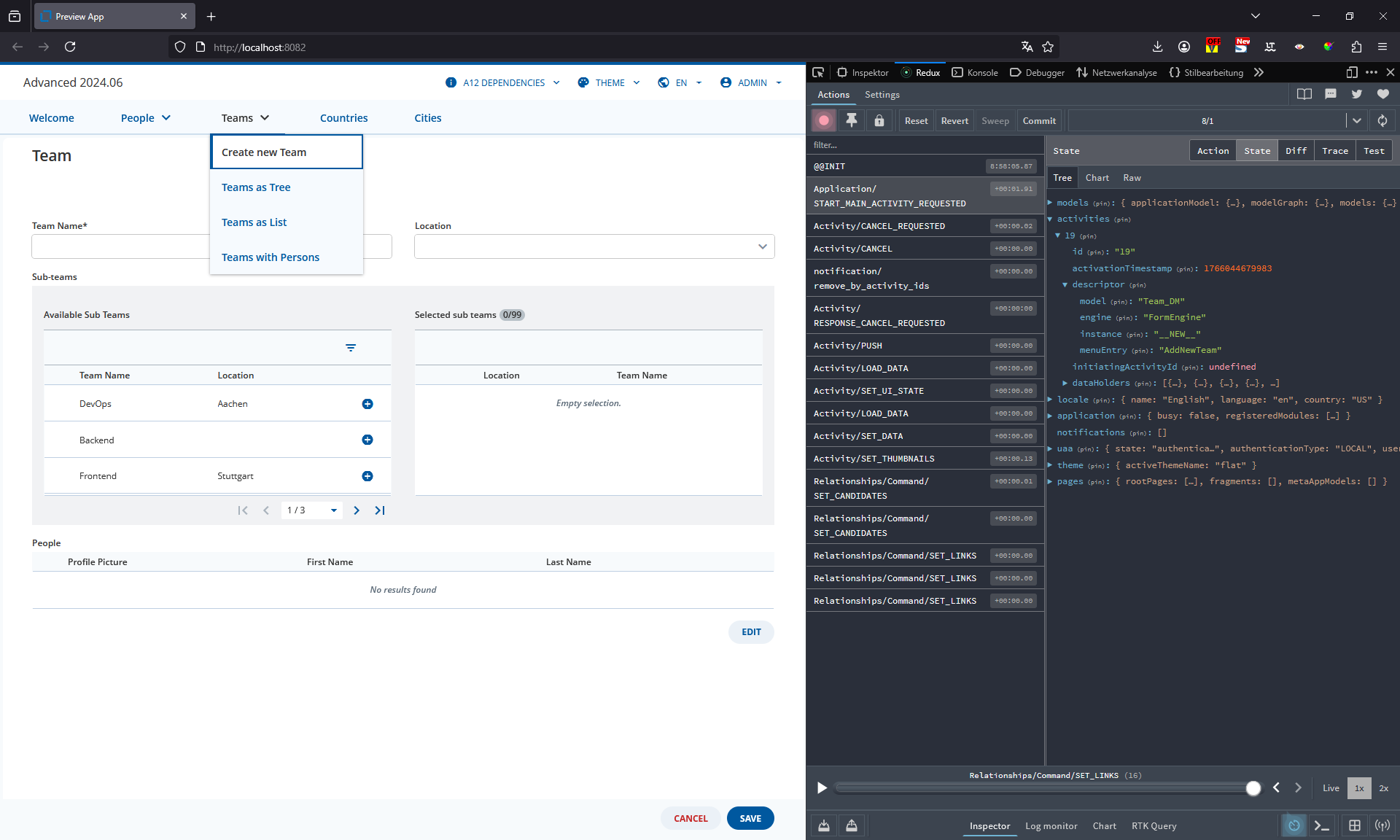
A legitimate way to differentiate those are checking instance equal NEW_INSTANCE_IDENTIFIER (an const variable indicate you are opening a new form in A12 code) for “Add New”
{
"key": "instance",
"mustEqual": "__NEW__"
}
Our project currently uses this approach in several places. If anyone has an alternative, I’d be happy to know it
Thanks for the hints, I tried out your suggestion but it still does not work  maybe I am missing something
              {
                "sceneChange": {
                  "onEnter": [
                    {
                      "type": "VIEW_ADD",
                      "region": [
                        "MODAL"
                      ],
                      "name": "FormEngine",
                      "models": [
                        {
                          "modelType": "form",
                          "name": "SnippetView_form"
                        }
                      ]
                    }
                  ]
                },
                "name": "Category_Snippet_view_scene",
                "matchConditions": [
                  {
                    "key": "instance",
                    "isSet": true
                  },
                  {
                    "key": "model",
                    "mustEqual": "DomainSnippet"
                  },
                  {
                    "key": "module",
                    "mustEqual": "CategoryModule"
                  },
                  {
                    "key": "engine",
                    "mustEqual": "overview"
                  }
                ]
              },
              {
                "sceneChange": {
                  "onEnter": [
                    {
                      "type": "VIEW_ADD",
                      "region": [
                        "MODAL"
                      ],
                      "name": "FormEngine",
                      "models": [
                        {
                          "modelType": "form",
                          "name": "Snippet_modal_form"
                        }
                      ]
                    }
                  ]
                },
                "name": "Category_Snippet_new_scene",
                "matchConditions": [
                  {
                    "key": "instance",
                    "mustEqual": "__NEW__"
                  },
                  {
                    "key": "model",
                    "mustEqual": "DomainSnippet"
                  },
                  {
                    "key": "module",
                    "mustEqual": "CategoryModule"
                  },
                  {
                    "key": "engine",
                    "mustEqual": "overview"
                  }
                ]
              }
            ]
          }
        ]
      },
Hi @tam-fast-gorge,
@thiem-free-cairn is right, you can use
“instance”: “__NEW__”
in the activity descriptor and match condition to set this up. There’s an example of this in the “advanced” workspace that comes with the installer.
Check out the “TeamModule” in the advanced workspace where we have modeled the “AddNewTeam” child menu and “AddNewTeamFlow”. to see how to specify the Form for the new documents.
The rest of the TeamModule describes the models used for exisiting documents.
You should be able to adapt this example to work with your CDM based binding.
Hi @tam-fast-gorge ,
I spoke too soon  .
.
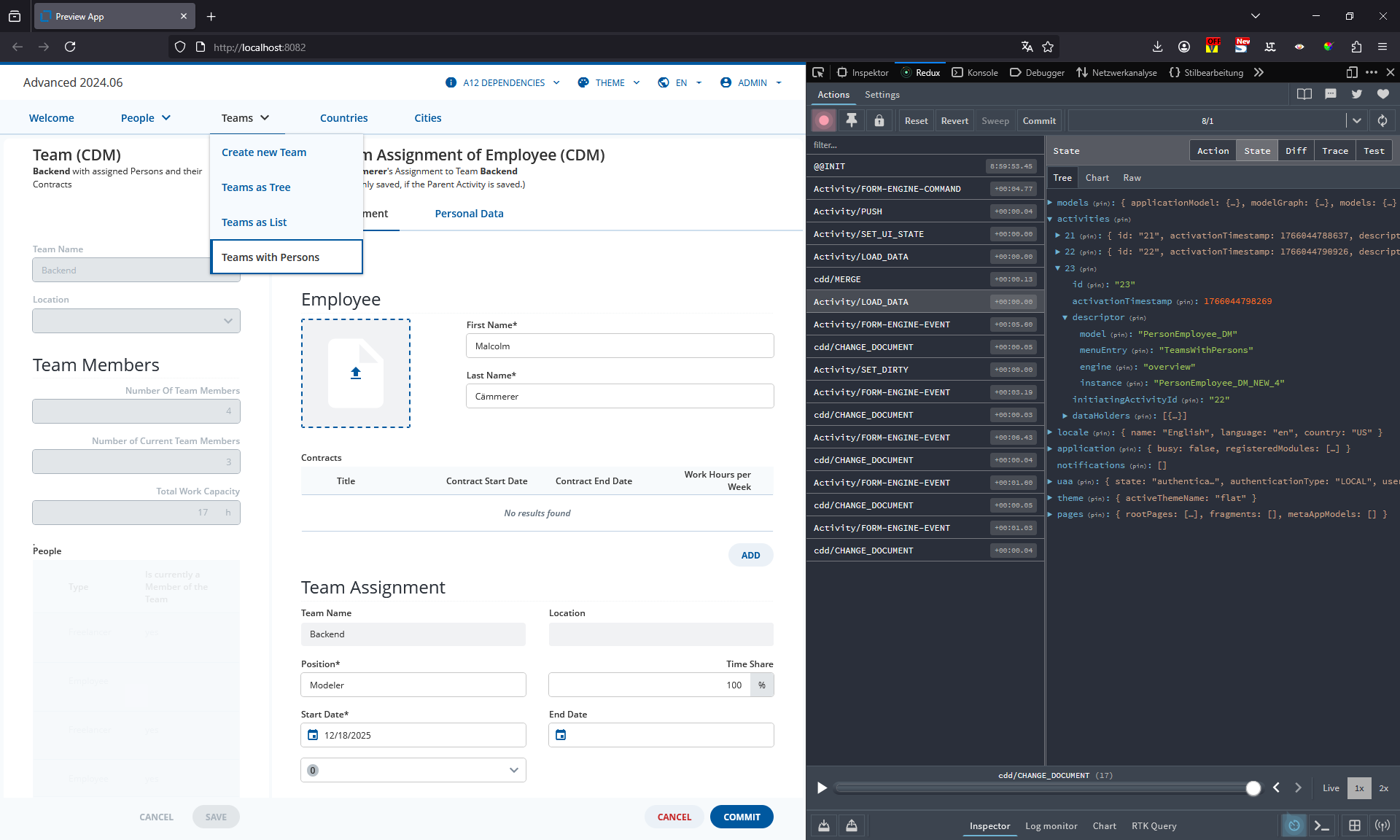
Whilst new documents are normally assigned the instance “__NEW__” the fact that you are creating documents from a CDM based binding changes things.
As you are in a CDM context you can create multiple new documents using the bindings in your form. These new documents need to be uniquely identified. As a result, the instance is set to:
<DocumentModelName>_NEW_<UniqueIndex>
This means that when I added a new Employee to the Team using the “Teams with Persons” module in the advanced workspace, the instance "PersonEmployee_DM_NEW_4" was created.
This instance is then used to describe the new linked document until the entire CDD is saved. This means adding another new linked document creates a new instance, "PersonEmployee_DM_NEW_5".
As a result, there is no modeling solution to distinguish between the instances of new and existing documents as the new documents created in a CDM based binding are unique. Modelers are limited to:
- Checking if the instance matches a static value, e.g.
__NEW__.
- Checking is the instance is set.
You need something like a regular expression to check is the instance matches a particular pattern but this cannot be modeled.
 The Releationship Engine Team is aware of this and there’s an open requirement ticket (A12RE-69)