Good Morning @christine-solid-alder !
thank you very much for your help!
In my usecase, when it comes to adding a new article, users have the option to use a scanner to scan a barcode. A middleware then extracts informations about the scanned barcode ( if it is known to the system ). When a successfull scan took place, the retrieved information is what should be pre-filled in the article-form’s fields.
I was just hoping there would be a way to customize forms like one can customize overviews, because this is very well explained in the tutorial and I am new to the A12 world.
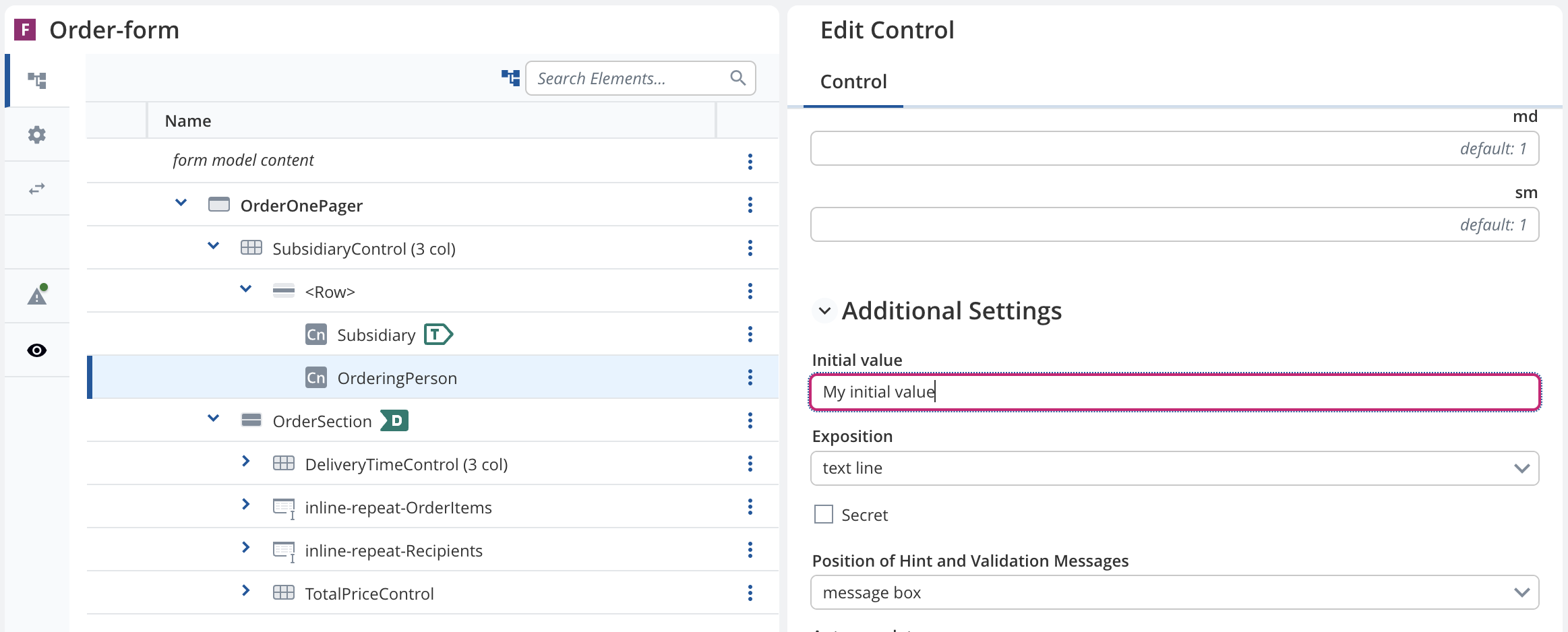
My main problem is, that I do not understand how I can access/ expand my article-form. I created the form using the SME. Now I need a way to add my scanner logic to it and to add my data to the empty forms.
I was already able to prove my concept with a model which was not created using the SME. Here I could use a container, including the logic for my scanner and displaying the data.
GraphContainer.tsx
/* eslint-disable import/order */
import React, { ReactElement } from "react";
import { useScanner } from "../../../scanner/hooks";
import { View } from "@com.mgmtp.a12.client/client-core/lib/core/view";
import { useDataholderDeprecated } from "../../../utils/dataholder";
import { ActivityActions } from "@com.mgmtp.a12.client/client-core/lib/core/activity";
import { useDispatch } from "react-redux";

export interface IBCstate {
    waitingForResponse: boolean;
    barcode: string;
    price:  number;
    name: string;

}

// eslint-disable-next-line @typescript-eslint/no-unused-vars
export default function GraphContainer({ activity }: View): ReactElement | null {

    const dispatch = useDispatch();
    const onScan = (value: string) => {
        if (!value) {
            return;
        }
        const parts = value.split(" ");
        const barcode = parts[0];
        let price;
        let name;
        if(parts.length==3){
            price = Number(parts[1].replace(',', '.'));
            name = parts.slice(2).join(" ");
        }
        dispatch(ActivityActions.setData({activityId: activity.id, data: {barcode: barcode, price: price, name: name}}));
    }

    useScanner(onScan, undefined, { callbackId: "test-scanner" });

    const [dataHolder] = useDataholderDeprecated<IBCstate>({ activity: activity });
    console.log("dataholder ", dataHolder?.barcode);
    if (!dataHolder) {
        return <></>;
    }
    return (
        <>
            <div>Graph under construction</div>
            <hr></hr>
            <div>
                {dataHolder.name}
            </div>
            <div>
                {dataHolder.price}
            </div>
            <div>
                {dataHolder.barcode}
            </div>
        </>
    );

}
I could then use the container in the models index.ts file
index.ts
import { Module } from "@com.mgmtp.a12.client/client-core/lib/core/application";
import { ApplicationModel } from "@com.mgmtp.a12.client/client-core/lib/core/model";
import { View } from "@com.mgmtp.a12.client/client-core/lib/core/view";
import * as dashboardAppModel from "./dashboard-appmodel.json";
import GraphContainer from "./components/GraphContainer";

const VIEWS: { [name: string]: React.ComponentType<View> } = {
    GraphContainer
};

function viewComponentProvider(name: string) {
    return VIEWS[name];
}
const module = (): Module => ({
    id: "GraphModule",
    model: () => dashboardAppModel as ApplicationModel,
    views: () => viewComponentProvider
});

export default module;
I essentially want to do just the same but using my article-form. Unfortunately I do not understand how I can customize my form to add my custom code (the scanner-logic) and to add the scanner-provided values.
thank you for your help!