Hey,
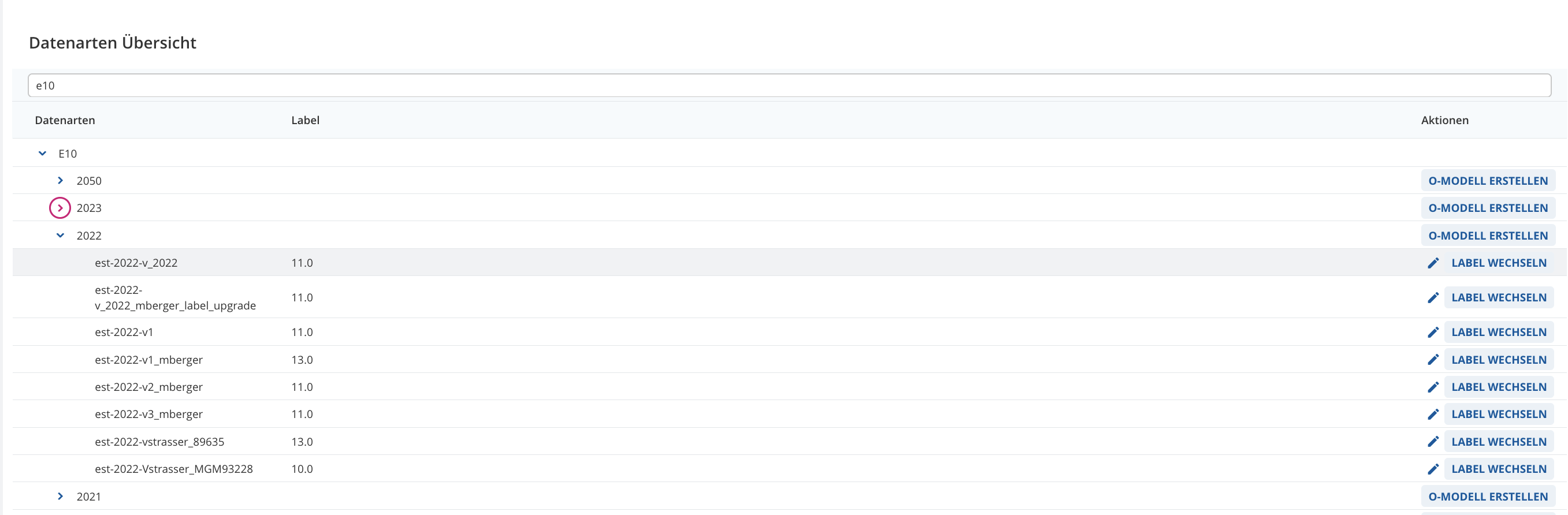
in our App we´re using a TreeTable with an actionColumn with label “Aktionen” (see below).
I´ve already read in the widgetShowCase that:
" width and fixedWidth properties have no affection for Action Column."" so this is actually unnecessary and I will/would remove it 
const treeTableColumns: PrintModelBrowserTableColumn[] = [
		{
			fixedWidth: true,
			hierarchical: true,
			label: "Datenarten",
			getColumnContent: (node) => node.label,
			width: 2.5
		},
		{
			fixedWidth: true,
			label: "Label",
			getColumnContent(node) {
				return node.type === PrintModelBrowserType.FORM_MODEL ? node.printModelLabelName : "";
			},
			width: 0.5
		},
		{
			actionColumn: true,
			fixedWidth: true,
			label: "Aktionen",
			getColumnContent(node) {
				return <PrintModelBrowserMenu {...{ node, openCreateOModelWizard, openChangeLabelWizard }} />;
			}
		},
		{
			label: "",
			width: 0.1
		}
	];
Our Problem:
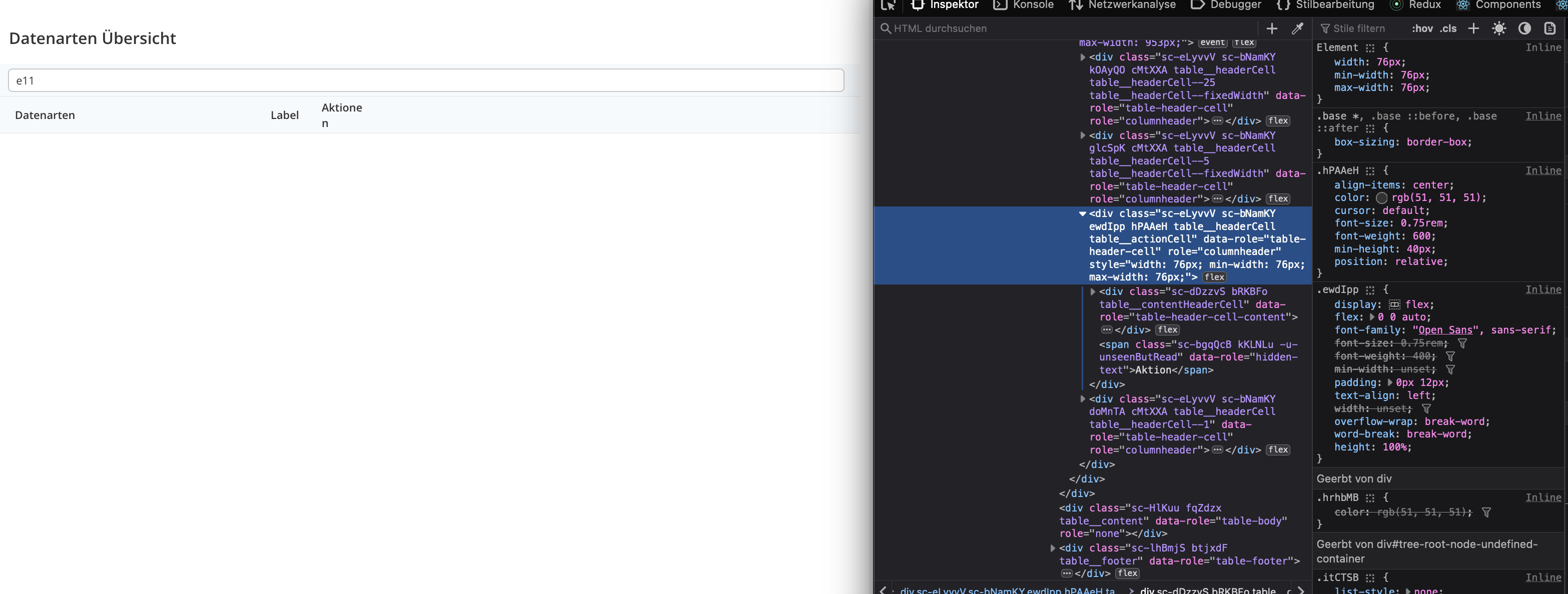
When no data is provided, the label of the actionColumn breaks and the width of the element is set to:
{
  width: 76px;
  min-width: 76px;
  max-width: 76px;
}
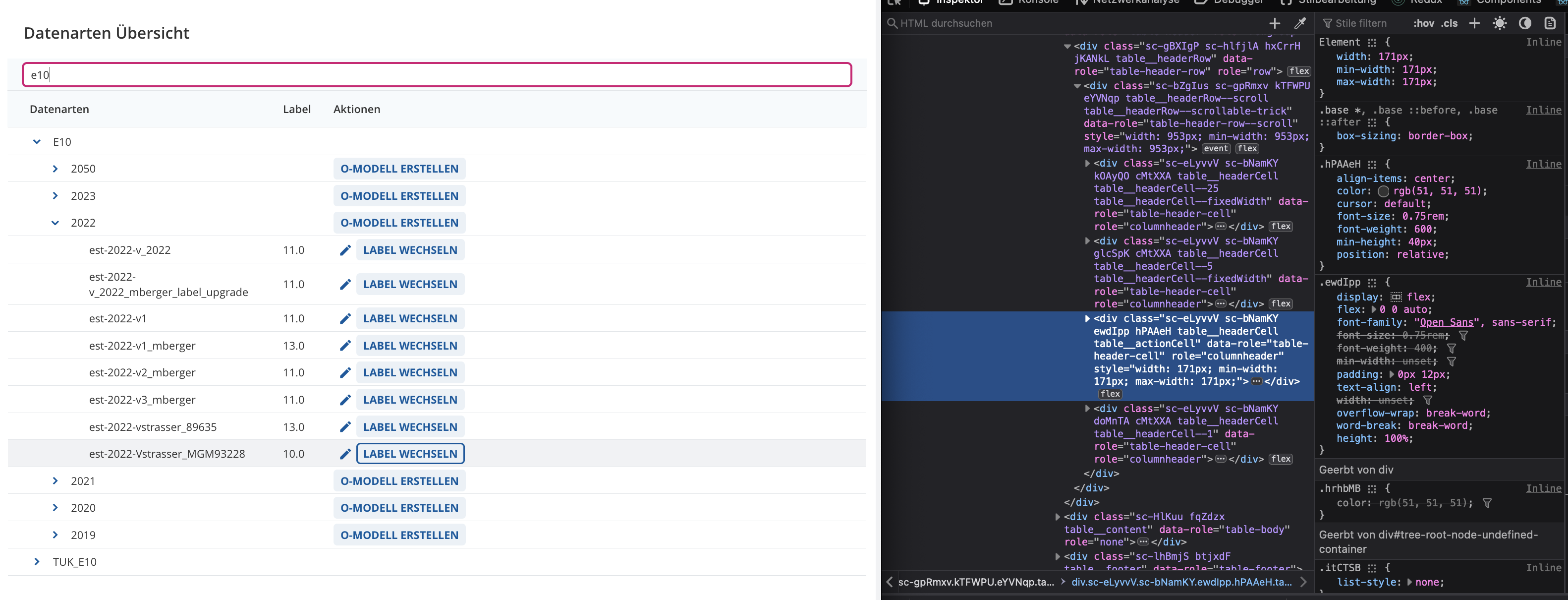
When data is provided it looks allright and the width of the element is set to:
{
  width: 171px;
  min-width: 171px;
  max-width: 171px;
}
How can I set the width of the actionColumn permanent to avoid breaking the label? Is there a triggerElement in the API or any other options like “actionColumnWidth”?
I could remove actionColumn prop and change it to width and implement also styling to <PrintModelBrowserMenu /> what kind of works. But I´d like to keep actionColumn as intended in the
widgetShowCase:
“Indicating that a column is holding action buttons. This is needed in order to calculate the size of column automatically. There is no need to specify a width for action column.”
Thanks for your help and best regards,
Michi