In our project, we are using ExternalEnumeration for a field called Company. The external enum has the following type:
{id: string, label: string}   // id is a value we save into document

Ex: sources = [
	{ id: "CT01", label: "Company A" },
	{ id: "CT02", label: "Company B" },
	{ id: "CT03", label: "Company C" },
]
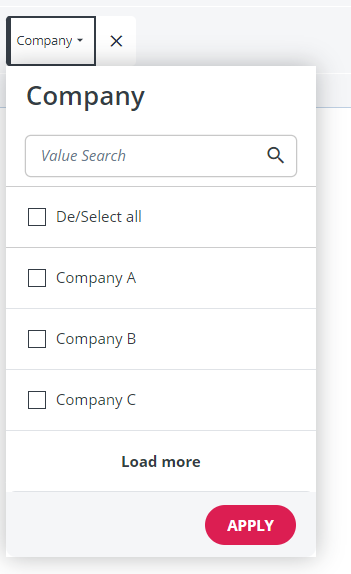
We would to have the filter can select like this:
I tried using enumeratedStringFilterMap in GetA12 Login but the selected value is a label, not a id as we want.
How can we do that?
Thank you.
Hi @anh-round-summit
Have you tried the modeling approach?
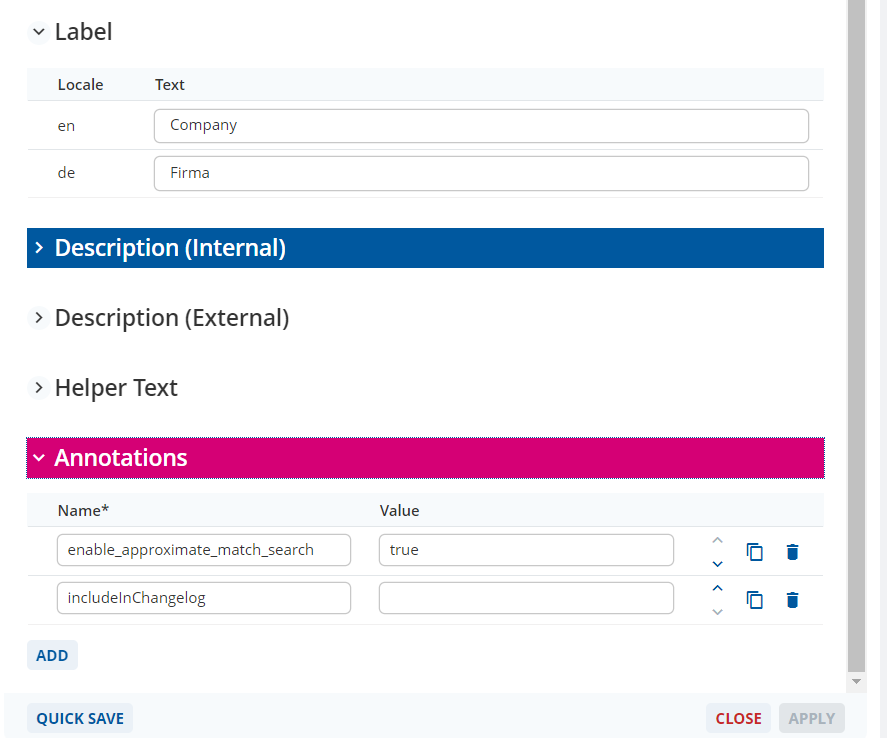
Your External Enumeration is based on a String Field. String fields with the annotation
enable_approximate_match_search = true
can use a multi-select filter by checking the “Enable Filter String Fields with Multi-Select” Box in the Overview Model. See here.
Please be aware, the filter will only show values that exist in the database and not all possible values of the external enumeration.
Yes I do.
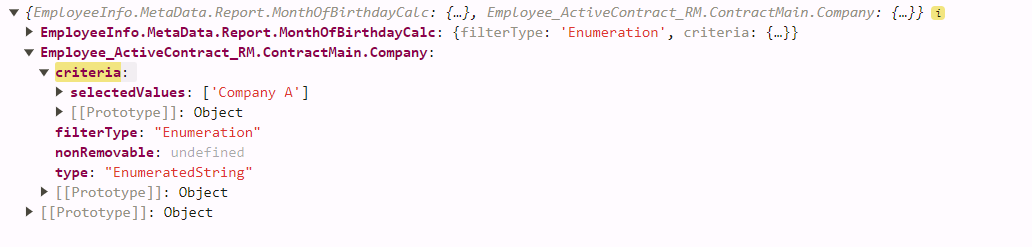
Then in the UI it already display a Company filter with these option. But when I select them, the criteria is a label
I follow the EnumeratedStringFilter type but I do not understand all of properties:
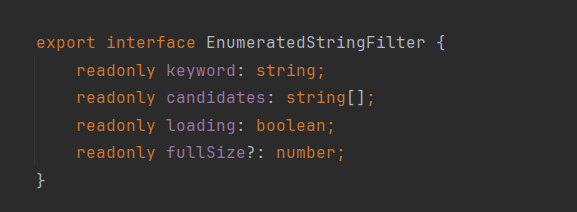
What does keyword means? candidates is stand for the label (as our requirement)
Beside that, when I draft apply enumeratedStringFilterMap, Activity throw an error:
I know that I did wrong something but I cannot figure out now.
Hi @anh-round-summit,
Currently, we don’t support external enumeration, we are waiting for the ticket A12-15058.
There is a workaround to show the label as the company name in your use case:
- I assume that the company id is saved as companyId in model X. Then you have to Enable Filter String Fields with Multi-Select for the field companyId in the overview model of model X. See Malcom’s comment above for more details.
- We don’t need to apply any customization for enumeratedStringFilterMap.
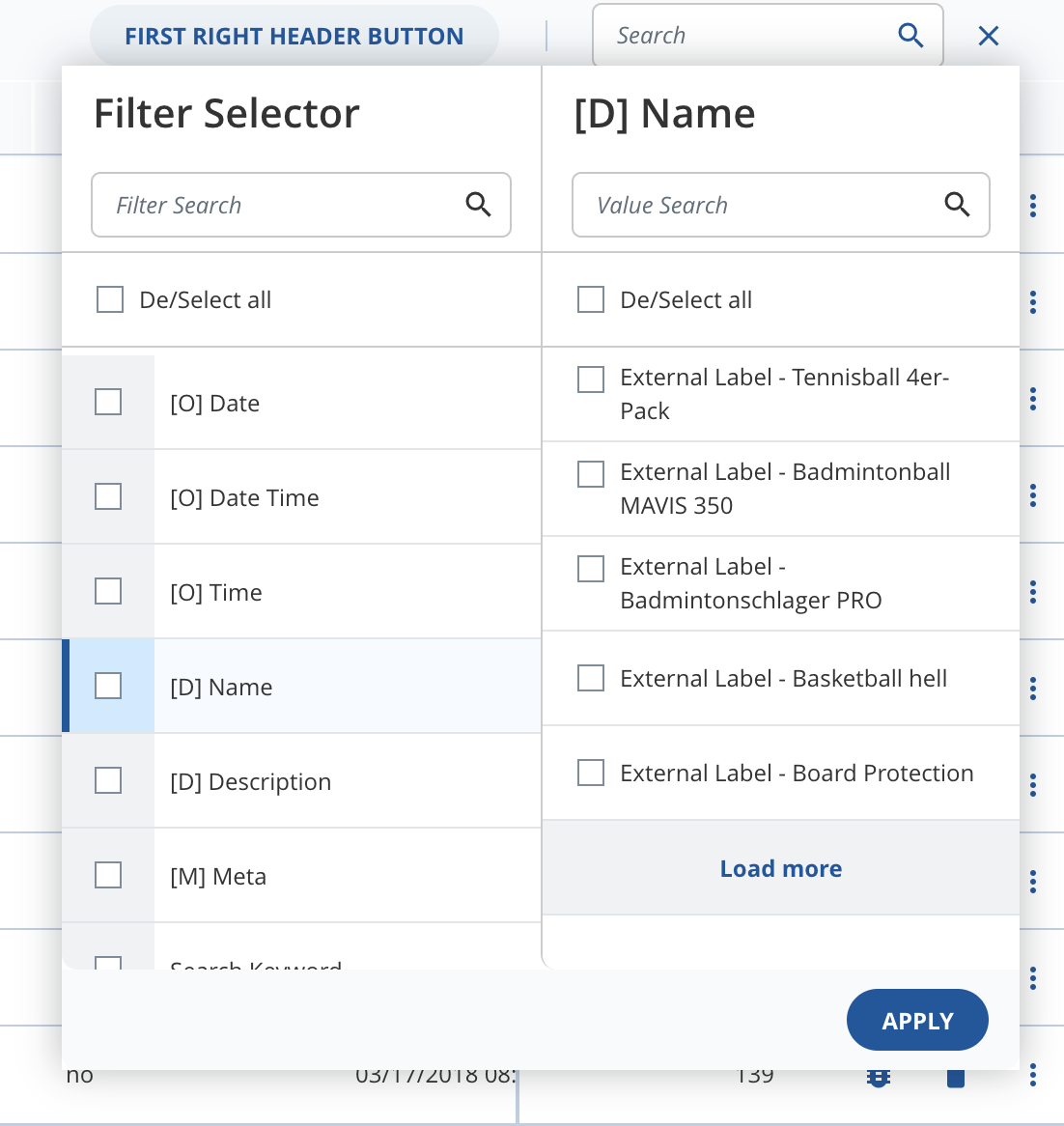
- Then all options and criteria will display company ids. But we will customize the Checkbox of widgetMap to change the label (because the label we see in UI is a prop of Checkbox).
return (
		<OverviewEngineFactories.ViewComponent
			{...props}
			widgetMap={{
				...DefaultWidgetMap,
				Checkbox: (props) => {
					let label: CheckboxProps["label"] = props.label;
					if (props.id?.includes("filter-enum")) {
						const checkboxValue = props.id.split("filter-enum-")[1];
						// your custom label here
						label = "External Label - " + checkboxValue;
					}
					return <DefaultWidgetMap.Checkbox {...props} label={label} />;
				}
			}}
		/>
	);
Here is my result
Thank you @minh-firm-chasm, it looks like this is a simplest solution we have now. I will try to implement it.
Hi @anh-round-summit,
has your question been answered or do you need further support? If it is solved, please, use the checkbox to mark the solution to your problem so that other users also know what helped in your case.
Thanks in advance!
Denise from the Discourse team