so that I can display the Address in one field, but in multiple lines?
We would actually recommend modeling an Expression to display an address with line breaks.
This means that if your document model looks like this:
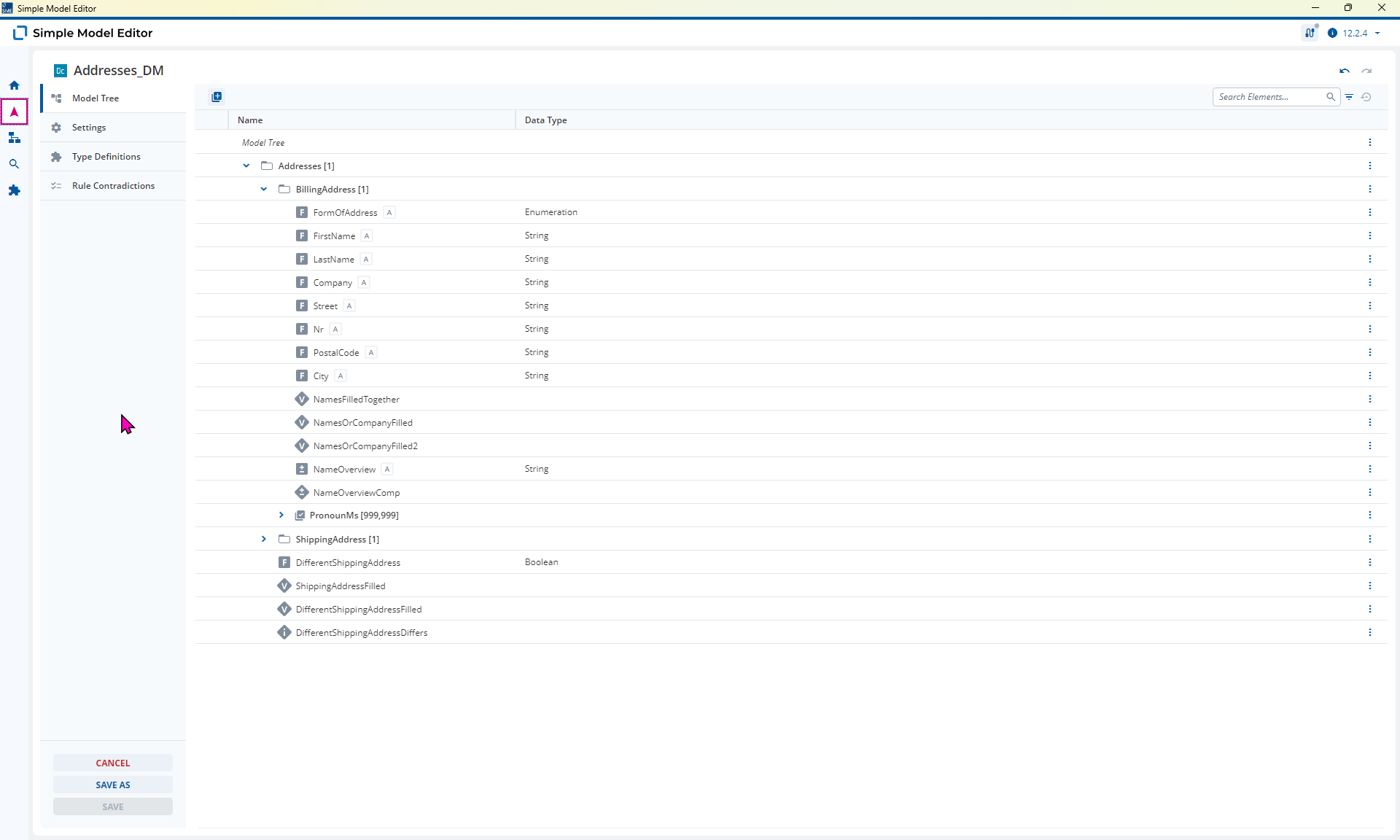
Then your expression would look like the:
kontext(Addresses){
  kontext(BillingAddress){
    [Street] " " [Nr]

    [PostalCode] " " [City]
  }
}
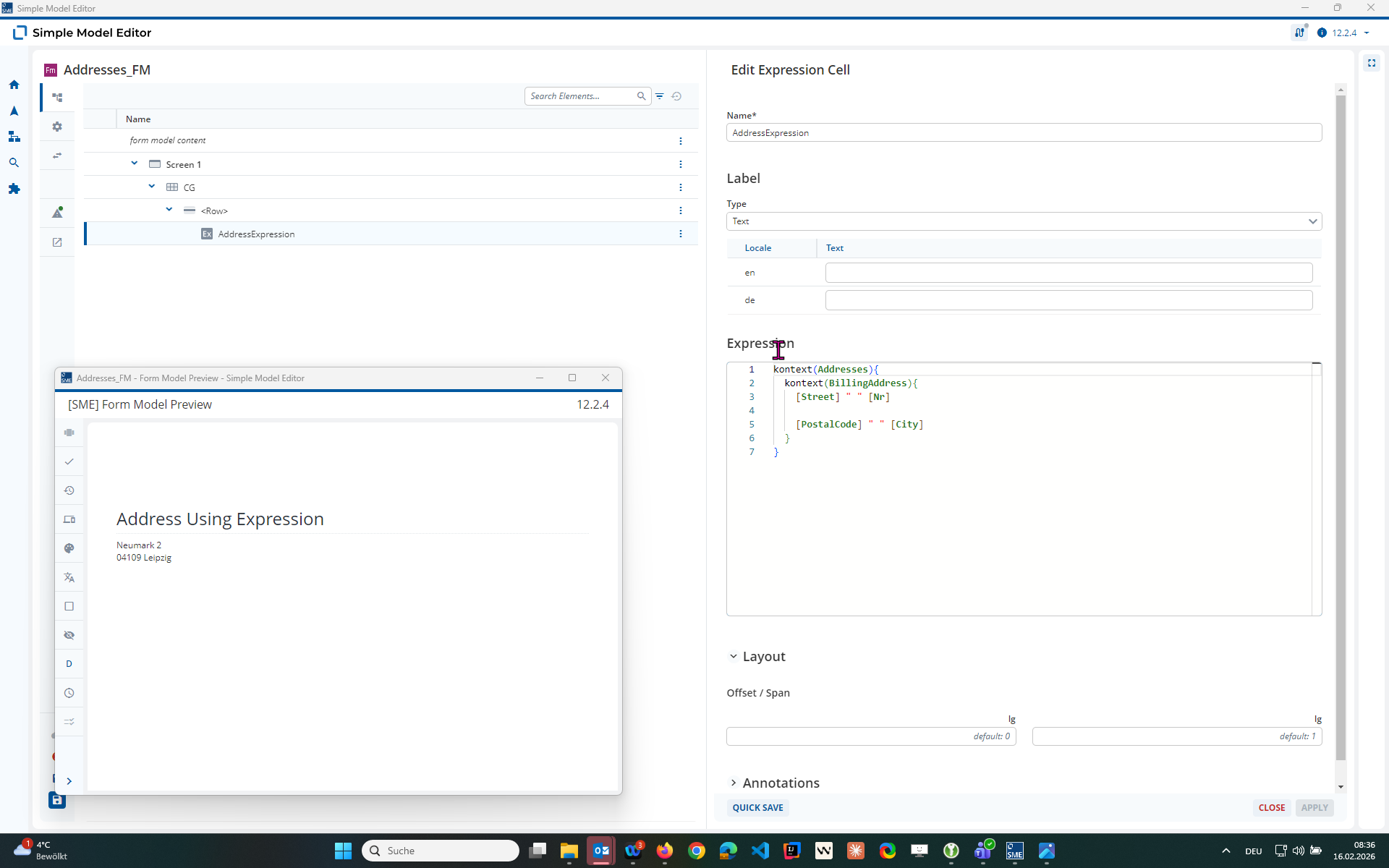
That all being said, you can add a line break into a computation by:
- Ensuring the String Field has “Line Breaks Permitted” selected
- Adding the following to the Computation Rule:
[Street] + " " + [Nr] + "
" + [PostalCode] + " " + [City]
You just add the line break as a string constant typing " then Enter then ".
You can find more information on Expressions in the Monthly Modeling Highlight.
Ah! Good to know.
Now I am trying to apply this logic to my content model, but I can’t find no option for that.
Is there already a good practise to get this behavior using the content model?
Yes, you need to ensure that you are using 2025.06-ext2 or higher and then use Dynamic Content Modeling.
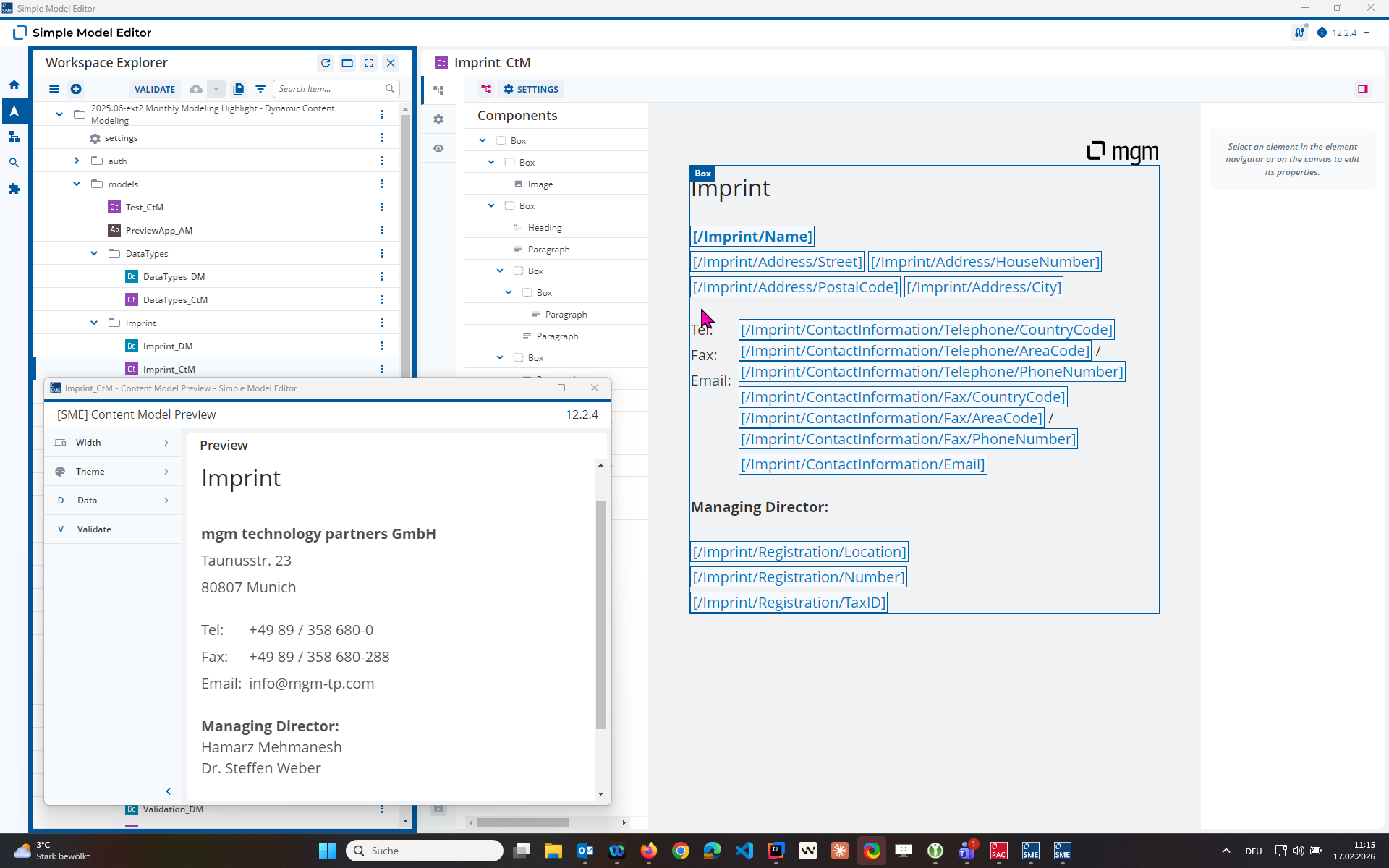
You can freely reference Fields within Paragraph and Heading Elements to achieve the desired result.
We covered this in the latest Monthly Modeling Highlight:
Great!
Thank you. Now everything works perfectly fine, in that aspect. 
