Hi,
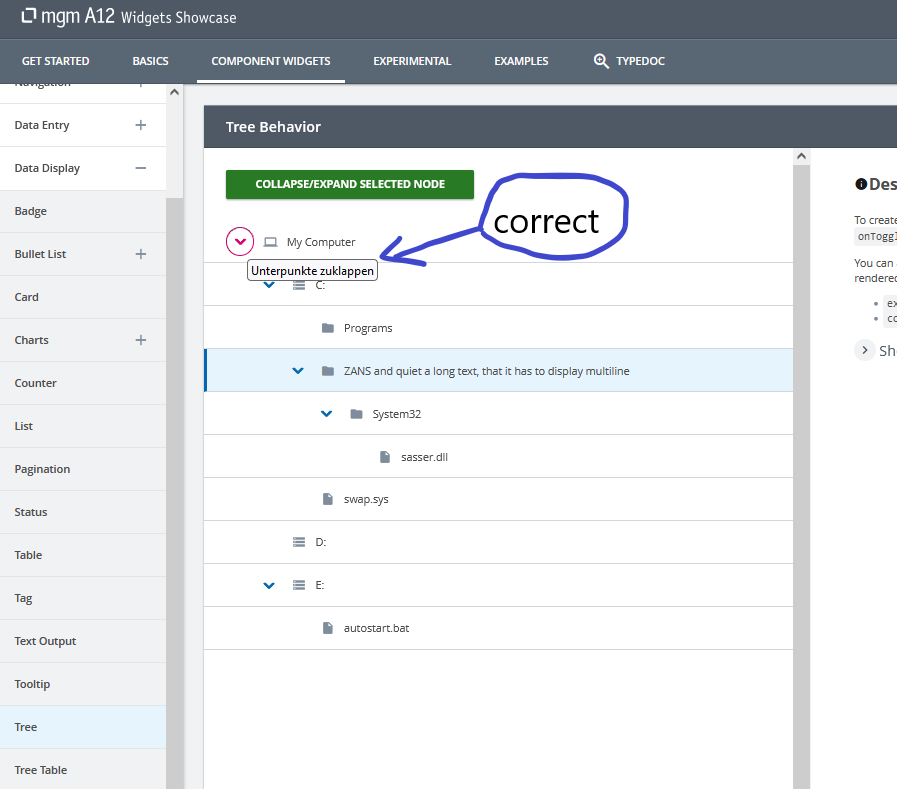
I am working on a bug, where the tooltip of the treetable arrowbutton for expansion/collapse are in English, but should be in German.
Our project does have german tooltips everywhere else, but not in the tree table widget.
However, I am lost where to find the code snippet for this attribute.
After being contacted by the BPS Team, they found it is not a modeling issue.
Can anyone tell me where to find it?
Thanks in advance.
Veit
Hi @veit-secure-dune
These texts are not from the modeling nor client localization resources. These are from the A11y localization resource from Widgets.
By default, Widgets always include a default context in English (“en”) and that default should be good to go. However, in case of different language or overriding, you would have to manually define one. Luckily, Widgets also shipped one with in German, so you can simply wrap the context on your app’s root.
<A11YLanguageContext.Provider value={getA11yResource("de")}>
    <YourAppRoot>
</A11YLanguageContext.Provider>
You can find more details [here]<INTERNAL_LINK>.
Hi tvpham,
cool, this solution worked. After checking back with my team, they wondered if this wrapping is the new way of setting language, because there are other places where language has been defined? Are those not needed anymore then?
Thank you
This context only takes effect for Widgets components that need localizable text for a11y. This one alone cannot replace other existing l10n solution in A12 because they are different solutions to solve different problems. Therefore, it is best for you to organize them together, for example, the text “de” can be read by using the LocaleSelector from client. This will make switching between languages a lot easier from developer POV.
Cheers