I have 3 fields, they are boolean.
- Field A
- Field B
- Field C is read-only, it get data from backend
The current dependencies is
- Field A will be read only if Field B is checked
- Field B will be read only if Field A is checked
Question?
Is it possible if I would like to add one more dependency?
- Field A and B will hide if Field C is TRUE
- Field C will hide if field C is FALSE
Your scenario appears a bit weird to me. Can you explain the use case?
Maybe there are other options than dependent fields that could help.
Anyway, you can add this dependency: Field A and B will hide if Field C is TRUE
However, you cannot add this dependency: Field C will hide if field C is FALSE
That is because a field cannot be dependent on itself.
Should the user ever be able to change Field C?
I ask because your last dependency would make it impossible to check and “un-hide” Field C once it is un-checked.
Hello 
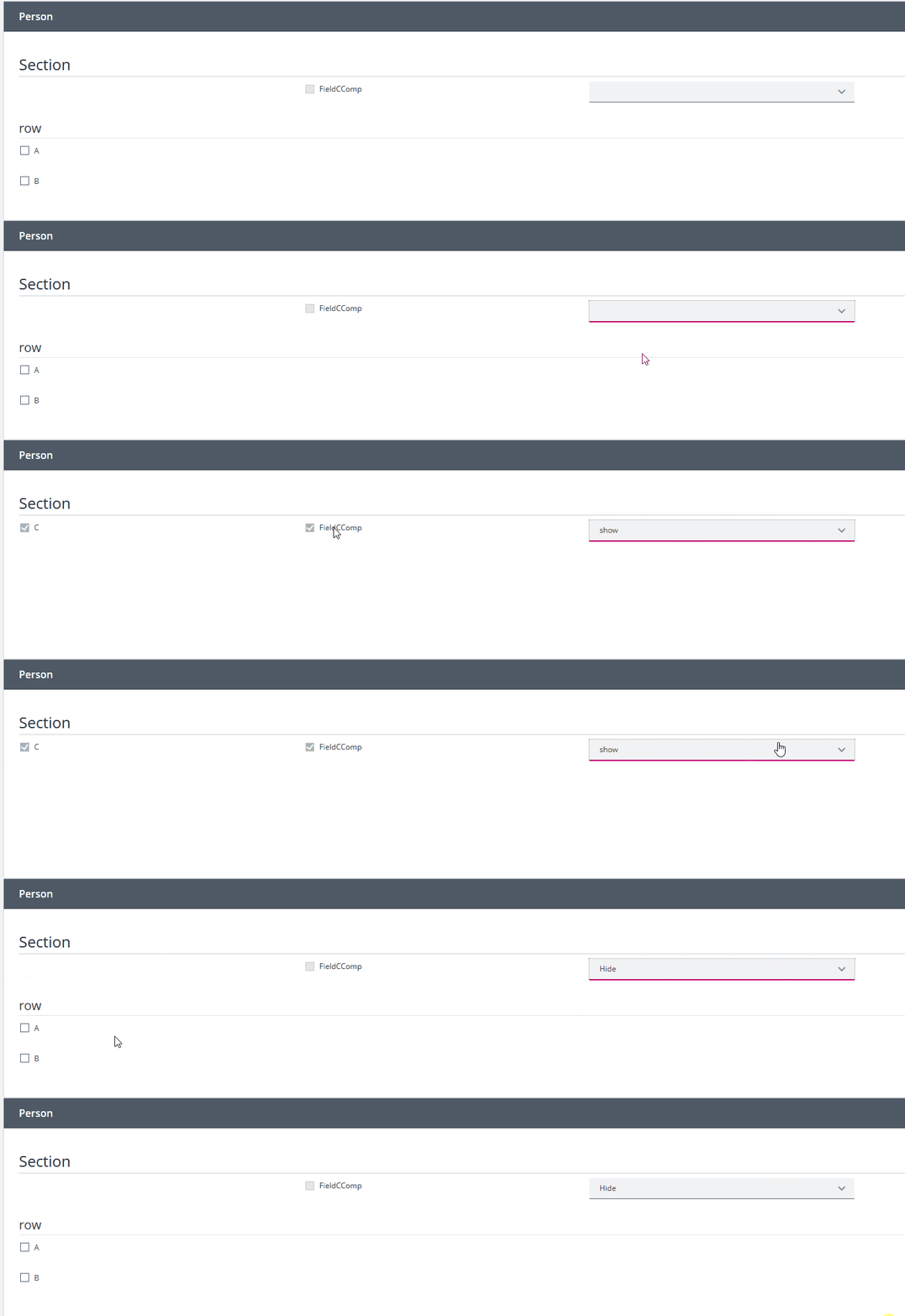
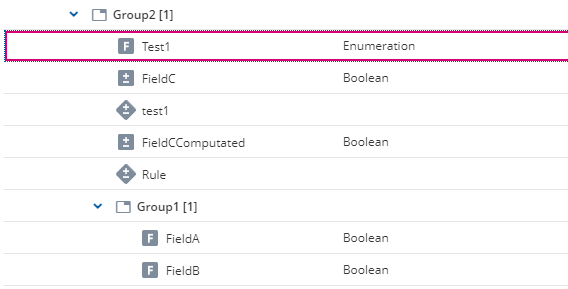
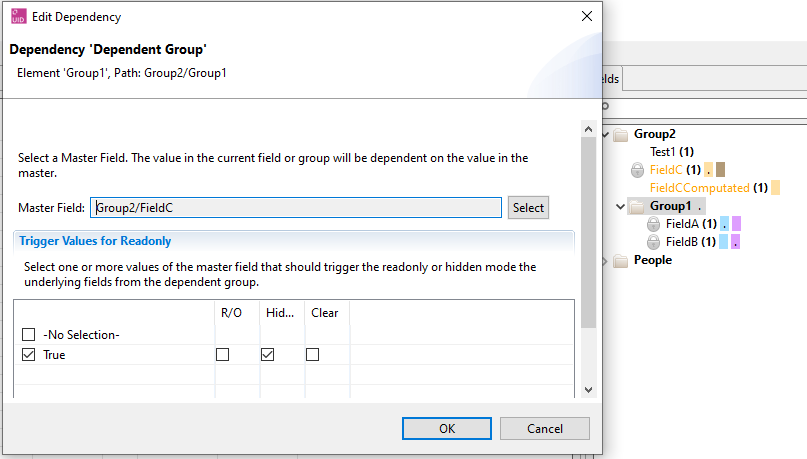
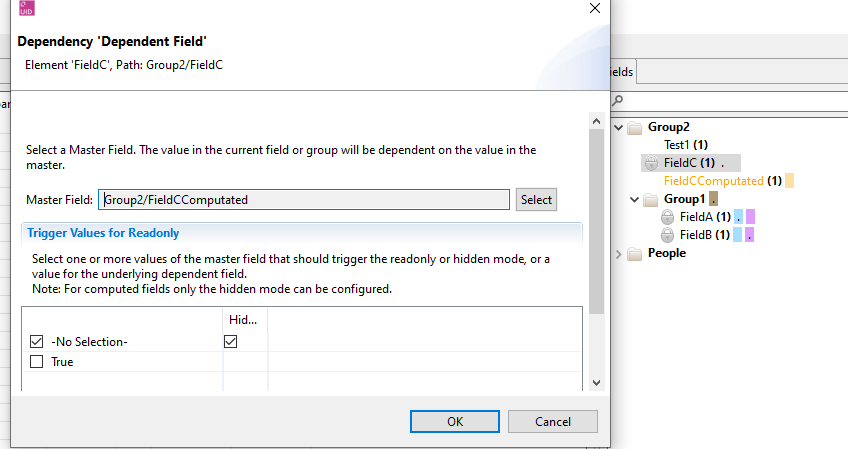
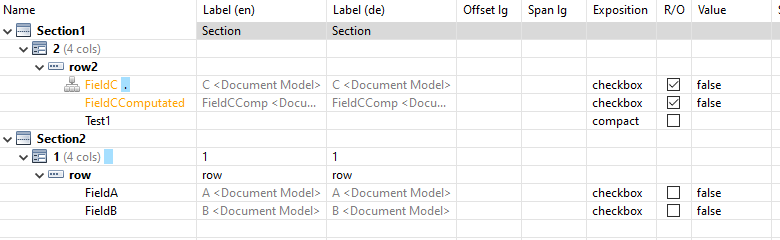
Your first question can be answered with yes. Therefore, you just need to put Field C in a group together and Field A and Field B needs to be in a subgroup. Then you can add another dependency on the Group from Field A and B. Here you can say that the Group should be read only if Field C is TRUE, see picture 1 and 2.
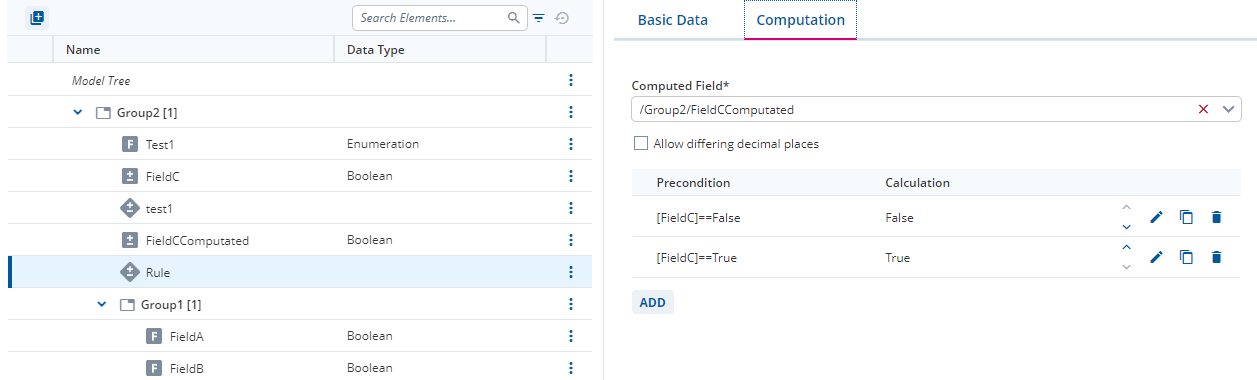
Question two is a more tricky. Theoretically, it is possible to hide Field C if Field C is FALSE. Therefore, you have to add another Field, which is a computation. The computation has to be set as 1. Precondition: [FieldC]==False Computation: False and 2. Precondition: [FieldC]==True Computation: True, see picture 3.
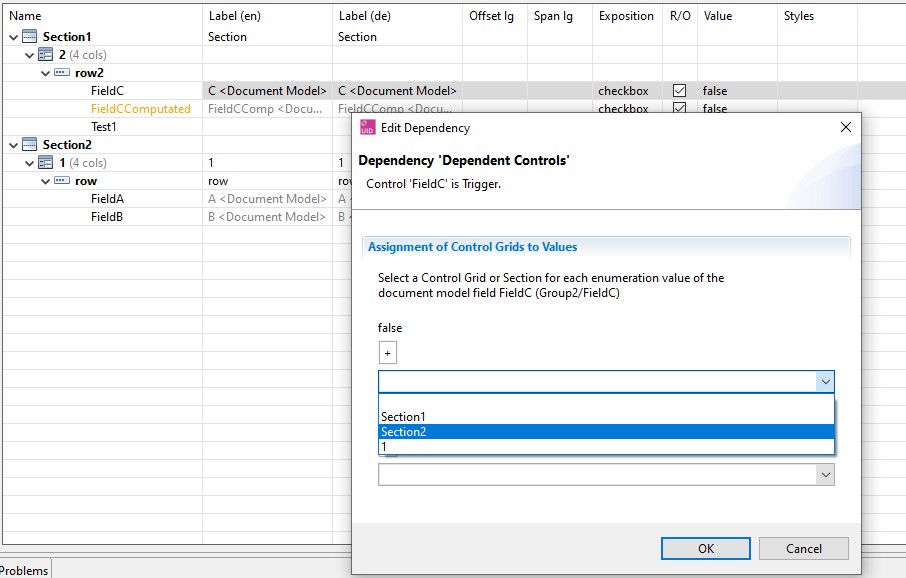
Then you can set the dependency based on the computed Field see picture 4.
This would lead to the Fact, that if Field C will get the information from the backend, and is therefore checked, the computed field will also be checked and Field C will be shown (A and B will be hidden). If Field C does not get the information from the backend, and is therefore not checked, the computed field will also not be checked and Field C will not be shown (A and B will be shown).
I hope this will help you.
sorry to make you confuse, field C is read-only and it get data from backend, I’ve updated my question.
Hello, there is a second way to solve your first question.
Since occasionally, it is not possible to put the fields in different groups in the DMM, you can also use a dependency based on sections or control grids, both ways are possible. Important to know is, in this case you start from the trigger field and not the field which should be triggert. And I will explain both ways.
- Dependency on section in the UID:
Therefore, you just need to put Field C in a different section (Section1) and Field A and Field B in Section2.
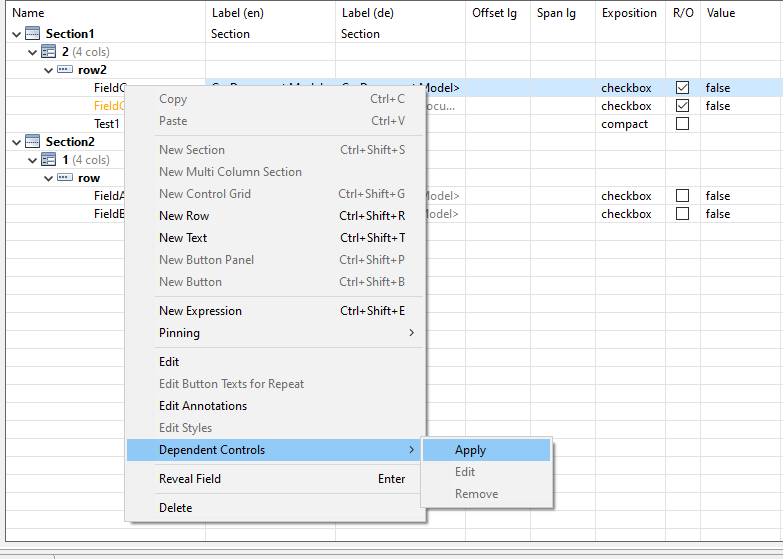
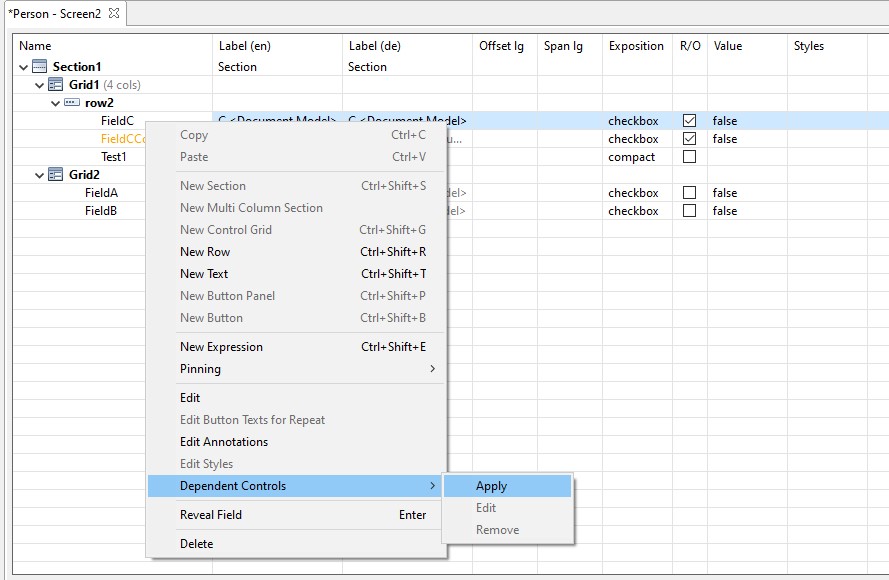
Then you right-click on Field C and choose Dependent Controls where you can apply a new controlled section or Control Grid.
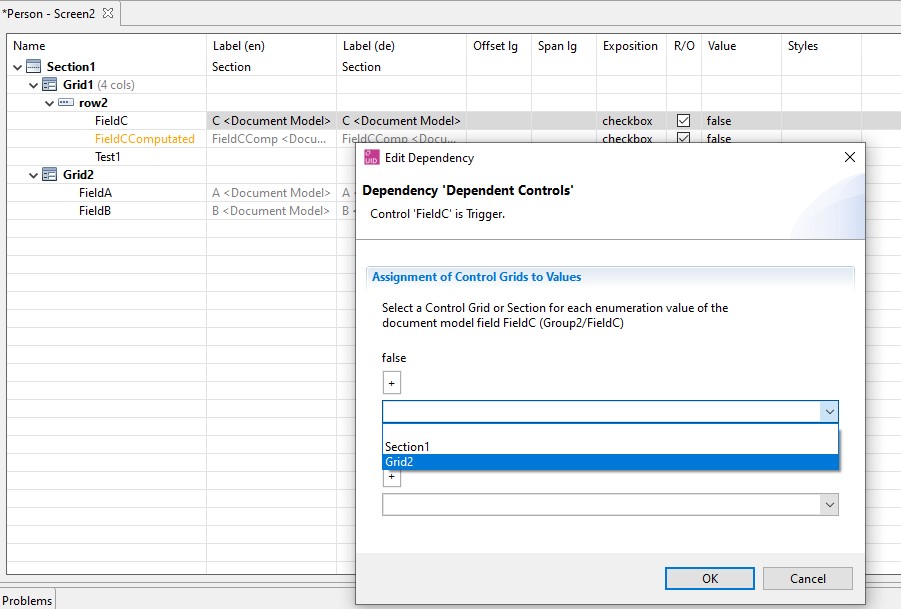
You click an “Apply” and then you can choose what happens if the Trigger field is “false” or “true”, in your case you choose Section 2 for “false” and nothing for “true”.
- Dependency on Control Grid in the UID:
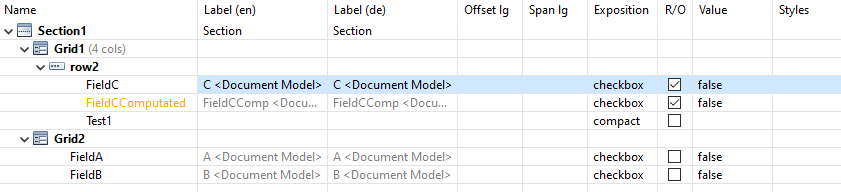
In general, it is the same as it is for Sections. Here, you just need to create one Section with two Control Grids. Control Grid 1 contains Field C and Control Grid 2 contains Field A and Field B.
Then you right-click on Field C and choose Dependent Controls where you can apply a new controlled section or Control Grid.
You click an “Apply” and then you can decide what happens if the Trigger field is “false” or “true”, in your case you select Grid2 for “false” and nothing for “true”.
And then it should look like in the GIF: