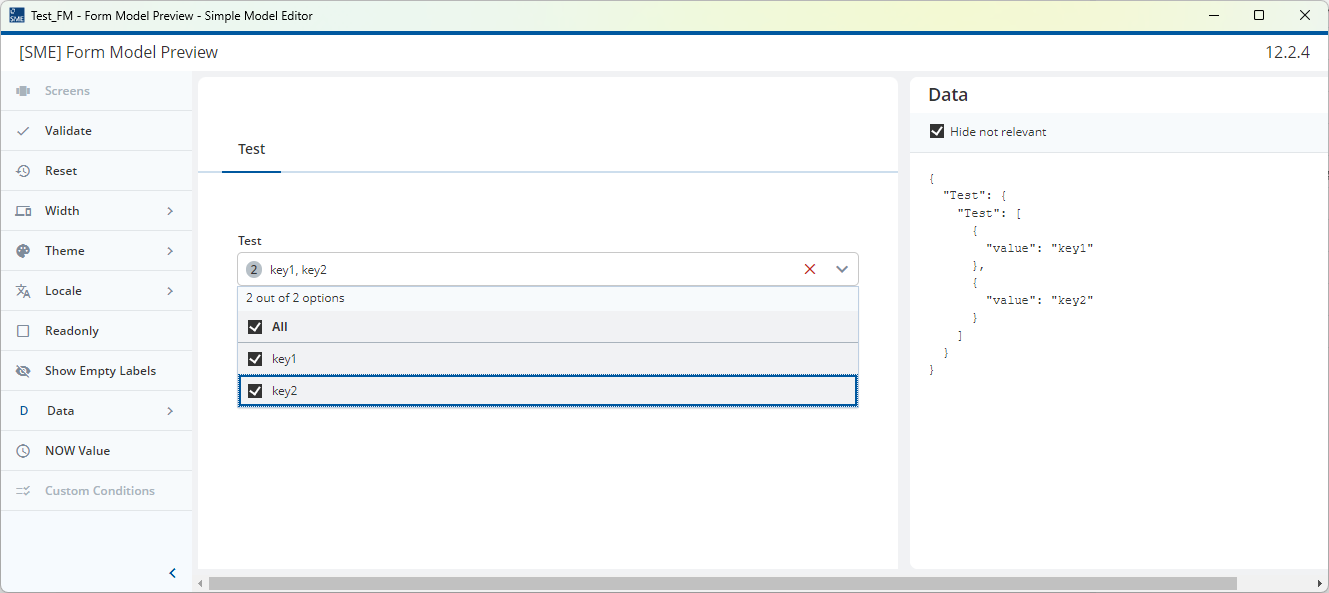
Is there a possibility to define initial values in a Multi-select element?
There is a initialValue property for many element that I can define a default value, but for a multi-select, I donot see any such property.
Is there a possibility to define initial values in a Multi-select element?
There is a initialValue property for many element that I can define a default value, but for a multi-select, I donot see any such property.
There is no such an option for multi-select or other complex types that you can model, because they are groups and no field .
Currently this can only be solved programmatically.
@stefan-cold-haze is right, we can’t model this and would need to speak to a developer.
There’s actually quite a lot that we can’t model relating to initial values and repeats due to the complexity of the issue.
For example, if you have a repeatable group, we can:
However, this will only set the same value for all rows.
As the Multi-Select is represented in the Document Model by a Repeatable Group with an Enumeration or String Field inside, you need to do something like:
You can see this happening if you use the Ad-hoc Test of Form Model Preview to test the Multi-Select and choose “Show Data” in the options on the left hand side.