Hello,
I don’t understand the datetime behaviour when the SET_DATA action is dispatched.
On this snippet of code yuou can see that we add a IOfferContract to an array of IOfferContract and set the CreationDate to the current date.
	const newDocumentData = produce(documentData, (draft: Draft<<PROJECT_NAME>ProcessDocumentData>) => {
		const offerContracts = draft.document.<PROJECT_NAME>.PersonalData?.OfferContractAttachment?.OfferContracts ?? [];
		const newOfferContract: IOfferContract = {
			OfferTemplate: offerContractPayload.offerTemplate,
			ContractTemplate: offerContractPayload.contractTemplate,
			CreationDate: new Date(),
			OfferContractFile: offerContractPayload.attachment,
			ContractAppendix: offerContractPayload.contractAppendix,
			CoverLetter: offerContractPayload.coverLetter,
			PersonSignature: offerContractPayload.personSignature,
			TemplateHelpField:
				offerContractType === "Contract" ? offerContractPayload.contractTemplate : offerContractPayload.offerTemplate
		};

		offerContracts.push(newOfferContract);
		draft.document.<PROJECT_NAME>.PersonalData.OfferContractAttachment = {
			...(draft.document.<PROJECT_NAME>.PersonalData.OfferContractAttachment ?? {}),
			OfferContracts: offerContracts
		};
	});

	yield put(ActivityActions.setData({ activityId, data: newDocumentData }));
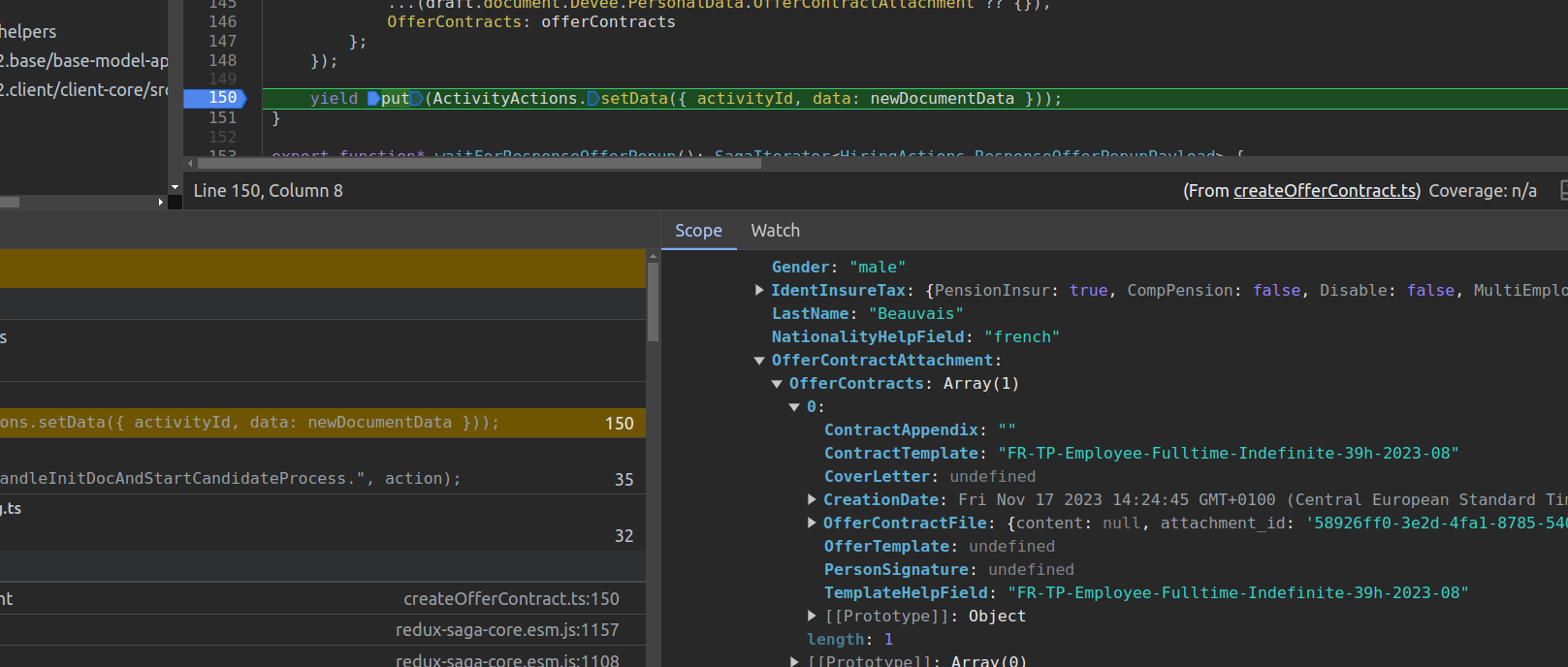
We can see in this screenshot that the CreationDate is the local datetime:
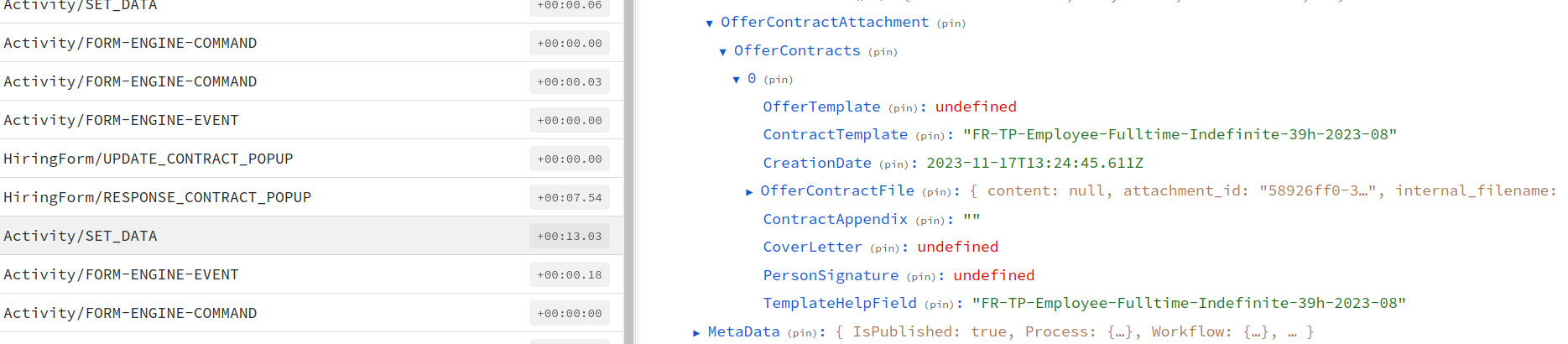
But when we dispatch the SET_DATA action, we see that in the payload the datetime is the UTC one:
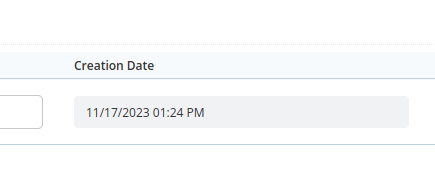
And finally the datetime displayed is not the one expected in the form: and in the document when saving:
What would be the way to have the local time in the document?
Thank you in advance.
Cheers
Hi @alexis-raw-iron,
As far as I can tell in the Document Modeling (section 3.4.7 - Timezone), the DateTime behavior is
For new Document Models it is set automatically to "UTC"
Hi @loi-risen-dale,
Thank you for your answer.
I’ve seen this option but even if I select Europe/Berlin, the time saved in the database is still the UTC time.
Moreover, we are not interested by this option because we have Vietnam and Portuguese users who don’t have the same timezone and we want to display the local time for each of them.
So do we need to workaround the displaying by keeping the UTC time in the database and override the field behaviour in order to calculate and display the localtime ?
Hello,
We finally came up with a workaround solution to display the local date depending on the locale, using the Intl.DateTimeFormatOptions:
    const creationDate = offerContracts[index].CreationDate;
	const localeString = `${locale.language}-${locale.country}`;
	const options: Intl.DateTimeFormatOptions = {
		year: "numeric",
		month: "numeric",
		day: "numeric",
		hour: "numeric",
		minute: "numeric"
	};
	return <TextLineStateless {...props} value={creationDate?.toLocaleDateString(localeString, options)} />;
In another component, we wanted to customize the format of the output, so we used the format function from the date-fns library:
	/**
	 * We build a react node for the date depending on the locale and display the local date and not UTC as stored in DB (property 'local')
	 * See {@link https://date-fns.org/v2.0.0-alpha.25/docs/format}
	 */
	const commentDateNode = (): ReactNode => {
		const createdAt = props.commentItem.CreatedAt;
		if (!createdAt) {
			return <></>;
		}
		const datePrep = localizer(RESOURCE_KEYS.candidate.comment.datePrep);
		const timePrep = localizer(RESOURCE_KEYS.candidate.comment.timePrep);

		if (locale.language === "en") {
			return format(createdAt, `'${datePrep}' EEEEEE MMM do, yyyy '${timePrep}' hh:mm aaaa`);
		} else {
			return format(createdAt, `'${datePrep}' EEEEEE., dd. MMM yyyy '${timePrep}' HH:mm`, { locale: deLocale });
		}
	};