Hi all out there 
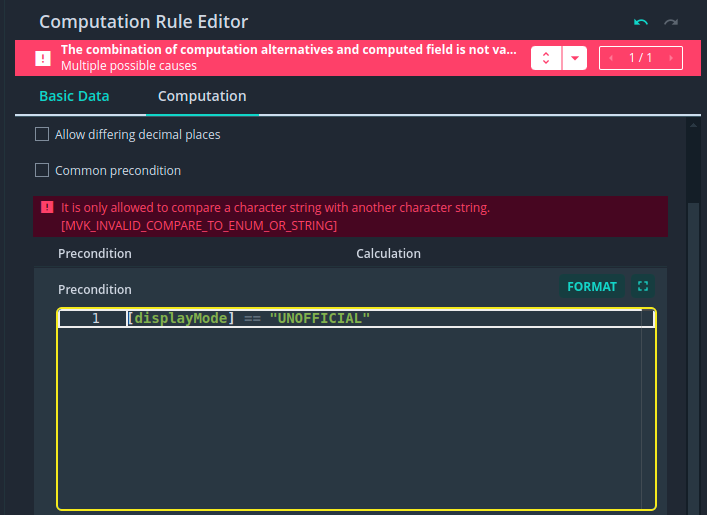
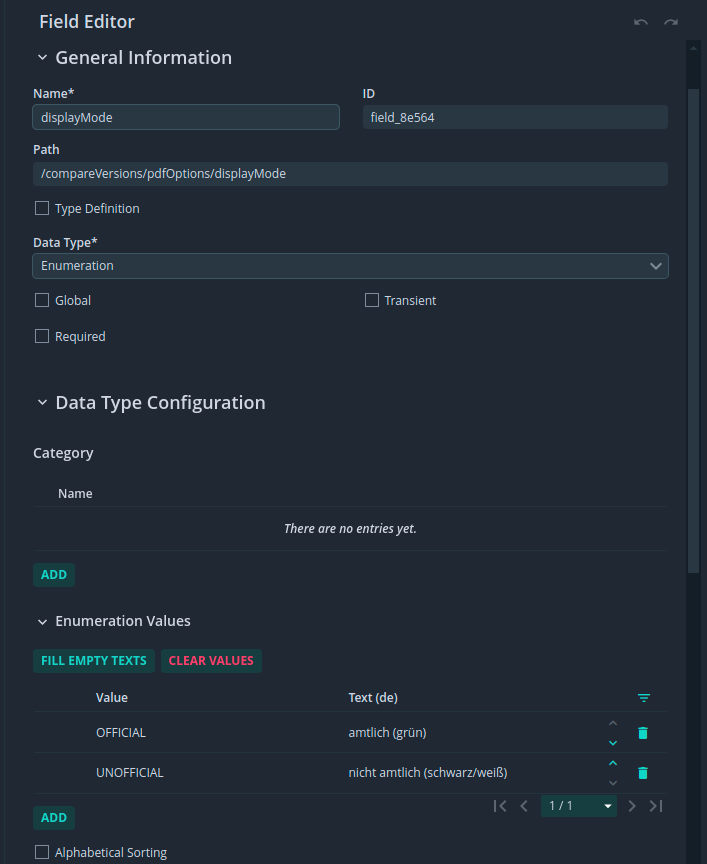
I try to build a Computation Rule with a Precondition (inside SME). For this i try to get the Value of the Enum-Field “displayMode” and want to check if it equals “UNOFFICIAL”. The both possible Enum-Values of Field displayMode are
So I simply type this: [displayMode] == “UNOFFICIAL”
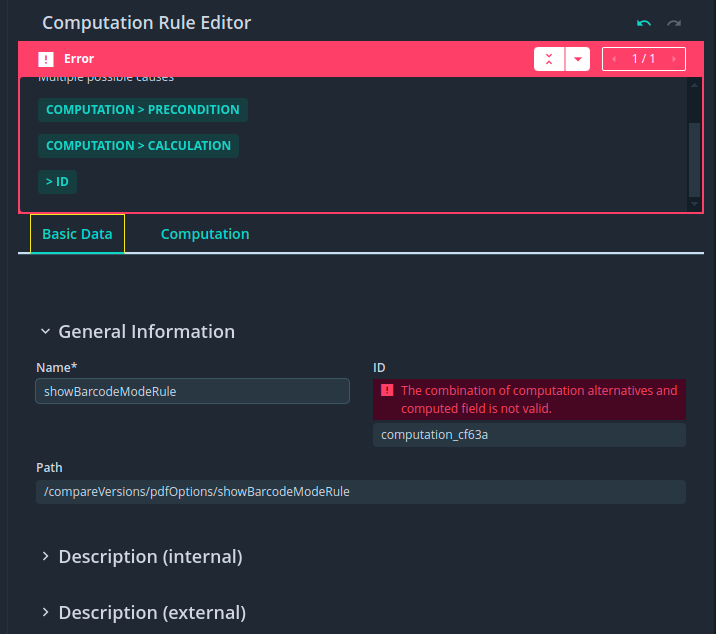
But this produce a MVK_INVALID_COMPARE_TO_ENUM_OR_STRING Error
I had read this section of the docs, but i have still no clue … any advice?
Hi @marcus-tidal-ivy
Well done for finding the correct part of the documentation!
What this documentation is saying is that if your Enumeration Field has a localized Text (which your Field does), then it cannot be compared with or written into a String Field as the Kernel cannot be sure which localized text should be used.
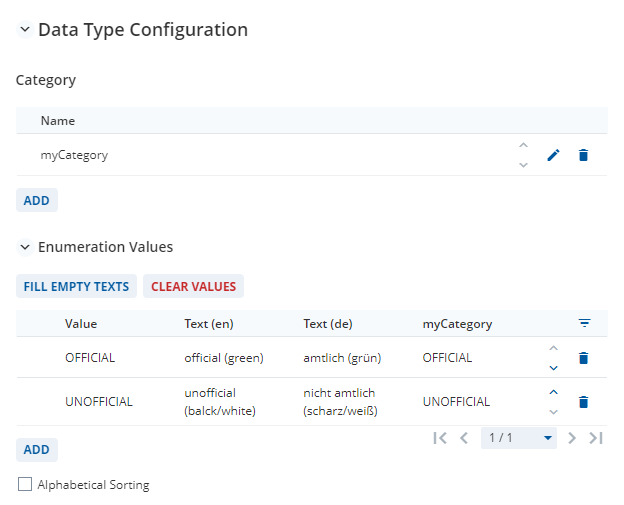
Now, this sounds odd as your model only uses a single locale, de, but makes more sense in the attached 2025.06 model which uses 2 locales, en and de.
CompareEnum_DM.json (7.1 KB)
In this model I therefore have two different Texts that are seen by the end-user depending on whether the locale en or de is selected
I have the following options when modeling a Computation Rule with a String Field as the Computed Field whilst referencing an Enumeration Field
| Modeling Option |
Example |
Allowed? |
Workaround |
| Compare with the Enumeration Field Value in the Precondition |
result1Comp Precondition [displayMode] == "UNOFFICIAL" |
Yes |
|
| Write the Enumeration Field Value into the String Field when the Enumeration uses Localized Texts |
result2Comp Calculation [displayMode] |
No |
Remove the Localized Texts (the internal Value will then be shown) Alternatively, 3. |
| Write the Enumeration Category Value into the String Field |
result3Comp Calculation [displayMode -> myCategory] |
Yes |
|
If you can share more information about your use-case, I can give you a more detailed answer. Unfortunately, the Calculation is missing from your screenshot and I can’t see the source of the error code (which should be underlined in red as shown below).
In addition, it might be helpful to consider using Expressions if you simply need to display text and you don’t need to save the result so that you can search / filter for it in your document.
Does this help?
Thanks for your quick help, but I’m still stuck 
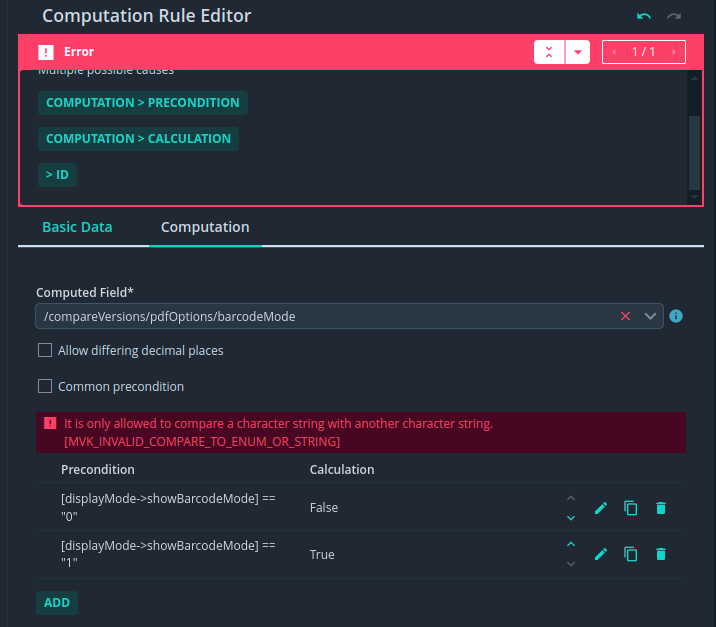
I’ve tried [displayMode] == "UNOFFICIAL" but this wont work as I already know. Then I tried
displayMode -> showBarcodeMode after adding this category to my model
- plain as you wrote it → Precondition is OK but i still got MVK_INVALID_COMPARE_TO_ENUM_OR_STRING
- with FieldValueAsString → MVK_CATEGORY_NOT_ALLOWED
- with FieldValueAsNumber → Precondition is OK but i still got MVK_INVALID_COMPARE_TO_ENUM_OR_STRING
What other Information do you need?
Hi @marcus-tidal-ivy
What I really need is an example Document Model which shows exactly the issue that you have.
The Data that is currently missing is:
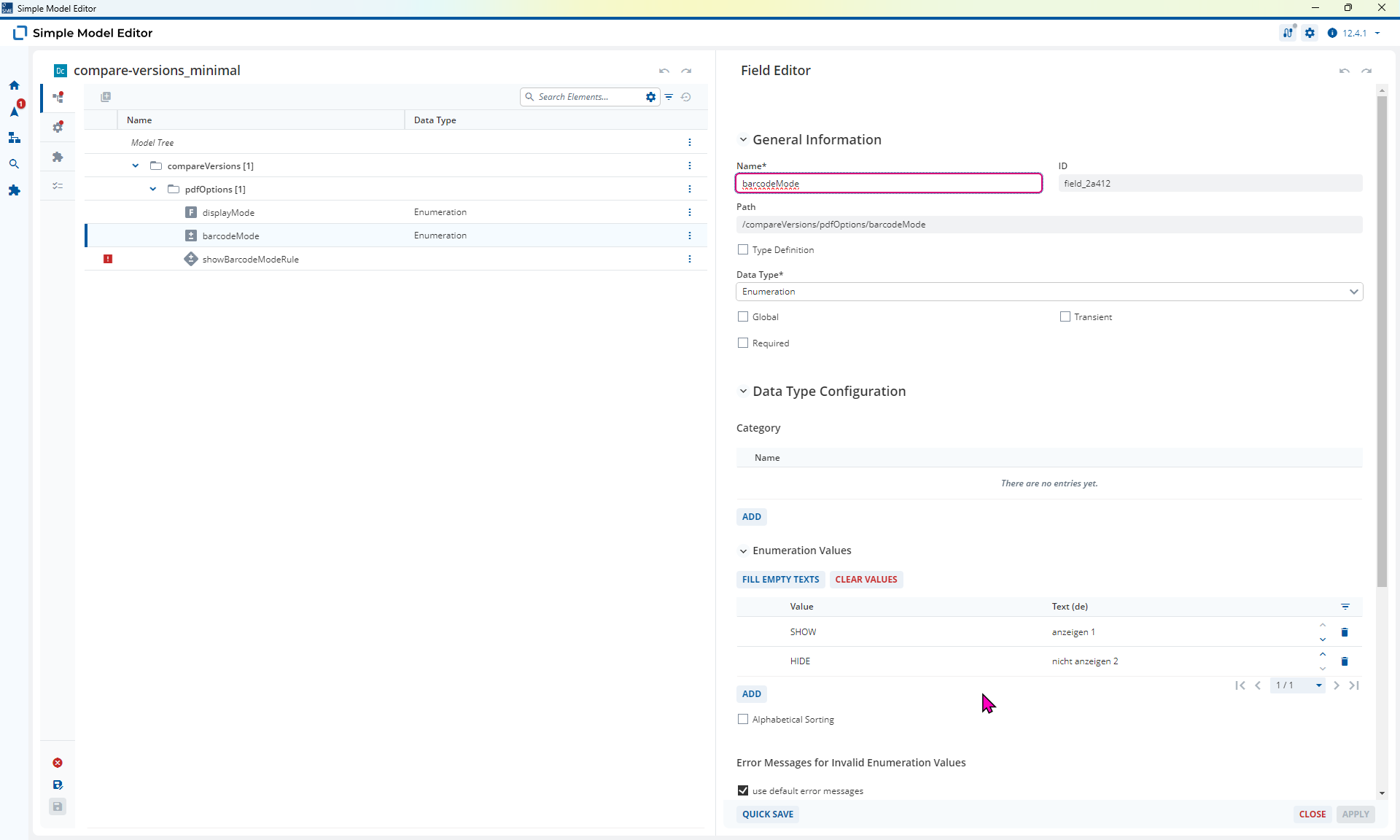
- The Data Type of the Field
barcodeMode
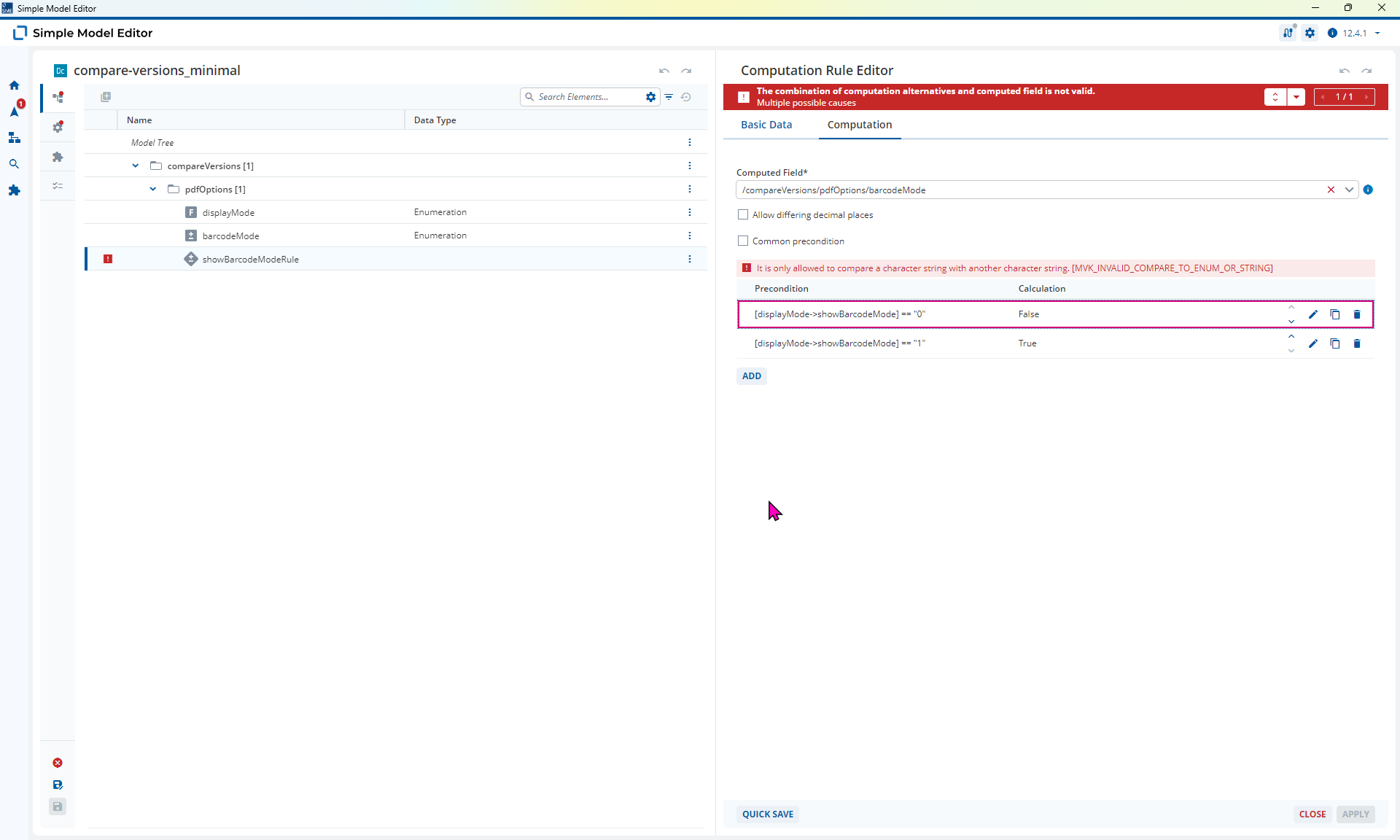
- The full Computation Rule (all Preconditions and Calculations) for each Error code.
This is my Model: compare-versions.json (38.4 KB)
Hi @marcus-tidal-ivy
So this is all about matching up the Data Types. I can now see this in the Model you sent.
You’re currently seeing this error because you are trying to write the Value True or False into a Field, barcodeMode, which is an Enumeration which has the possible Field Values of "SHOW"or "HIDE"
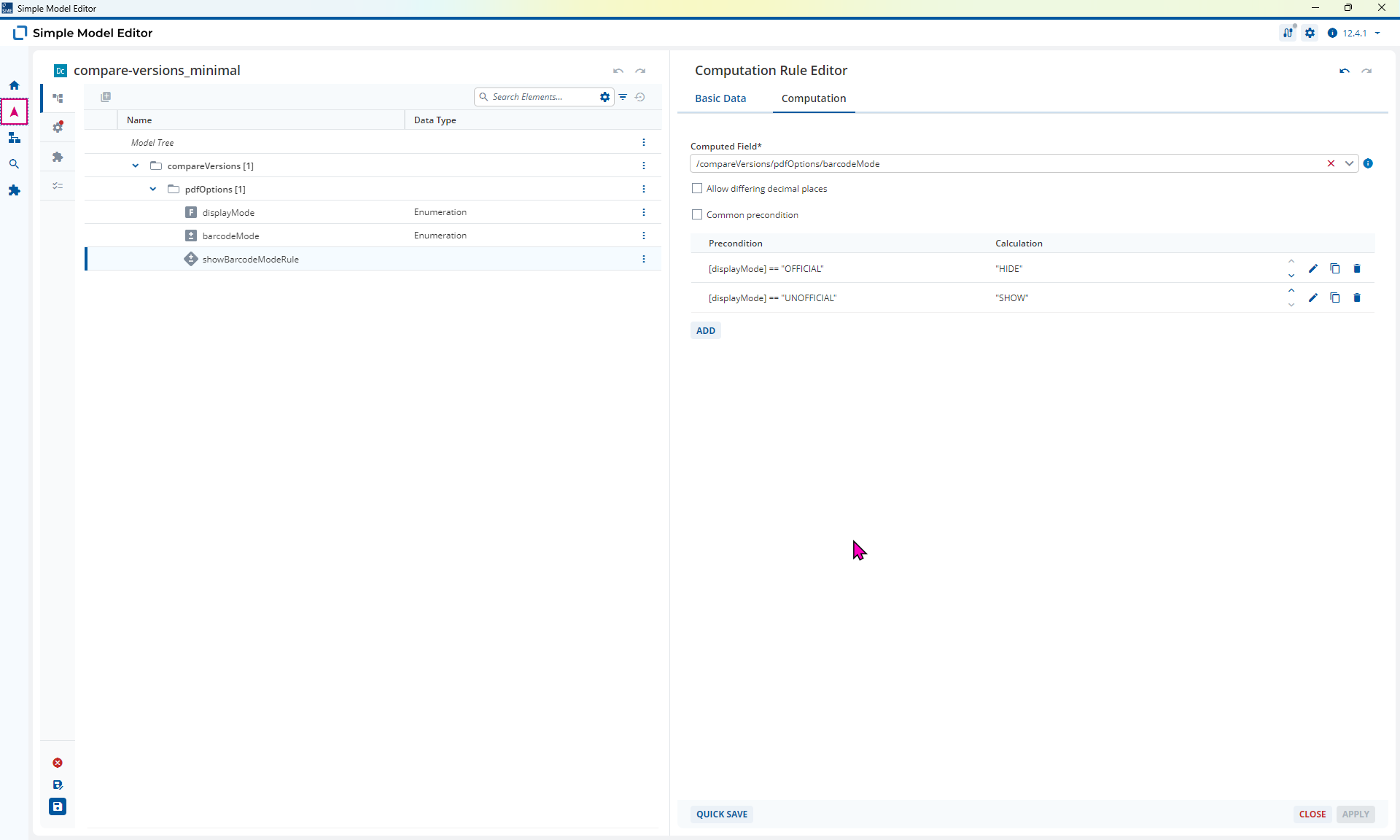
In this case the solution is to match the Data Type that you are writing into barcodeMode with the allowed data for that field. The category is not necessary.
compare-versions_minimal.json (5.3 KB)
Perfect, now it worked as expected.
Thx!