Hello.
I have a new interesting solution to a requirement.
It says, that a Number Field contains 2-digit pairs of numbers, without any separation. Example: 12345678 (Pairs: 12, 34, 56, 78). The task is to check for one specific pair (if present) and tell a Boolean-Field.
My solution is:
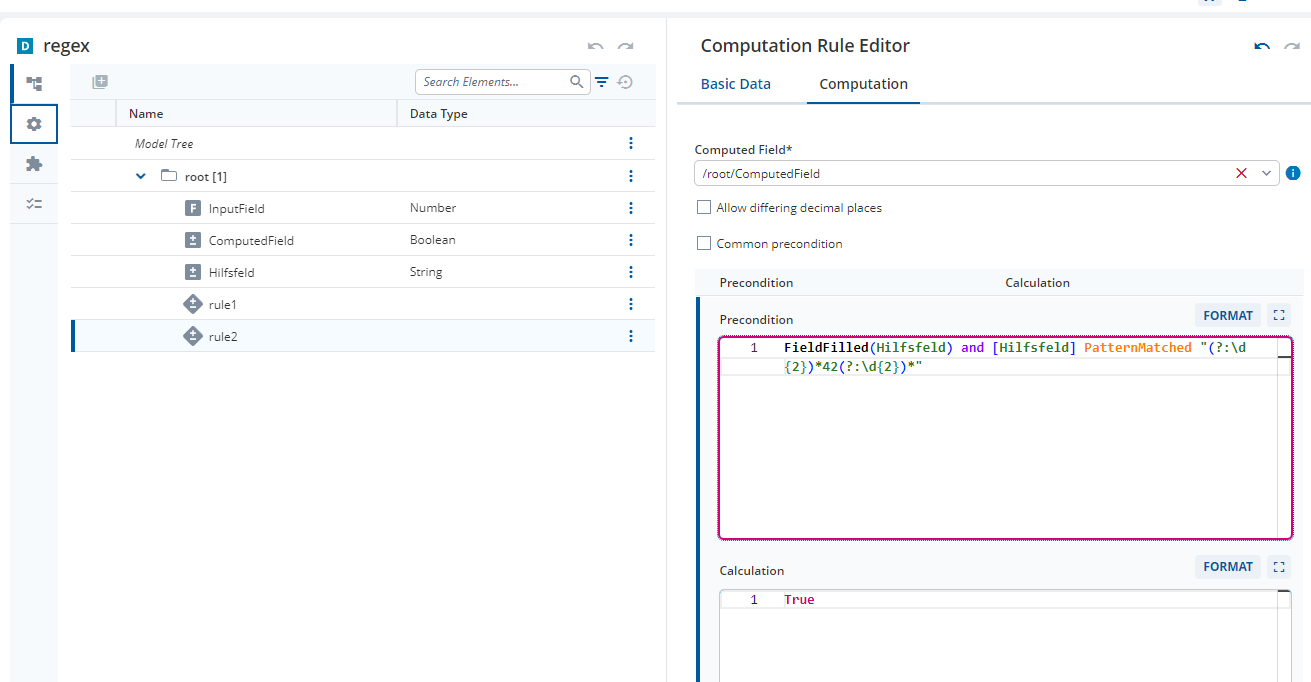
First, I have to create a helperfield (“Hilfsfeld”) of type String, and add a rule (rule1) converting the number to a String.
Second, I use PatternMatching to apply a Regex for the Pairs (generated by Co-Pilot):
(?:\d{2})34(?:\d{2})
This is “rule2”.
regex.json (2.8 KB)
Is there a more elegant version of this, maybe avoiding the Helperfield?
Thanks and Kind Regards,
Stefan
Hi @stefan-cached-grove
If you don’t want to dive into Regular Expressions, you can use something like:
RangeAsString(StringInputWithPattern,1,2) == "34" Or
RangeAsString(StringInputWithPattern,3,4) == "34" Or
RangeAsString(StringInputWithPattern,5,6) == "34" Or
RangeAsString(StringInputWithPattern,7,8) == "34"
but once again, this Language Construct only works with String Fields.
This Precondition does however strictly enforce the idea of pairs of numbers in specific positions in your 8 digit input.
I added this rule to your 2024.06 model
Regex_DM.json (8.5 KB)
I have two additional points for you to think about.
- Your Regex in Rule 2 in the attached model differs slightly from the regex in this thread.
(?:\d{2})*34(?:\d{2})*
Will catch 34 at the beginning and end of a string or anywhere between. This does not exactly match the idea of pairs of numbers as 34 can be found, for example, as the second and third digit.
(?:\d{2})34(?:\d{2})
This is similar but there need to be two digits wrapping 34 on both sides. This means that 34 can be anywhere between the third and the sixth digit. Again, this doesn’t match with the idea of pairs.
Sadly, I’m not proficient enough at Regex to correct this.
- The requirement seems to suggest that the input Field is a String Field with the Pattern
[0-9]{8}.
Perhaps using a different initial Data Type will resolve the issue with the helper Field.
I only recommend using a Number Field if you will then perform mathematical operations on the data. Otherwise, a String Field with a Pattern is often easier and I used this in the attached model.