Our client wants the different models to be shown as tiles, instead of tab items:
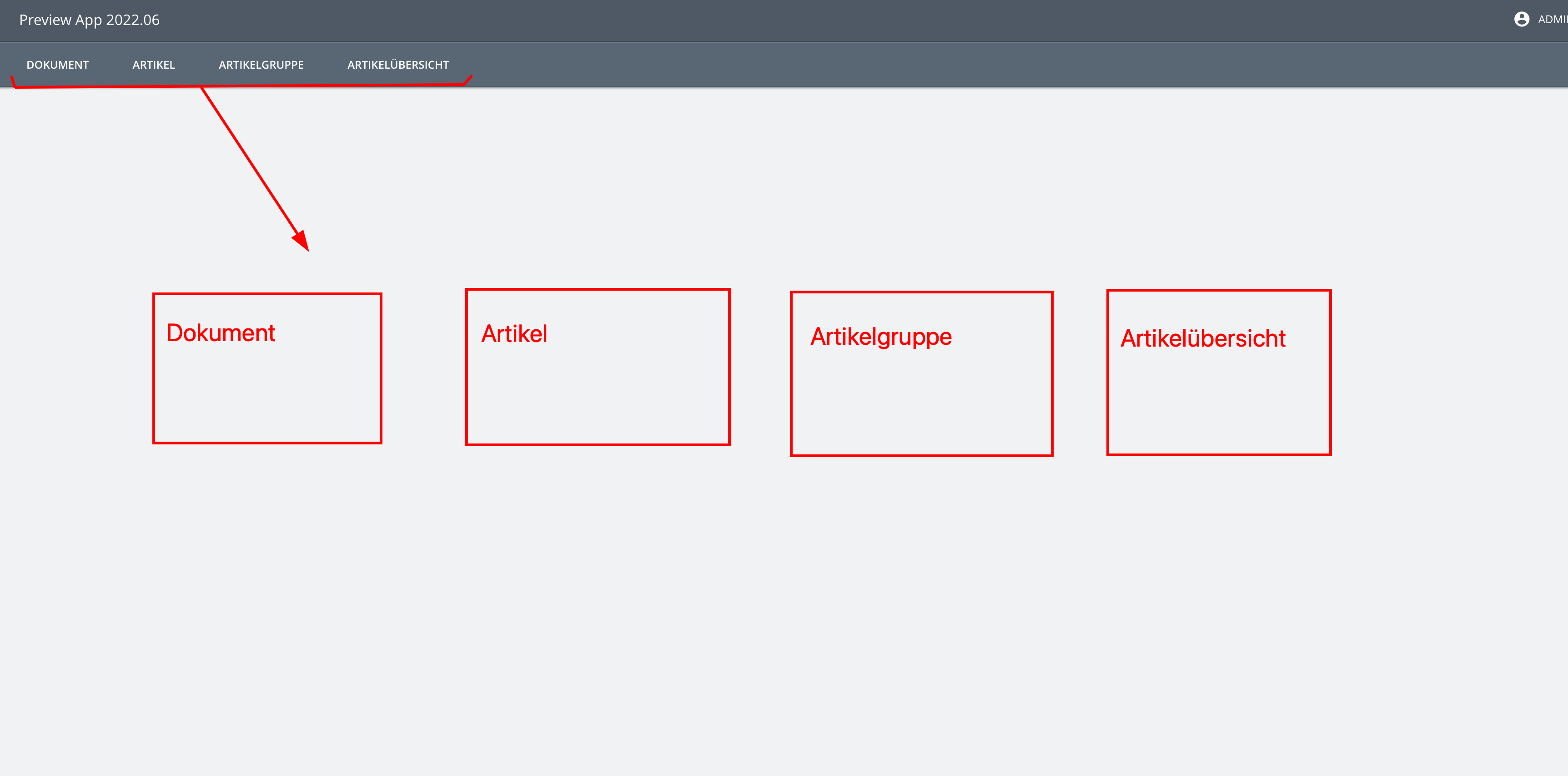
When clicking on a tile, the respective model should be opened, e.g. as a subpage.
Is it possible to achieve something like that with plain modelling? Otherwise, what would be the best approach to achieve it using code?
Thanks,
Felix
Hi @anon61393032,
This isn’t something that I can do as a modeler in the SME. As a rule of thumb, the app-model is something that the developers configure. I’ve asked some of more technical colleagues to look into this for you.
Hi @anon61393032 ,
I think you want to show the models on a tile/card like [here]<INTERNAL_LINK> which couldn’t be done in SME, so you have to configure that by making a component and mapping the models in the menu items to that component as following:
- Create a React Component (with a tile style):
interface TileProps{
	title: string;
	onClick(): void;
}
export default function Tile({ title, onClick }: TileProps) {
	return (
		<StyledTile
			tabIndex={0}
			onClick={onClick}
		>
			<div className="-u-flex -u-items-center -u-flex-col">
				<div className="title">{title}</div>
			</div>
		</StyledTile>
	);
}
and on the index file, we store the properties we need in an array and map them to the react component.
ex:
const tiles=[{ title: "test_1", descriptor: { model: "Module_1" } },
{ title: "test_2", descriptor: { model: "Module_2" } }]
- Map the title and the menu item (model) to the component and use the onClick function to dispatch a new action from
ApplicationActions.
ex:
import { ApplicationActions } from "@com.mgmtp.a12.client/client-core/lib/core/application";

<div key={title} style={{ flex: "0 1 380px" }}>
							<Card
								title={title}
								onClick={() => {
						dispatch(ApplicationActions.startMainActivityRequested(descriptor));
								}}
							/>
						</div>
and here is the code we used to achieve the card view on the [A12 Grundsteuerrechner]<INTERNAL_LINK> showcase:
Card.txt (1.5 KB)
Index.txt (1.8 KB)