Our users would like the following:
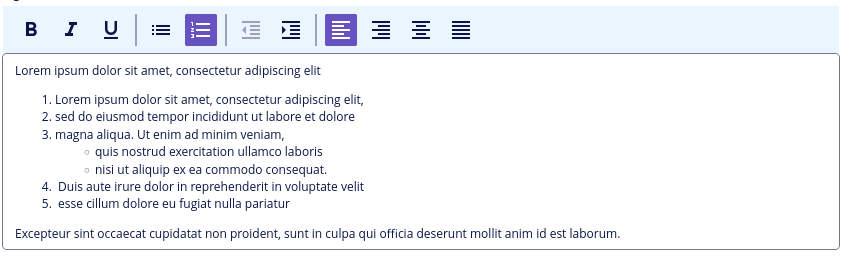
- the ability to use bullet points and/or numbered lists within a text field;
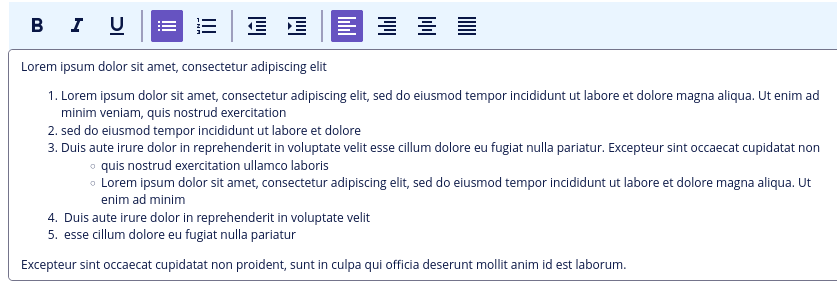
- if a list item is long and spans multiple lines, the formatting should display correctly—meaning that subsequent lines should align with the first word of the text rather than the bullet point itself;
- the formatting (bullet points and/or numbered lists) should display correctly even when the field is used in a document template (print template).
Is there a simple way to meet this requirement (particularly the third one) using a12?
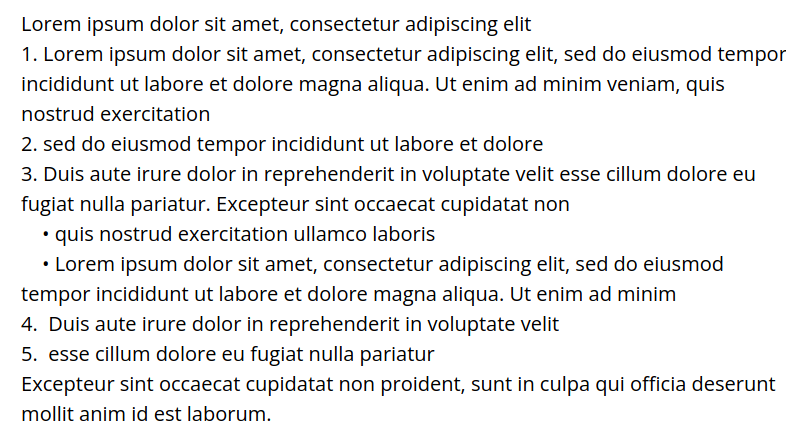
We implemented this feature using a rich text field; however, in the document template, everything appears as a continuous block of text without formatting.
To resolve this, we pre-process the rich text field values before passing them to the print engine.
However, for long text in numbered lists, this solution fails to meet the mandatory requirement that “subsequent lines should align with the first word of the text.”
Can you suggest a solution to this problem or an alternative approach?
My analysis indicates that achieving a hanging indent for multi-line list items requires support for text-indent / padding-left within HtmlAttributesUtils (a12.print.engine.runtime.internal.pdfBoxEngine.tokenizing;).