Hi all,
for my requirement, I have two repeatable groups: One is used in the UI and is filled by the user, the other purely exists in the backend and should be filled by computations based on the values entered in the first group. I have figured out how to construct the relevant computations. But when a repeat is filled in the “UI group”, no repeat is added in the “technical group”. Once I manually add a repeat to the technical group, the computations are run as I expect but I don’t want the user to have to do this manual action in the UI. Is there a way to trigger the creation of a repeatable group by modeling alone or do I need a dev for this?
As an example, I have created this simple example workspace. In my data model, I have two repeatable groups “Links” and “LinksTechnical”. I want to write the URL and description entered in “Links” into their respective counterparts in “LinksTechnical”. This works fine but I need to add repeats to my “LinksTechnical” repeat so that the computation runs:
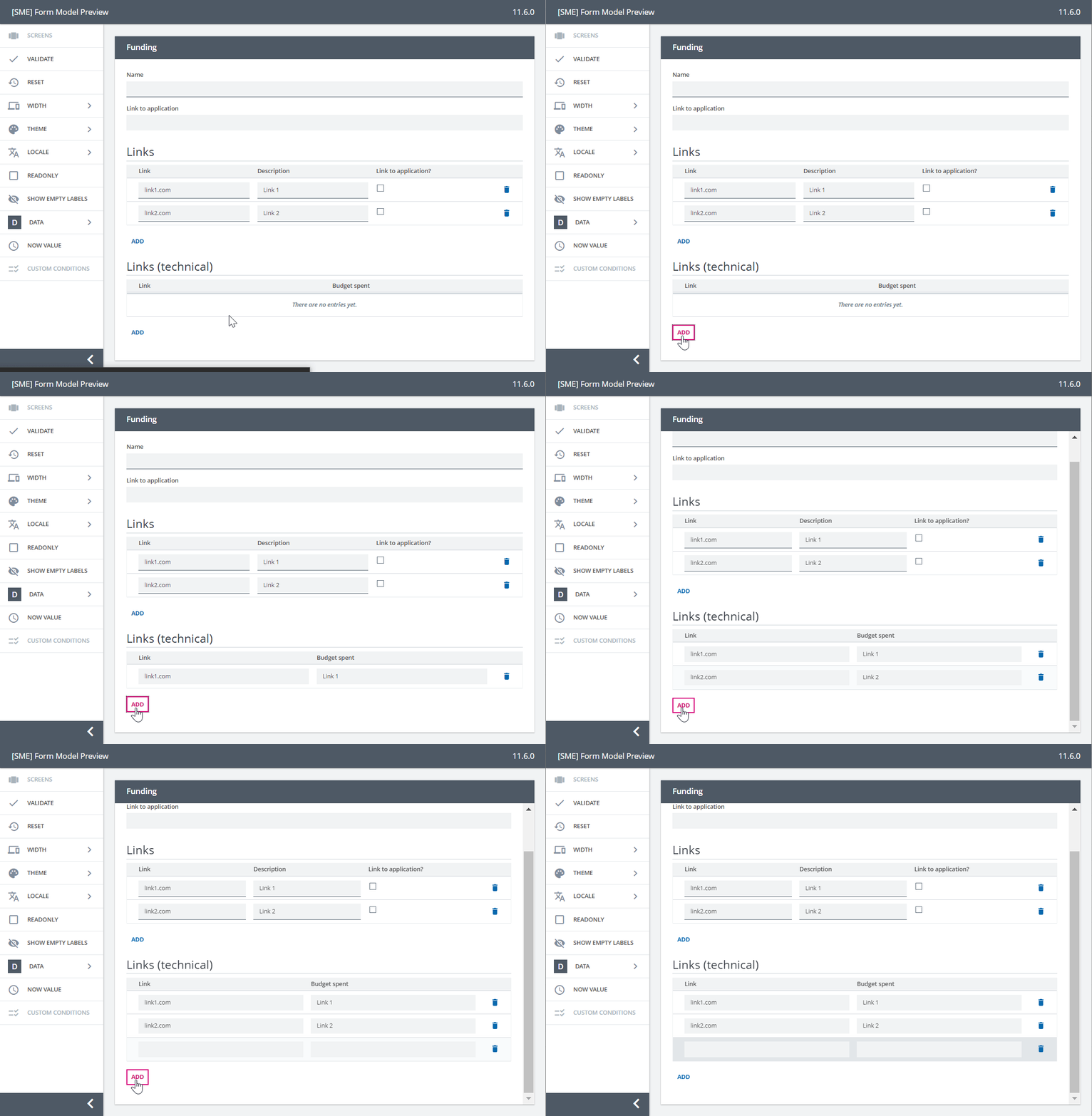
Cheers,
Lea