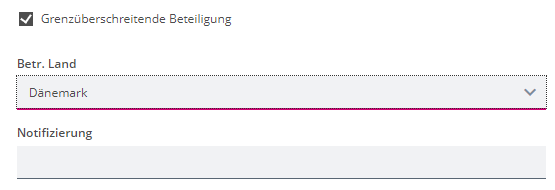
I have a checkbox

which, when triggered, causes the appearance of a “country” dropdown selection.
When that country is selected, what happens now is dependent on the selection itself. Choosing a German “Bundesland” will cause two other fields to appear.
Choosing “Denmark” will cause a third field to appear.
The problem is that if the checkbox is unchecked, the country selection field can be made invisible, but because the Front End still has that value in the data, either the two Bundesland-related fields of the additional Denmark-related field is still visible.
Only when the dataset is then saved and the country-value is actually deleted, the last two fields would actually disappear (though the deletion of that value seems to deliberately not be part of the form model preview). Why can a modeller not have the option in the dependency setting, so that when we want a field to not be relevant and hide it, we can actually set the value of the field to null directly, so that subsequent depencies directly work and don’t lead to a confusing behavior?
I do not think that I have the option of working with multiple control grids in this instance, since I am in a multi-column section.
Hi @jasper-silent-root
The recommendation is to use computed trigger fields and not rely on chains of dependencies resolving correctly. In your case the pseudo rule looks like:
For German States
FieldFilled(GrenzueberscreitendeBeteiligung) And FieldValueIncludedInValueList(BetrLand, <ListOfGermanStates>)
For Denmark
FieldFilled(GrenzueberscreitendeBeteiligung) And FieldValueIncludedInValueList(BetrLand, "Daenmark")
This computed field can be transient so that it doesn’t fill up your document unnecessarily. You will need to turn on Form Model Pre-processing to ensure the correct dependency presentation when re-opening an existing document.
FYI Although some aspects of Dependencies have changed since August 2023, this recommendation is consistent as can be seen in the Monthly Modeling Highlight at about 31 mins:
Link for Partners
Link for mgm’ies
There can be many reasons why fields are not relevant.
So far you have modeled:
- 2nd field (country enum) is relevant when the first confirm field is true.
- 3rd and 4th field are only relevant when the 2nd field contains specific values.
You can extend this to:
- 2nd field “country enum” is only relevant when the first confirm field is true.
- 3rd and 4th field are only relevant when the 2nd field contains specific values.
- 3rd and 4th field are only relevant when the first confirm field is true.
However, this solution only works if you can combine dependent field(s) and dependent group dependencies, i.e. 3rd and 4th field probably need to be located a in dedicated group.